FFUF: Guida al Web Fuzzing per Directory, VHost e API (Pentesting e CTF)
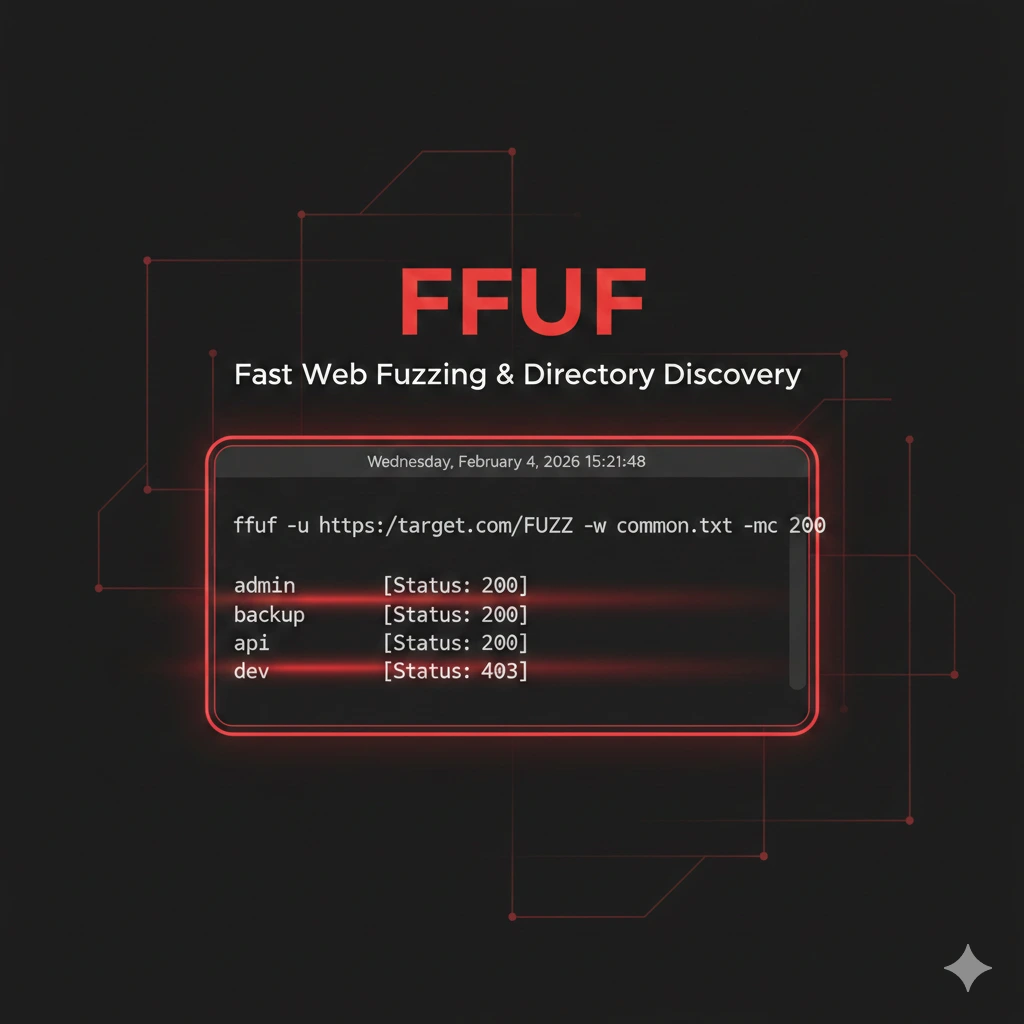
FFUF è un web fuzzer veloce in Go per directory, vhost e API testing. Guida pratica con wordlist, filtri e tecniche da pentest.
- Pubblicato il 2026-02-05
- Tempo di lettura: 8 min
FFUF: Guida al Web Fuzzing per Directory, VHost e API (Pentesting e CTF) #
ffuf (Fuzz Faster U Fool) è il web fuzzer più veloce ed efficiente per penetration testing moderno. Scritto in Go, ffuf sostituisce tool legacy come Dirbuster e Gobuster offrendo performance superiori e flessibilità estrema.
Quando devi enumerare directory nascoste, scoprire virtual host, testare parametri GET/POST o bruteforcare API endpoints, ffuf è lo strumento definitivo. In questa guida impari a usare ffuf come un professionista: da installazione a tecniche avanzate di fuzzing multi-livello.
Cos’è ffuf e Perché Usarlo #
ffuf è un fuzzer HTTP che sostituisce placeholder (FUZZ) negli URL con valori da wordlist. A differenza di tool tradizionali, ffuf offre:
Vantaggi chiave:
- Velocità estrema: 1000+ richieste/secondo con threading Go
- Flessibilità totale: fuzzing su URL, headers, POST data, cookies
- Filtri avanzati: matching/filtering per size, words, lines, regex, status code
- Recursion automatica: scoperta directory annidate
- Output multi-formato: JSON, CSV, markdown, HTML per integrazione pipeline
Quando usare ffuf:
- Directory/file enumeration su web app
- Virtual host discovery (vhost bruteforce)
- Parameter fuzzing (GET/POST)
- Subdomain enumeration
- API endpoint discovery
- Authentication bypass testing
Installazione ffuf #
Via APT (Kali Linux) #
sudo apt update
sudo apt install ffuf

# Verifica versione
ffuf -V
Output:
ffuf version v2.1.0Da Source (Latest Release) #
# Installa Go se necessario
sudo apt install golang-go

# Clona repository
git clone https://github.com/ffuf/ffuf
cd ffuf

# Compila
go build

# Sposta in PATH
sudo mv ffuf /usr/local/bin/

# Verifica
ffuf -version
Wordlist Essenziali #
ffuf richiede wordlist di qualità. Le migliori:
# SecLists (must-have)
cd /opt
sudo git clone https://github.com/danielmiessler/SecLists.git

# Directory comuni
/opt/SecLists/Discovery/Web-Content/directory-list-2.3-medium.txt  # 220k entries
/opt/SecLists/Discovery/Web-Content/common.txt                      # 4.6k entries
/opt/SecLists/Discovery/Web-Content/big.txt                         # 20k entries

# File extensions comuni
/opt/SecLists/Discovery/Web-Content/web-extensions.txt

# Subdomains
/opt/SecLists/Discovery/DNS/subdomains-top1million-5000.txt
Per approfondimenti su wordlist ottimali vedi Wordlist Guide.
Directory Fuzzing Base #
Enumerazione Directory Standard #
Scenario: Web app sconosciuta, devi mappare struttura directory.
ffuf -u https://target.com/FUZZ -w /opt/SecLists/Discovery/Web-Content/common.txtParametri:
-u= URL target (FUZZ = placeholder)-w= wordlist path
Output:
        /'___\  /'___\           /'___\
       /\ \__/ /\ \__/  __  __  /\ \__/
       \ \ ,__\\ \ ,__\/\ \/\ \ \ \ ,__\
        \ \ \_/ \ \ \_/\ \ \_\ \ \ \ \_/
         \ \_\   \ \_\  \ \____/  \ \_\
          \/_/    \/_/   \/___/    \/_/

       v2.1.0
________________________________________________

 :: Method           : GET
 :: URL              : https://target.com/FUZZ
 :: Wordlist         : FUZZ: /opt/SecLists/Discovery/Web-Content/common.txt
 :: Follow redirects : false
 :: Calibration      : false
 :: Timeout          : 10
 :: Threads          : 40
 :: Matcher          : Response status: 200,204,301,302,307,401,403
________________________________________________

admin                   [Status: 301, Size: 312, Words: 20, Lines: 10]
api                     [Status: 200, Size: 1523, Words: 145, Lines: 42]
backup                  [Status: 403, Size: 278, Words: 20, Lines: 10]
config                  [Status: 403, Size: 278, Words: 20, Lines: 10]
login                   [Status: 200, Size: 2341, Words: 312, Lines: 67]
uploads                 [Status: 301, Size: 315, Words: 20, Lines: 10]
Interpretazione:
- Status 200: Directory/file accessibile
- Status 301/302: Redirect (directory esiste)
- Status 403: Forbidden (esiste ma accesso negato)
- Status 401: Authentication required
Fuzzing con Estensioni Multiple #
Cerca file specifici (backup, config, db):
ffuf -u https://target.com/FUZZ -w /opt/SecLists/Discovery/Web-Content/common.txt -e .php,.html,.txt,.bak,.old,.zipFlag -e: appende estensioni automaticamente
Genera richieste:
/admin
/admin.php
/admin.html
/admin.txt
/admin.bak
/admin.old
/admin.zip
Trova:
config.php.bak(backup configurazione)database.sql.old(dump database)backup.zip(archivio completo)
Recursion Mode #
Scopri directory annidate automaticamente:
ffuf -u https://target.com/FUZZ -w wordlist.txt -recursion -recursion-depth 3Parametri:
-recursion: abilita modalità ricorsiva-recursion-depth 3: esplora fino a 3 livelli
Esplora:
/admin/
/admin/panel/
/admin/panel/users/
/api/
/api/v1/
/api/v1/auth/
Potente per mappare applicazioni complesse senza intervento manuale.
Virtual Host Discovery #
Scenario: Server con multiple applicazioni su stesso IP (virtual hosting).
Vhost Fuzzing Base #
ffuf -u https://target.com -H "Host: FUZZ.target.com" -w /opt/SecLists/Discovery/DNS/subdomains-top1million-5000.txtCosa fa:
- Sostituisce header
Host:con valori da wordlist - Identifica vhost basandosi su differenze response size/content
Output:
admin.target.com        [Status: 200, Size: 5234, Words: 612, Lines: 142]
api.target.com          [Status: 200, Size: 1823, Words: 234, Lines: 56]
dev.target.com          [Status: 200, Size: 8721, Words: 923, Lines: 201]
staging.target.com      [Status: 200, Size: 6543, Words: 712, Lines: 167]
Filtrare False Positives #
Spesso tutti i vhost inesistenti ritornano stesso size. Filtra:
# Prima identifica size default
ffuf -u https://target.com -H "Host: nonexistent.target.com" -w wordlist.txt

# Output: Size: 1234
# Poi filtra
ffuf -u https://target.com -H "Host: FUZZ.target.com" -w wordlist.txt -fs 1234
Flag -fs 1234: filtra response con size 1234 (false positive)
Per tecniche avanzate vedi Subdomain Enumeration.
Parameter Fuzzing #
GET Parameter Discovery #
Scenario: Endpoint API senza documentazione, devi scoprire parametri accettati.
ffuf -u https://api.target.com/user?FUZZ=test -w /opt/SecLists/Discovery/Web-Content/burp-parameter-names.txtTrova parametri validi:
id              [Status: 200, Size: 542]
user_id         [Status: 200, Size: 542]
debug           [Status: 200, Size: 8234]  # Debug mode leak!
admin           [Status: 403, Size: 123]
Parameter debug=1 potrebbe esporre:
- Stack traces
- Variabili ambiente
- Query SQL
- Path interni
POST Data Fuzzing #
Testa parametri POST (form, JSON API):
ffuf -u https://target.com/api/login -X POST -d "username=admin&password=FUZZ" -w passwords.txt -H "Content-Type: application/x-www-form-urlencoded"Parametri:
-X POST: metodo HTTP-d: POST data (FUZZ placeholder)-H: header custom
JSON API fuzzing:
ffuf -u https://api.target.com/auth -X POST -d '{"user":"admin","pass":"FUZZ"}' -w /opt/SecLists/Passwords/Common-Credentials/10k-most-common.txt -H "Content-Type: application/json"Utile per brute force authentication su API REST. Combina con Burp Suite per analisi response dettagliata.
Filtri e Matching Avanzati #
ffuf offre filtri potenti per ridurre noise e identificare risultati rilevanti.
Filtri Comuni #
| Flag | Descrizione | Esempio |
|---|---|---|
-fc 404 | Filter by status code | Nasconde 404 |
-fs 1234 | Filter by response size | Nasconde size 1234 bytes |
-fw 20 | Filter by word count | Nasconde response con 20 parole |
-fl 10 | Filter by line count | Nasconde response con 10 righe |
-fr "error" | Filter by regex | Nasconde response contenenti “error” |
-ft 5000 | Filter by time | Nasconde response > 5000ms |
Matching (Opposto di Filter) #
| Flag | Descrizione | Esempio |
|---|---|---|
-mc 200,301 | Match status codes | Mostra solo 200 e 301 |
-ms 1000-2000 | Match size range | Mostra solo size 1000-2000 bytes |
-mw 50-100 | Match word count | Mostra solo 50-100 parole |
-mr "admin" | Match regex | Mostra solo se contiene “admin” |
Esempio Pratico Filtri #
Problema: Directory fuzzing ritorna molti 403 che non interessano.
# Nascondi tutti i 403
ffuf -u https://target.com/FUZZ -w wordlist.txt -fc 403

# Mostra solo 200 e redirect
ffuf -u https://target.com/FUZZ -w wordlist.txt -mc 200,301,302

# Nascondi response di dimensione standard (false positive)
ffuf -u https://target.com/FUZZ -w wordlist.txt -fs 3456

# Combinazione filtri: nascondi 404 E size 1234
ffuf -u https://target.com/FUZZ -w wordlist.txt -fc 404 -fs 1234
Auto-Calibration #
ffuf può calibrarsi automaticamente per rilevare false positive:
ffuf -u https://target.com/FUZZ -w wordlist.txt -acFlag -ac: auto-calibration
ffuf invia richieste random e identifica pattern comuni nelle risposte non esistenti, applicando filtri automatici.
Rate Limiting e Performance #
Controllo Velocità #
Default: 40 thread paralleli
# Aumenta thread per maggior velocità (se target regge)
ffuf -u https://target.com/FUZZ -w wordlist.txt -t 100

# Riduci thread per target fragili
ffuf -u https://target.com/FUZZ -w wordlist.txt -t 10

# Delay tra richieste (stealth)
ffuf -u https://target.com/FUZZ -w wordlist.txt -p 0.5

# Rate limit: max X richieste/secondo
ffuf -u https://target.com/FUZZ -w wordlist.txt -rate 50
Parametri:
-t 100: 100 thread concorrenti-p 0.5: 0.5 secondi delay tra richieste-rate 50: massimo 50 req/secondo
Best practice pentest:
- Client assessment:
-t 50-100(veloce) - Target produzione:
-t 20-30+-p 0.1(moderato) - Stealth mode:
-t 5+-p 1-2(lento, evita IDS/WAF)
Timeout e Retry #
# Timeout 30 secondi per richiesta
ffuf -u https://target.com/FUZZ -w wordlist.txt -timeout 30

# Retry su failure
ffuf -u https://target.com/FUZZ -w wordlist.txt -retry 3

# Retry con delay
ffuf -u https://target.com/FUZZ -w wordlist.txt -retry 3 -retry-delay 2
Utile per target instabili o con connessione lenta.
Output e Reporting #
Formati Output #
# Output JSON (per parsing automatico)
ffuf -u https://target.com/FUZZ -w wordlist.txt -o results.json -of json

# Output CSV (Excel/Google Sheets)
ffuf -u https://target.com/FUZZ -w wordlist.txt -o results.csv -of csv

# Output Markdown (documentazione)
ffuf -u https://target.com/FUZZ -w wordlist.txt -o results.md -of md

# Output HTML (report visual)
ffuf -u https://target.com/FUZZ -w wordlist.txt -o results.html -of html
Formati disponibili:
json: integrazione con altri toolcsv: analisi spreadsheetmd: documentazione markdownhtml: report interattivoecsv: CSV esteso con metadata
Quiet Mode e Verbosity #
# Silent mode (solo risultati)
ffuf -u https://target.com/FUZZ -w wordlist.txt -s

# Verbose mode (debug)
ffuf -u https://target.com/FUZZ -w wordlist.txt -v

# No banner
ffuf -u https://target.com/FUZZ -w wordlist.txt -noninteractive
Tecniche Avanzate #
Multiple FUZZ Positions #
Fuzza più punti contemporaneamente:
# FUZZ directory E file extension
ffuf -u https://target.com/FUZZ1/file.FUZZ2 -w directories.txt:FUZZ1 -w extensions.txt:FUZZ2
Genera combinazioni:
/admin/file.php
/admin/file.bak
/backup/file.php
/backup/file.bak
Header Fuzzing #
Testa header HTTP per bypassare autenticazione o scoprire comportamenti nascosti:
# Fuzza User-Agent
ffuf -u https://target.com/admin -w user-agents.txt -H "User-Agent: FUZZ"

# Fuzza X-Forwarded-For (IP spoofing)
ffuf -u https://target.com/api -w ips.txt -H "X-Forwarded-For: FUZZ"

# Fuzza Custom headers
ffuf -u https://target.com/api -w values.txt -H "X-API-Key: FUZZ"
Bypass comuni:
X-Forwarded-For: 127.0.0.1(simula localhost)X-Originating-IP: 10.0.0.1(simula rete interna)- User-Agent admin/bot (accesso privilegiato)
Cookie Fuzzing #
ffuf -u https://target.com/profile -w session_ids.txt -b "session=FUZZ"Utile per session hijacking se conosci pattern generazione session ID.
API Endpoint Discovery #
# Fuzza versioni API
ffuf -u https://api.target.com/vFUZZ/users -w <(seq 1 10)

# Output:
# /v1/users
# /v2/users
# /v3/users (magari senza autenticazione!)
Combinazione con API Hacking per exploitation completo.
Scenari Pratici Penetration Testing #
Scenario 1: Web App Enumeration #
Obiettivo: Mappare completamente applicazione web sconosciuta.
# Step 1: Directory base
ffuf -u https://target.com/FUZZ -w /opt/SecLists/Discovery/Web-Content/common.txt -mc 200,301,302,403 -o enum_dirs.json -of json

# Step 2: File estensioni comuni
ffuf -u https://target.com/FUZZ -w /opt/SecLists/Discovery/Web-Content/common.txt -e .php,.bak,.txt,.zip -mc 200 -o enum_files.json -of json

# Step 3: Recursion su directory trovate
ffuf -u https://target.com/FUZZ -w /opt/SecLists/Discovery/Web-Content/raft-medium-directories.txt -recursion -recursion-depth 2 -o enum_recursive.json -of json

# Step 4: Backup files (critici)
ffuf -u https://target.com/FUZZ -w backup-patterns.txt -mc 200 -o backups.json -of json
backup-patterns.txt esempio:
config.php.bak
config.bak
database.sql
db_backup.sql
backup.zip
backup.tar.gz
www.zip
site.zip
.git/HEAD
.env
.env.backup
Scenario 2: Virtual Host Discovery #
Obiettivo: Scoprire ambiente staging/dev non pubblicizzato.
# Vhost discovery
ffuf -u https://10.10.10.50 -H "Host: FUZZ.target.com" -w /opt/SecLists/Discovery/DNS/subdomains-top1million-20000.txt -fs 1234 -o vhosts.txt

# Scoperto: dev.target.com, staging.target.com
# Test accesso diretto
curl -H "Host: dev.target.com" https://10.10.10.50
Spesso ambienti dev/staging hanno:
- Autenticazione disabilitata
- Debug mode attivo
- Funzionalità non finite (vulnerabili)
Scenario 3: Parameter Tampering #
Obiettivo: Trovare parametri nascosti che modificano comportamento applicazione.
# Test parametri GET
ffuf -u "https://target.com/api/user?id=1&FUZZ=true" -w /opt/SecLists/Discovery/Web-Content/burp-parameter-names.txt -mc 200 -fw 150

# Scoperto: debug=true
# Test:
curl "https://target.com/api/user?id=1&debug=true"
# Output: stack trace con credenziali DB!
Parametri comuni da testare:
debug,test,verboseadmin,isAdmin,roleredirect,url,nextformat,output,type
Scenario 4: Fuzzing Authentication #
Obiettivo: Brute force login form.
# Username enumeration
ffuf -u https://target.com/login -X POST -d "username=FUZZ&password=test" -w usernames.txt -H "Content-Type: application/x-www-form-urlencoded" -mr "Invalid password"

# Password spray (username valido trovato: admin)
ffuf -u https://target.com/login -X POST -d "username=admin&password=FUZZ" -w /opt/SecLists/Passwords/Common-Credentials/10-million-password-list-top-1000.txt -H "Content-Type: application/x-www-form-urlencoded" -mc 302

# Match 302 = redirect dopo login successo
Combina con rate limiting (-p 1 -t 5) per evitare account lockout.
Integrazione con Altri Tool #
ffuf + Burp Suite #
# Proxying ffuf attraverso Burp per analisi
ffuf -u https://target.com/FUZZ -w wordlist.txt -x http://127.0.0.1:8080

# In Burp vedi tutte le richieste in Proxy/HTTP History
# Utile per analisi manuale response interessanti
ffuf + SQLMap #
# ffuf trova endpoint con parametri
ffuf -u https://target.com/search?q=FUZZ -w wordlist.txt -mc 200 -o endpoints.txt

# Testa SQLi con sqlmap
cat endpoints.txt | grep "200" | cut -d' ' -f1 | while read url; do
    sqlmap -u "$url" --batch --level 2
done
Per SQL injection approfondito: SQLMap Guide.
ffuf + Nuclei #
# ffuf enumera, nuclei scansiona vulnerabilità
ffuf -u https://target.com/FUZZ -w dirs.txt -mc 200 -o discovered.txt

# Converti in URL list
cat discovered.txt | jq -r '.results[].url' > urls.txt

# Scan con nuclei
nuclei -l urls.txt -t /opt/nuclei-templates/
ffuf + Reconnaissance Pipeline #
#!/bin/bash
TARGET="target.com"

# Subdomain enum
ffuf -u https://FUZZ.$TARGET -w subdomains.txt -mc 200 -o subs.json -of json

# Per ogni subdomain, directory enum
cat subs.json | jq -r '.results[].url' | while read sub; do
    ffuf -u $sub/FUZZ -w dirs.txt -mc 200,301,302 -o ${sub//[^a-zA-Z0-9]/_}_dirs.json -of json
done
Vedi Reconnaissance Guide per metodologie complete.
Troubleshooting e Tips #
“Too Many Open Files” Error #
Errore:
error: too many open filesFix:
# Aumenta file descriptor limit
ulimit -n 8192

# Verifica
ulimit -n
WAF/IDS Evasion #
Tecnica 1: Randomize User-Agent
ffuf -u https://target.com/FUZZ -w wordlist.txt -H "User-Agent: Mozilla/5.0 (Windows NT 10.0; Win64; x64) AppleWebKit/537.36"Tecnica 2: Delay e jitter
ffuf -u https://target.com/FUZZ -w wordlist.txt -p 0.5-2.0 -t 10Tecnica 3: Proxy rotation
ffuf -u https://target.com/FUZZ -w wordlist.txt -x http://proxy1.com:8080
# Configura proxy rotation esterno
Connection Timeout Persistenti #
# Aumenta timeout e riduci thread
ffuf -u https://slow-target.com/FUZZ -w wordlist.txt -timeout 60 -t 5 -retry 3

# Usa HTTP/1.0 per evitare keep-alive issues
ffuf -u https://target.com/FUZZ -w wordlist.txt -http2=false
FAQ ffuf #
ffuf vs Gobuster vs Dirbuster: quale usare?
- ffuf: Più veloce e flessibile, supporta fuzzing multi-posizione
- Gobuster: Più semplice, ottimo per directory enumeration base
- Dirbuster: GUI-based, obsoleto, lento
Usa ffuf per penetration testing professionale.
Come creare wordlist custom efficaci?
# Wordlist da robots.txt
curl https://target.com/robots.txt | grep "Disallow" | cut -d'/' -f2 > custom.txt

# Wordlist da sitemap
curl https://target.com/sitemap.xml | grep -oP '(?<=<loc>).*?(?=</loc>)' | cut -d'/' -f4 > sitemap_dirs.txt

# Merge wordlist
cat common.txt custom.txt sitemap_dirs.txt | sort -u > final.txt
ffuf può testare XSS o SQLi?
ffuf è fuzzer, non scanner vulnerabilità. Può:
- Trovare input points (parametri)
- Testare payloads base
Ma per exploitation usa tool dedicati: XSS Guide, SQLMap.
Quanto tempo richiede scan completo?
Dipende da:
- Dimensione wordlist (4k entries vs 220k)
- Thread count (
-t 40default) - Latenza target
Esempi:
- Wordlist 4k, 40 thread, target veloce: ~2 minuti
- Wordlist 220k, 40 thread, target medio: ~30 minuti
- Wordlist 220k, 10 thread, target lento: ~2 ore
ffuf rileva automaticamente WAF?
No. ffuf è HTTP fuzzer passivo. Per WAF detection usa:
wafw00f https://target.comPoi adatta strategia ffuf (rate limiting, evasion).
Link Utili:
Disclaimer Legale: ffuf è tool legale per security assessment autorizzato. L’utilizzo su sistemi senza esplicito consenso scritto del proprietario costituisce reato penale. Usa solo su infrastrutture di tua proprietà o in contesto di penetration test formalmente autorizzato con scope definito.