Maltego: Guida Completa alla Visual Link Analysis per OSINT e Threat Intelligence
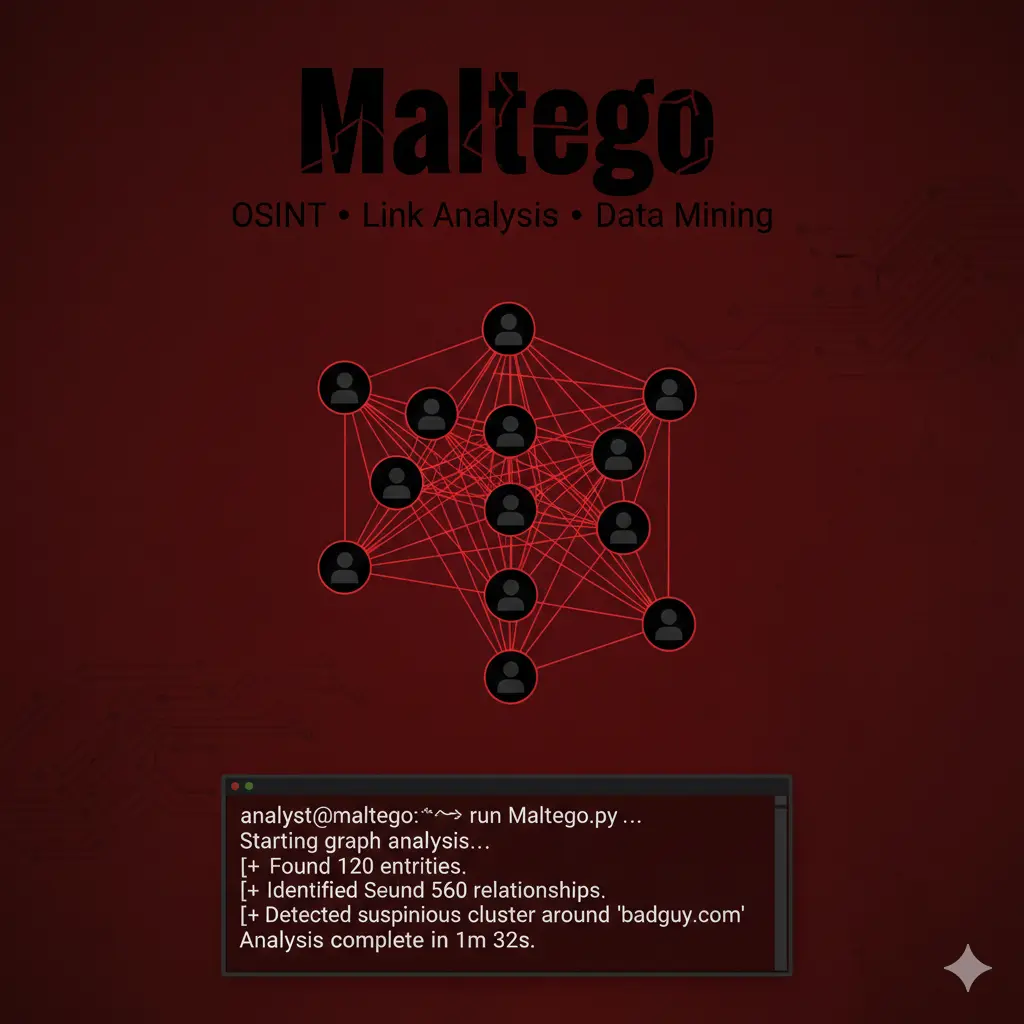
Maltego è uno strumento di visual link analysis per OSINT che trasforma domini, IP, email e aziende in grafi interattivi per investigazioni avanzate, threat intelligence e Red Team.
- Pubblicato il 2026-02-08
- Tempo di lettura: 12 min
Maltego trasforma raw OSINT data in grafi visuali interattivi che rivelano relazioni nascoste tra persone, domini, IP, aziende e infrastrutture attraverso sistema transform-based che automatizza query a 100+ data source. Sviluppato da Paterva dal 2008 e standard de-facto per investigazioni complesse (law enforcement, corporate intelligence, red team), Maltego eccelle dove tool command-line come https://hackita.it/articoli/theharvester falliscono: correlation multi-hop (domain→IP→netblock→ASN→organization), temporal analysis (tracking changes nel tempo), e presentation-quality output per stakeholder non-technical. Versione Community Edition offre subset funzionalità gratuitamente mentre Classic ($999/anno) e XL ($3,200/anno) unlockano transform premium, automated API access, collaboration features e unlimited graph size.
Cosa imparerai #
Questo articolo copre installazione cross-platform (Windows/Linux/macOS), architettura transform e marketplace, creazione primi grafi step-by-step con machine preconfigurate, tecniche pivoting avanzate per deep investigation, custom transform development per data source proprietari, integration con https://hackita.it/articoli/recon-ng e https://hackita.it/articoli/spiderfoot per data enrichment, export formati multipli (PDF/GEXF/GraphML), automation via Maltego CLI e MaltegoTransform API, OPSEC considerations per investigation stealth, e use case enterprise (fraud detection, supply chain risk, M&A due diligence).
Setup e Installazione #
Maltego richiede Java 11+ e account Paterva. Versioni disponibili:
| Edition | Costo | Transform Limit | Graph Size | Commercial Use |
|---|---|---|---|---|
| Community | Free | 12 transform/run | 10k entities | Personal only |
| Classic | $999/anno | Unlimited | 50k entities | ✅ Sì |
| XL | $3,200/anno | Unlimited | Unlimited | ✅ Sì |
Download e registrazione:
# Linux
wget https://downloads.maltego.com/maltego-v4/linux/Maltego.v4.8.0.deb
sudo dpkg -i Maltego.v4.8.0.deb

# macOS
# Download DMG da https://www.maltego.com/downloads/
# Drag to Applications

# Windows
# Download installer EXE e esegui setup wizard
Prima configurazione:
- Avvia Maltego
- Crea account Maltego/Paterva (email + password)
- Attiva Community Edition (o inserisci license key)
- Installa “Transform Hub” dal wizard iniziale
Transform Hub Installation:
Maltego GUI → Transforms Tab → Transform Hub
Install disponibili:
- Paterva CTAS (builtin, sempre installato)
- Shodan (richiede API key)
- VirusTotal (richiede API key)
- Have I Been Pwned
- AlienVault OTX
- DomainTools
- PassiveTotal
- ThreatCrowd
- WhoisXML API
Verifica installazione:
- New Graph → Blank Graph
- Drag “Domain” entity sulla canvas
- Double-click, inserisci “example.com”
- Right-click → Run Transform → “To DNS Name - NS (name server)”
- Verificare che appaiano nameserver
Se funziona, setup completato correttamente.
Architettura Transform #
Maltego opera su entity (nodi nel grafo) e transform (operazioni che generano nuove entity da esistenti).
Entity Types Builtin #
Maltego include 70+ entity types:
Infrastructure:
- AS (Autonomous System)
- DNS Name
- Domain
- IPv4 Address
- IPv6 Address
- Netblock
- MX Record
- NS Record
- URL
- Website
People & Organizations:
- Person
- Email Address
- Phone Number
- Alias
- Company
- Location
Documents & Files:
- Document
- Image
- Hash (MD5/SHA1/SHA256)
Social Media:
- Twitter Affiliation
- Facebook Object
- LinkedIn ProfileCustom: Possibile creare entity custom per use case specifici.
Transform Categories #
1. Builtin Transforms (Paterva CTAS):
- DNS resolution (forward/reverse)
- WHOIS lookup
- Geolocation IP
- ASN mapping
- Email format detection
2. Third-Party Transforms (Hub):
- Shodan: IP→services, port→hosts
- VirusTotal: file→reports, domain→detections
- PassiveTotal: domain→DNS history
- Have I Been Pwned: email→breaches
3. Local Transforms (custom Python/Java):
- Internal database queries
- Proprietary API calls
- File parsing
- Custom logic
Machine Workflows #
“Machines” sono transform sequences pre-configurate per common tasks:
Company Stalker:
Input: Company name
Output: Email addresses, domains, netblocks, employees
Transforms: 15-20 automated
Time: 5-8 minuti
Footprint L1:
Input: Domain name
Output: Subdomains, IPs, MX/NS records
Transforms: 8-12 automated
Time: 3-5 minuti
Person (email)→Person (detail):
Input: Email address
Output: Social media, breach data, associated domains
Transforms: 10-15 automated
Time: 4-7 minuti
Uso Base: Primi Grafi #
Scenario 1: Domain Investigation #
Obiettivo: Mappare infrastruttura di targetcorp.com.
Step-by-step:
- New Graph → Blank Graph
- Entity Palette (sinistra) → Drag “Domain” sulla canvas
- Property View (destra) → domain.name =
targetcorp.com - Right-click domain → Run Transform → All Transforms
- Wait execution (30-90 sec)
Output visuale:
[targetcorp.com]
    ├─ [DNS Name: www.targetcorp.com]
    ├─ [DNS Name: mail.targetcorp.com]
    ├─ [MX Record: mail.targetcorp.com]
    ├─ [NS Record: ns1.targetcorp.com]
    ├─ [IPv4: 203.0.113.1]
└─ [Netblock: 203.0.113.0/24]Interpretazione:
- Linee = relazioni scoperte via transform
- Colori = entity types diversi
- Spessore linea = transform confidence/weight
Drill-down specifico:
- Right-click IPv4 203.0.113.1 → Run Transform → Shodan transforms
- Output: open ports, services, banners
Export finding:
File → Export Graph → GEXF (per Gephi)
File → Export Graph → PDF (per report)
Scenario 2: Email→Person Investigation #
Obiettivo: Profiling completo da singola email address.
Workflow:
- Drag “Email Address” entity
- Set:
john.doe@targetcorp.com - Right-click → Run Transform → To Person
- Output: Person entity con nome associato
- Right-click Person → Run Transform → All Social Media Transforms
Graph risultante:
[john.doe@targetcorp.com]
    └─ [Person: John Doe]
        ├─ [Twitter: @johndoe]
        ├─ [LinkedIn: linkedin.com/in/johndoe]
        ├─ [GitHub: github.com/jdoe]
        ├─ [Breach: LinkedIn 2021]
        └─ [Phone: +1-555-123-4567]
Enrichment successivo:
- Right-click LinkedIn → Run Transform → Company from LinkedIn
- Output: Employer history, job titles, connections
Machine automation:
Alternative: usare Machine “Person Email→Person Details”:
- Input: john.doe@targetcorp.com
- Click “Run Machine”
- Auto-esegue 12 transform in sequenza
- Output: grafo completo in 5 minuti
Scenario 3: IP→Infrastructure Mapping #
Obiettivo: Identify all assets su stesso netblock.
1. Drag IPv4: 203.0.113.50
2. Transform: To Netblock
3. Output: 203.0.113.0/24
4. Right-click Netblock → To All IPs in block
5. Output: 256 IP addresses
6. Select all IP → Transform: To Websites
7. Output: hosted websites per IP
Filtering noise:
Select → Filter → Remove entities without edges
Result: Solo IP con website attivi
Co-hosting analysis:
Right-click website → To Domains on same IP
Result: Virtual hosts co-located
Tecniche Operative Avanzate #
Pivoting Multi-Hop #
Maltego eccelle in chain reasoning: A→B→C→D discovery.
Esempio: Company→Employees→Credentials:
[Acme Corp]
  → (Transform: Company to Email)
  → [admin@acmecorp.com]
    → (Transform: Email to Breach)
    → [LinkedIn Breach 2021]
      → (Transform: Breach to Password)
      → [password: Acme2021!]
        → (Transform: Password to Other Accounts)
        → [VPN credentials found]
5-hop chain rivela VPN credentials da company name — impossibile con single-tool approach.
Graph Layout Optimization #
Maltego offre 8 layout algorithms:
Organic Layout (default):
- Force-directed algorithm
- Good for small-medium graphs (<500 nodes)
- Entities naturally cluster by relationship
Hierarchical Layout:
- Tree structure top-down
- Best per timeline/chain analysis
- Parent→children relationship clear
Circular Layout:
- Entities in cerchio
- Central entity al centro
- Good per “hub and spoke” investigation
Block Layout:
- Grid-based positioning
- Manual control positioning
- Presentation-quality output
Switch layout:
View → Layout → Select algorithm
Or: Toolbar icon "Layout"
Custom Filtering e Selection #
Select by Entity Type:
Edit → Select → By Type → Email Address
Result: Tutte email highlighted
Filter by Property:
Right sidebar → Filter Tab → Add Filter
Condition: entity.type = "IPv4Address" AND entity.ipv4-address startswith "203.0"
Result: Solo IP in specific range
Hide/Show entities:
Select entities → Right-click → Hide Selection
Later: View → Show All Hidden Entities
Temporal Analysis #
Tracking changes over time:
1. Export graph oggi: graph_20260206.mtgx
2. Re-run stesso starting entity fra 1 settimana
3. Import previous graph: File → Import → Maltego Graph
4. Compare: View → Diff → Select two graphs
5. Output: Highlighting di new/removed/changed entities
Use case: monitoring exposed services, tracking employee turnover, domain expiration alerts.
Collaboration Features (Classic/XL only) #
Shared graph editing:
File → Collaboration → Share Graph
Enter collaborator email
Permissions: View / Edit / Comment
Version control builtin:
- Auto-save ogni 5 minuti
- Revision history: File → Revisions
- Rollback a previous version disponibile
Team investigation workflow:
Team Lead: Creates initial graph, shares read-only
Analysts: Clone graph, add findings, submit merge request
Lead: Review changes, merge into master graph
Transform Development Custom #
Maltego supporta custom transform in Python, Java, o Remote API (any language).
Python Transform Base Structure #
#!/usr/bin/env python3
from maltego_trx.entities import Domain, IPAddress
from maltego_trx.maltego import UIM_PARTIAL
from maltego_trx.transform import DiscoverableTransform

class DomainToIP(DiscoverableTransform):
    """
    Custom transform: Domain → IP via custom API
    """

    @classmethod
    def create_entities(cls, request, response):
        domain = request.Value  # Input entity value

        # Custom logic - query internal database
        ips = query_internal_db(domain)

        for ip in ips:
            # Add IP entity to graph
            response.addEntity(IPAddress, ip)

        return response

def query_internal_db(domain):
    # Placeholder - replace with actual DB query
return ["203.0.113.1", "203.0.113.2"]Installation:
# Install Maltego TRX library
pip install maltego-trx

# Register transform
python transform.py --register
Configuration in Maltego:
Transforms → New Local Transform
Name: Domain to IP (Internal DB)
Command: python3 /path/to/transform.py
Input Entity: Domain
Output Entity: IPv4Address
Remote Transform (API-based) #
Per data source esterni accessibili via HTTP API:
import requests
from maltego_trx.entities import Email, Person

class EmailToBreach(DiscoverableTransform):
    @classmethod
    def create_entities(cls, request, response):
        email = request.Value

        # Query HaveIBeenPwned API
        url = f"https://haveibeenpwned.com/api/v3/breachedaccount/{email}"
        headers = {"hibp-api-key": "YOUR_API_KEY"}

        resp = requests.get(url, headers=headers)
        if resp.status_code == 200:
            breaches = resp.json()
            for breach in breaches:
                entity = response.addEntity("maltego.Breach", breach['Name'])
                entity.addProperty("date", value=breach['BreachDate'])
                entity.addProperty("records", value=str(breach['PwnCount']))

        return response
Transform Best Practices #
- Error handling: Sempre catch exceptions, return empty response vs crash
- Rate limiting: Implementare delay/throttling per API calls
- Caching: Store results temporaneamente, avoid duplicate queries
- Properties: Arricchire entity con metadata (date, source, confidence)
- Progress indicators: Update UI durante long-running transforms
Integration Toolchain #
Maltego ← Recon-ng #
Export Recon-ng data in Maltego-compatible format:
# Recon-ng workspace export
[recon-ng][workspace] > db query SELECT host, ip_address FROM hosts

# Python script per Maltego import
import sqlite3
from maltego_trx.entities import Domain, IPAddress

conn = sqlite3.connect('~/.recon-ng/workspaces/target/data.db')
cursor = conn.cursor()

# Fetch all hosts
cursor.execute("SELECT DISTINCT host, ip_address FROM hosts")
for row in cursor.fetchall():
    host, ip = row
    # Create Maltego entities (manual o via TRX library)
print(f"Domain: {host} → IP: {ip}")Alternative: Custom Recon-ng transform:
class ReconNGtoMaltego(DiscoverableTransform):
    @classmethod
    def create_entities(cls, request, response):
        domain = request.Value
        # Query Recon-ng DB
        # Return entities
        pass
Maltego → SpiderFoot #
SpiderFoot può consumare Maltego export:
# Export Maltego graph as CSV
Maltego: File → Export → CSV

# Import in SpiderFoot
spiderfoot-cli --import-csv maltego_export.csv
Workflow combinato:
1. SpiderFoot: Automated broad scan (200+ modules)
2. Export results to CSV
3. Maltego: Import CSV, visual analysis
4. Identify high-value targets
5. Recon-ng: Deep dive on specific assets
6. Maltego: Update graph con findings
Maltego + TheHarvester Pipeline #
# TheHarvester: Quick email/subdomain enum
theharvester -d target.com -b all -f harvest.json

# Python script: JSON → Maltego entities
import json

with open('harvest.json') as f:
    data = json.load(f)

# Create .csv for Maltego import
with open('maltego_import.csv', 'w') as out:
    out.write("entity.type,entity.value\n")
    for email in data['emails']:
        out.write(f"maltego.EmailAddress,{email}\n")
    for host in data['hosts']:
        hostname = host.split(':')[0]
        out.write(f"maltego.Domain,{hostname}\n")

# Maltego: Import Entities from CSV
Casi d’Uso Enterprise #
Corporate Intelligence: M&A Due Diligence #
Scenario: Valutare acquisition target per security posture e risk exposure.
Workflow:
1. Start: Company entity "Acme Inc"
2. Machine: Company Stalker
3. Output entities:
   - 47 email addresses
   - 12 domain names
   - 8 IP ranges
   - 234 employees (LinkedIn)

4. Pivoting:
   - Email → Breach database
   - Found: 12 employee credentials in breaches

5. Domains → SSL certificates
   - Found: 3 expired certificates
   - Found: 2 self-signed certificates

6. IP → Shodan
   - Found: RDP exposed (port 3389)
   - Found: Outdated Apache (CVE-2021-41773)

7. Report generation:
   - Export graph to PDF
   - Annotate high-risk findings
- Quantify remediation costDeliverable: Executive summary con visual graph highlighting critical risks.
Fraud Investigation: Payment Processor Scam #
Scenario: Investigare suspected fraud network attraverso shell companies.
1. Suspect company: "FastPay LLC"
2. Transform: Company → WHOIS registrant
3. Found: John Smith, email fraud@tempmail.com
4. Email → Other domains registered
5. Found: 15 similar companies, all registered stessa persona
6. Companies → Bank accounts (via public filings)
7. Pattern: Tutti account aperto stesso giorno
8. IP addresses → Geolocation
9. All companies operate da stesso building
Graph visualization rivela fraud network non visibile con spreadsheet analysis.
Supply Chain Risk: Third-Party Vendor Assessment #
Scenario: Valutare security posture di 50 vendor critici.
Batch processing:
# Python automation via Maltego CLI
vendors = ["vendor1.com", "vendor2.com", ..., "vendor50.com"]

for vendor in vendors:
    # Run machine via CLI
    subprocess.run([
        "maltego",
        "-mode", "machine",
        "-input", vendor,
        "-machine", "Footprint_L2",
        "-output", f"results_{vendor}.mtgx"
    ])

# Aggregate findings
for result_file in glob("results_*.mtgx"):
    graph = parse_maltego_graph(result_file)
    risk_score = calculate_risk(graph)
    print(f"{vendor}: Risk Score = {risk_score}")
Risk indicators:
- Exposed RDP/SSH ports
- Outdated software versions
- Employee credentials in breaches
- SSL certificate issues
- Shared hosting con known malicious domains
Performance & Scaling #
Graph Size Limits #
| Edition | Max Entities | Practical Limit | Performance |
|---|---|---|---|
| Community | 10,000 | 2,000 | Degraded oltre 1k |
| Classic | 50,000 | 10,000 | Smooth fino 5k |
| XL | Unlimited | 100,000+ | Optimized rendering |
Large graph strategies:
- Sub-graphs: Dividere investigation in multiple graph files
- Filtering: Rimuovere low-value entities periodicamente
- Pruning: Delete entities senza relationship
- Export/Import: Merge sub-graphs quando necessario
Transform Execution Speed #
Single transform: 0.5-5 secondi (API-dependent) Machine (15 transforms): 3-8 minuti Full investigation (100+ transforms): 30-90 minuti
Optimization:
- Parallel execution (Classic/XL): Run multiple transform threads
- Local transforms: Faster than API-based
- Caching: Evita duplicate queries
Resource Consumption #
CPU: 15-40% (single-threaded, Java)
RAM: 2-8 GB (dipende da graph size)
Disk: 50 MB - 2 GB (graph + cache)
Network: Burst 500 KB/s durante transform execution
Java heap tuning:
# Linux: Edit maltego.sh
JAVA_OPTS="-Xmx8192m"  # 8GB heap

# macOS: Edit Info.plist
<key>JVMOptions</key>
<array>
    <string>-Xmx8192m</string>
</array>
Detection & OPSEC #
Blue Team Visibility #
Maltego queries sono partially detectable:
Third-Party API Logs:
- Shodan: API key traceable
- VirusTotal: Query history logged
- PassiveTotal: Account activity visible
- WHOIS services: Query logs con source IP
Target-Side Detection:
- DNS queries: Minimal (usa public resolvers)
- Web requests: Zero (eccetto screenshot transforms)
- Port scanning: Solo se Shodan transform usato
Network-Level Indicators:
Pattern: Burst API calls a multiple services
User-Agent: Maltego-specific (fingerprintable)
Source IP correlation: Same IP queries Shodan, VT, PassiveTotal sequentially
OPSEC Techniques #
1. API Key Isolation:
- Separate API account per client engagement
- Revoke keys post-assessment
- Use temporary/burner email per registrazione
2. Proxy/VPN:
# Route Maltego traffic through proxy
# Linux: Set system proxy
export http_proxy="http://proxy:port"
export https_proxy="https://proxy:port"

# Start Maltego
maltego
3. Transform Throttling:
# Custom transform con delay
import time

def execute_transform(entity):
    time.sleep(random.uniform(2, 5))  # 2-5 sec delay
    # ... query API
4. Distributed Investigation:
- Analyst 1: Infrastructure transforms (Shodan, DNS)
- Analyst 2: People transforms (LinkedIn, HIBP)
- Analyst 3: Document transforms (metadata analysis)
- Merge graphs offline
5. Local Transforms Priority:
- Prefer local DB queries vs API calls
- Minimize external service dependency
- Host internal transform server
Cleanup #
Maltego stores data in:
Linux: ~/.maltego/
macOS: ~/Library/Application Support/maltego/
Windows: %APPDATA%\maltego\

Contents:
- graphs/ (saved .mtgx files)
- cache/ (transform results)
- config/ (API keys, settings)
Post-engagement cleanup:
# Remove all graphs
rm -rf ~/.maltego/graphs/*

# Clear cache
rm -rf ~/.maltego/cache/*

# Remove API keys
# Edit: ~/.maltego/config/Maltego.properties
# Delete apikey entries
Troubleshooting #
Transform Failures #
Error: “Transform returned 0 results”
Causes:
- API key invalid/expired
- Rate limit exceeded
- Target entity non esiste
- Network connectivity issue
Fix:
1. Check API key: Transforms → Transform Manager → Select transform → Test
2. Verify quota: Login to service dashboard (Shodan, VT, etc.)
3. Retry con different entity
4. Check firewall/proxy settings
Java Heap Space Error #
Error: “java.lang.OutOfMemoryError: Java heap space”
Fix:
# Increase heap size
# Edit maltego startup script
JAVA_OPTS="-Xmx4096m"  # 4GB (adjust based on RAM available)
Slow Performance con Large Graphs #
Symptoms: UI lag, slow transform execution, high CPU.
Solutions:
- Filter entities: Select → Filter → Remove orphans
- Close unnecessary windows: Detail View, Property Editor
- Disable animations: Preferences → Appearance → Disable animations
- Split graph: Export subset, work on smaller graphs
- Upgrade to XL: Better performance optimization
Transform Hub Installation Failed #
Error: “Could not install Transform Hub”
Fix:
# Manual installation
1. Download transform pack da Maltego Hub
2. Extract .mtz file
3. Import: Transforms → Import Configuration
4. Select extracted folder
FAQ #
Q: Differenza tra Community vs Classic?
A: Community: 12 transform/run limit, 10k entities max, personal use only. Classic: Unlimited transforms, 50k entities, commercial use, collaboration features, priority support.
Q: Maltego può essere usato per active scanning?
A: No direttamente. Maltego è OSINT tool — queries API third-party (Shodan, VT) che hanno già scanned. No port scanning diretto da Maltego.
Q: Come import data da CSV/JSON?
A: File → Import → Entities from CSV. Formato richiesto:
entity.type,entity.value,property1,property2
maltego.EmailAddress,admin@example.com,firstName,John
maltego.Domain,example.com,ipv4-address,203.0.113.1
Q: Maltego supporta IPv6?
A: Sì, entity type maltego.IPv6Address disponibile. Transform coverage limitata vs IPv4.
Q: Differenza tra Machine vs Manual transforms?
A: Machine: Pre-configured sequence, one-click execution, 10-20 transforms automated. Manual: Select each transform individually, full control, flexible pivoting.
Q: Maltego può essere integrato in SIEM?
A: Indirect. Export findings (CSV/JSON) → parse → feed to SIEM. No native SIEM integration.
Q: Come handle false positive?
A: Right-click entity → Delete o Hide. Add notes explaining removal. Use Bookmarks per track verified entities.
Q: Maltego funziona offline?
A: Partially. Local transforms funzionano. API-based transforms richiedono connectivity. Viewing saved graphs = offline-capable.
Cheat Sheet #
# ENTITY MANIPULATION
Drag entity from palette → canvas
Double-click entity → edit value
Right-click → Run Transform → select
Select multiple → Shift+click or drag rectangle
Delete entity → Select → Delete key

# TRANSFORMS
Right-click entity → All Transforms (execute all applicable)
Right-click → Run Machine → select pre-configured workflow
Transform → Transform Manager → view all installed

# MACHINES
Run Machine icon (toolbar) → select machine → Run
Machines available: Company Stalker, Footprint L1/L2/L3, Person Email→Details

# LAYOUT
View → Layout → select algorithm
Organic (default), Hierarchical, Circular, Block
Auto-layout → Ctrl+L (Linux/Win), Cmd+L (Mac)

# FILTERING
Edit → Select → By Type
Edit → Filter → Add condition
Hide selected → Right-click → Hide
Show hidden → View → Show All Hidden

# GRAPH MANAGEMENT
File → Save Graph → .mtgx format
File → Export → PDF / GEXF / GraphML / CSV
File → Import → Entities from CSV

# PROPERTIES
Right sidebar → Property View
Add property → Right-click entity → Add Property
View all properties → Detail View (bottom panel)

# COLLABORATION (Classic/XL)
File → Collaboration → Share Graph
Permissions: View / Edit / Comment
Version history: File → Revisions

# TRANSFORMS DEVELOPMENT
Python: pip install maltego-trx
Create transform: class extends DiscoverableTransform
Register: Transforms → New Local Transform

# API KEYS
Transform Hub → Install transform pack
Settings → API Keys → Configure per service
Test key: Transform Manager → Select → Test

# PERFORMANCE
Large graphs: Filter regularly, split into sub-graphs
Speed up: Close Detail View, disable animations
Java heap: Edit startup script, increase -Xmx value

# SHORTCUTS
Ctrl+N: New graph
Ctrl+S: Save
Ctrl+L: Auto-layout
Ctrl+F: Find entity
Delete: Remove selected
F2: Rename entity
Perché è rilevante oggi (2026) #
Maltego mantiene dominanza in visual OSINT perchè correlation complexity in enterprise investigation supera capacità di analisi umana senza graph representation — relazioni 4-5 hop tra entities (company→employee→email→breach→credential→VPN) emergono solo visualmente. Shift verso remote/distributed workforce aumenta attack surface frammentata (cloud, SaaS, personal device) che richiede holistic view impossibile con tool single-domain come https://hackita.it/articoli/theharvester. M&A due diligence acceleration (1-2 settimane vs 3+ mesi) necessita rapid comprehensive assessment che solo Maltego graph + machine automation fornisce. Supply chain attacks (SolarWinds, Kaseya) spingono organization a map third-party risk visually — Maltego unico tool che scala a 50-100+ vendor simultaneous assessment. Law enforcement adoption crescente per human trafficking, fraud network investigation dove relationship mapping è critical evidence.
Differenza rispetto ad alternative #
| Feature | Maltego | Recon-ng | SpiderFoot | i2 Analyst’s Notebook | Gephi |
|---|---|---|---|---|---|
| Visualization | ★★★★★ Interactive | ❌ CLI only | ★★★☆☆ Basic web | ★★★★★ Law enforcement | ★★★★☆ Static |
| Transform Ecosystem | 100+ builtin + custom | 100+ modules | 200+ modules | Proprietary | Plugins limited |
| Ease of Use | ★★★★☆ Moderate | ★★☆☆☆ Technical | ★★★★☆ GUI-friendly | ★★☆☆☆ Complex | ★★★☆☆ Academic |
| Collaboration | ✅ Classic/XL | ❌ No | ❌ No | ✅ Yes | ⚠️ Limited |
| Cost | Free - $3.2k/yr | Free | Free - HX paid | $$$$ Enterprise | Free |
| Best For | Complex investigations, presentations | Scriptable recon | Automated scanning | LEO/Gov | Academic research |
Use Maltego quando: Investigation richiede correlation multi-entity, presentation per stakeholder non-technical, collaboration team required, budget disponibile per Classic/XL.
Use Recon-ng quando: CLI preference, scriptable automation, no budget, simple linear workflows.
Use SpiderFoot quando: Automated continuous monitoring, technical skillset limited, GUI essential.
Evitare Maltego quando: Budget zero (Community limits frustrating), investigation simple (<10 entities), command-line workflow preferito, time-critical quick recon.
Hardening / Mitigazione #
Maltego queries OSINT pubblico — difesa è information footprint reduction:
Company/Organization:
- Limit public company information (filings minimal required)
- Employee LinkedIn training (limit job detail, no email pubbliche)
- WHOIS privacy guard per domain registration
- Separate registrant info per domain groups
Individual:
- PGP key management (upload solo se necessario)
- Social media privacy settings
- Email obfuscation su public profiles
- Breach monitoring (HaveIBeenPwned alerts)
Infrastructure:
- Minimize public DNS records (remove unused subdomains)
- Certificate Transparency unavoidable (CA requirement)
- Shared hosting awareness (co-hosted domain visible)
- Shodan opt-out (limited effectiveness)
Detection & Response:
- Monitor API service logs (Shodan, SecurityTrails)
- Alert su new public references (Google Alerts)
- Certificate Transparency monitoring
- Regular self-assessment con Maltego
Non Mitigabile:
- Historical public data (Archive.org, cached records)
- Government/regulatory filings
- Public breach databases
- Legal documents (court records)
OPSEC e Detection #
Rumorosità: Bassa-Media. Maltego non interagisce direttamente con target, ma API queries sono traceable.
Detection Indicators:
API Service Level:
- Shodan: Query history per API key
- VirusTotal: Search logs associati ad account
- PassiveTotal: API access timestamps
- Hunter.io: Domain search history
Network Level:
- Burst pattern: Multiple API calls sequential (Shodan→VT→PassiveTotal)
- User-Agent:
Paterva Maltego(fingerprintable) - Source IP correlation
Nessuna detection diretta su target: Zero traffico verso server target.
Riduzione visibilità:
- API key rotation: Different keys per phase investigation
- Time distribution: Space transform execution over hours/days
- Proxy routing: VPN/proxy per API calls
- Local transforms priority: Minimize API dependency
- Manual verification: Use Maltego per correlation, manual lookup per sensitive entities
Cleanup:
rm -rf ~/.maltego/graphs/*
rm -rf ~/.maltego/cache/*
# Revoke API keys post-engagement
OPSEC Rating: 6/10. API queries traceable ma target-side detection impossible.
Disclaimer: Maltego deve essere utilizzato solo su target per i quali si possiede autorizzazione scritta esplicita. L’uso per investigation non autorizzate può violare privacy laws (GDPR, CCPA), terms of service di API providers, e leggi anti-stalking. Verificare compliance legale prima di ogni utilizzo. Commercial use richiede Classic o XL license. Website ufficiale: https://www.maltego.com
Vuoi supportare HackIta? Visita https://hackita.it/supporto per donazioni. Per penetration test professionali e formazione 1:1, scopri https://hackita.it/servizi.